Quickstart: Campaign feature development - guardian/support-frontend GitHub Wiki
We often run campaigns that have certain features or modifications enabled across the site for the length of that campaign.
To add or remove these features without code changes, allowing for quick and out of hours releasing, we use the Campaign switches on the Reader Revenue Support Console (RRCP) switchboard.
This allows for sending these changes to colleagues for testing using a URL hash. E.g. https://support.theguardian.com/us/contribute#settings.switches.campaignSwitches.usEoy2023=On
The switch is only enabled for that browser session and is not persisted.
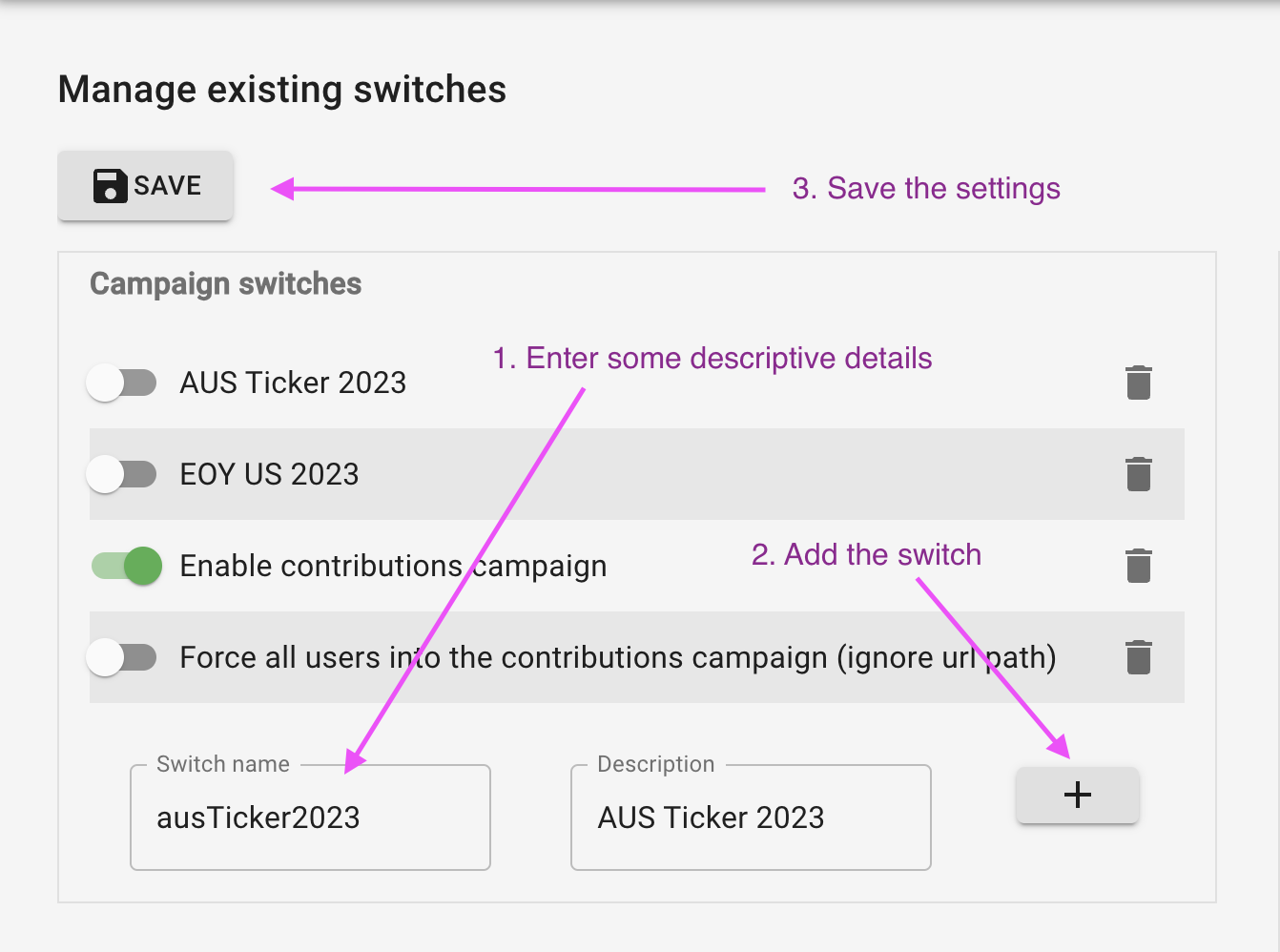
To create a new campaign
- Go to the RRCP switchboard
- Create a new switch under "Campaign switches"
- Save the switchboard
- Add the switch to Switches.scala under
CampaignSwitchesasswitchName: Option[Switch] = None
CODE / Local testing
To test in code, you would need to follow step 1. on the CODE switchboard.
To test locally, copy the switches_v2.json file stored in S3 to the specified path in
DEV.public.conf ie. ~/.gu/support-admin-console/switches_v2.json.
# Make sure you have Janus credentials and `~/.gu/support-admin-console` exists
aws s3 cp s3://$SUPPORT_ADMIN_BUCKET/ENV/switches_v2.json  ~/.gu/support-admin-console/switches_v2.json --profile membership