Renewal Process - gogetssl/whmcs-addon GitHub Wiki
The renewal process has multiple options and settings, here is the description of each function and process.
SSL Addon settings
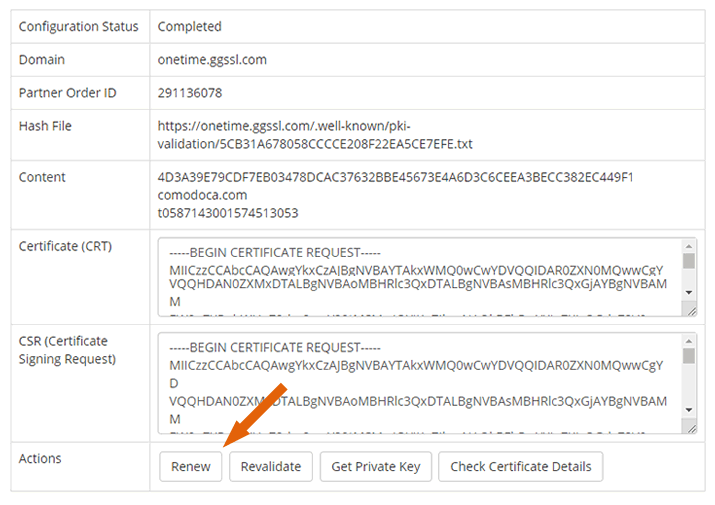
Visible "Renew" button in ClientArea
The Renew button will be visible for both "One-time" and "Recurring" orders in the Client area within 30 days of SSL expiration date.
Automatic processing of renewal orders
The order will be sent to the renewal process with EXACTLY the same data as the original order. No extra configuration is required by the end-customer. The customer would have to configure order again if option disabled.
Renew - New Order
The SSL addon would create a new renewal order if the option is selected. IF the order not selected the Addon would use the same order to renew the SSL, in that case, all control under expiring SSL will be lost and data will be overwritten by the new order.
One-time / Recurring settings (NOT suggested)
The current feature was requested by multiple resellers, however, it is not suggested to use. The most common issue is that it may create duplicate renewal invoices since the WHMCS may create own renewal invoice and SSL addon the duplicate one. We suggest using the standard recurring option of WHMCS. If the customer is One-time, he can always use the RENEW button manually from the client area. The recurring would have a renewal invoice by WHMCS itself.
- Send expiration notifications, if SELECTED the WHMCS would start sending an expiration notification to customers before 30-15-7-3-1 days.
- Create an automatic renewal invoice, if SELECTED the WHMCS would create renewal order before X days of expiration. Once the customer makes the payment the system would process renewal according to settings "Renew - New Order" and "Automatic processing of renewal orders"
Auto Setup (Product settings)
All products within WHMCS should use two options ONLY. All other options are not suggested and may cause SSL addon working improperly
- Automatically setup the product as soon as the first payment is received;
- OR Automatically setup the product as soon as an order is placed.
Renewal workflow scenario
Manual Renewal process
- The Renewal process can be started using the "Renew" button from the Client area.
- Once the button is clicked the WHMCS will create new renewal invoice with "Payment Pending" status
- Once the invoice paid the system would process Renewal logics.
- "Renew order via existing order"
- Selected. In that case, the WHMCS would use the original order to renew the SSL. No new duplicate order will exist. In that case, all data will be overwritten, and no option to reissue/manage the original expiring SSL.
- NOT Selected. Two separate orders will be available for customers, one with expiring cert another one with new one.
- Automatic processing of renewal orders
- NOT Selected. In that case, the WHMCS would not use original data during renewal and renewal order would have "Configuration" status, the customer will receive the email with a request to configure SSL
- Selected. All original data will be used to renew and send an order via API. There is a risk to have a problem, as new rules for SSL may reject the renewal data, for example, blocked TLD zone or Country, new minimal CSR bit size or Key, in that case, the order would be stuck for a manual fix. Of course, such significant changes happen not often, but we have to notify you about taking the risk.
- "Renew order via existing order"
Automatical Renewal process
The process is exactly the same as the manual scenario with just one difference, no need to click the RENEW button as the module would generate a renewal invoice automatically.
- "Create an automatical renewal invoice" must be selected