academy Getting started with kadira - giordanocardillo/kadira-server GitHub Wiki
layout: academy_post title: Getting Started With Kadira permalink: /academy/getting-started-with-kadira summery: This guide will help you get started with Kadira to identify how your app behaves and help you take necessary actions.
This guide will help you get started with Kadira to identify how your app behaves and help you take necessary actions.
##Install and Configure Kadira
Adding Kadira support for your app is pretty simple. Simply add the kadira smart-package as follows:
meteor add meteorhacks:kadira
# if you've not yet migrated to Meteor 0.9 run following
# mrt add kadira
Then configure your app by adding this code into any file in your app's server directory.
Kadira.connect('<appId>', '<appSecret>')
It is very important to add this code into server directory; if you do not, your Kadira app credentials will be exposed to the client.
It is possible to automatically connect to Kadira using Environment Variables or using Meteor.settings.
use followng settings.json file with your app.
{
  ...
  "kadira": {
    "appId": "<appId>",
    "appSecret": "<appSecret>",
    "options": {

    }
  }
  ...
}expose following environemnt variables before when you are runnign or deploying your app.
export KADIRA_APP_ID=<appId>
export KADIRA_APP_SECRET=<appSecret>
You can also specify options with environment variables too. For that, look at the options definition.
For an example: if you need to send kadira traffic via a http proxy. This is how it can be done with environment variables.
export KADIRA_OPTIONS_PROXY=http://proxyhost.com:port
After you've successfully connected with Kadira, you'll be able to see messages like the ones below, which indicate you've successfully authenticated with Kadira.
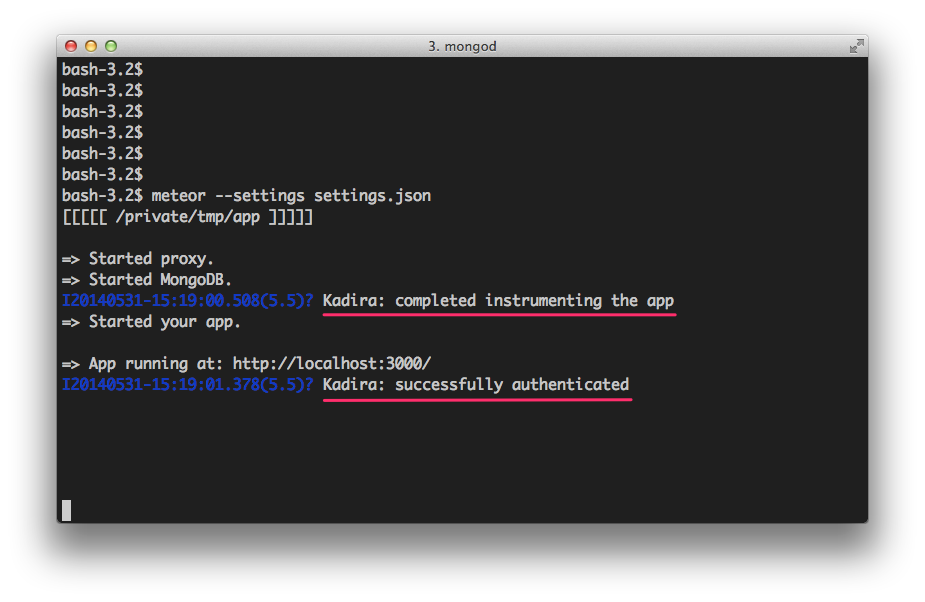
After about one minute, your data will be processed and will be available on the UI.
If you are connecting to kadira behind a enterprise firewall or using a HTTP/HTTPS proxy. Then you need to configure kadira for that. For that look at this article.
The Kadira Dashboard is very nicely designed and super easy to use. Yep, it's a Meteor App too. This is the overview of the Kadira Dashboard.
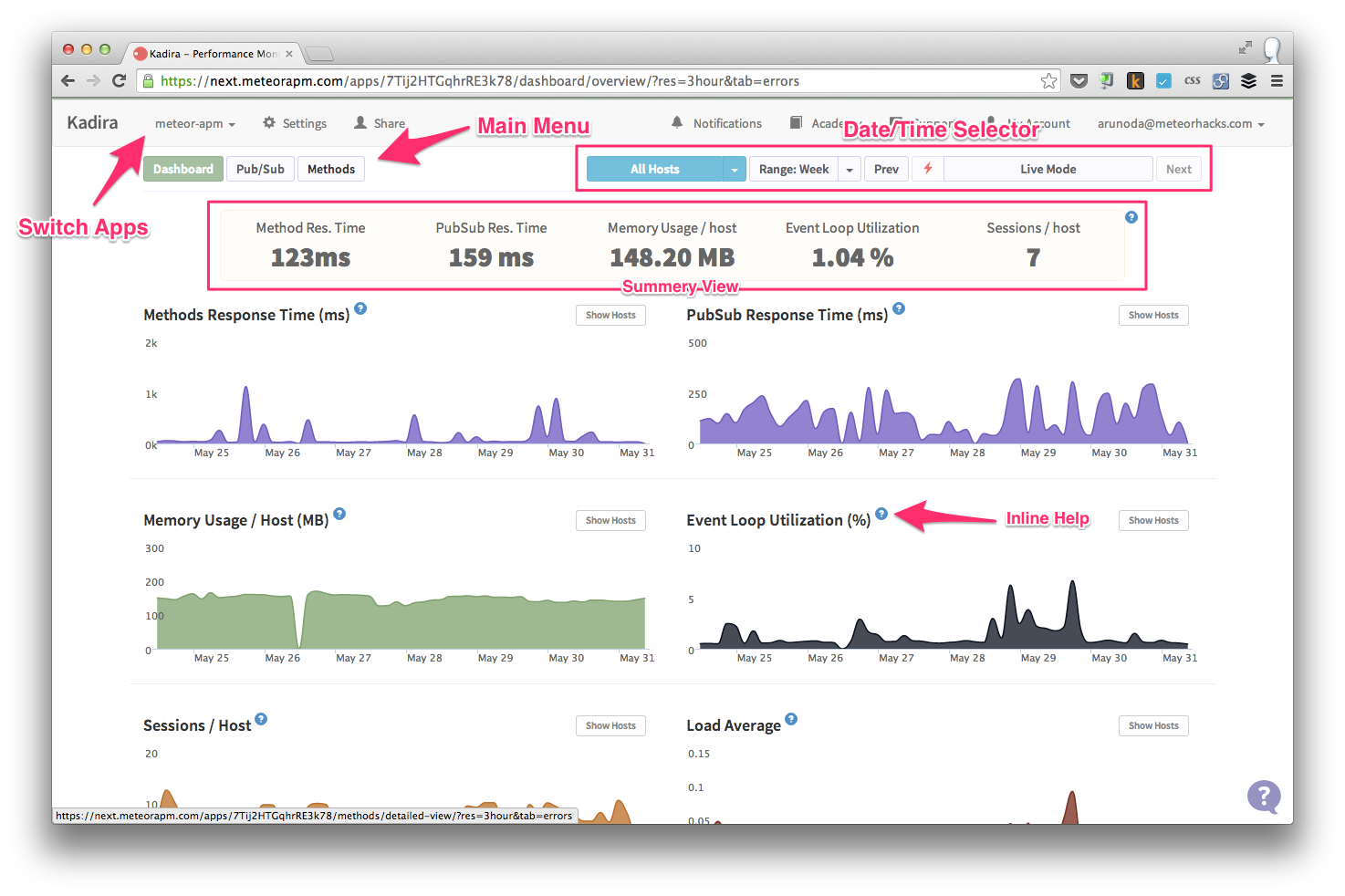
You should not need extra help to become familiar with the Dashboard. However, if you do need clarification, watch our Onboarding video.
Let's assume you've added Kadira and it has enough information (about 30 minutes of runtime data) to provide a good analysis. There is no right or wrong way to use Kadira but I will suggest two simple ways to get started.
Normally, for a typical Meteor application, the Average Response Time of a Meteor Method should not be more than 200ms. If it is more than this, in many cases there are ways to improve performance.
- First click on Methods on the Main Menu and look at the Response Time.
- Also look at the Response Time graph for any spikes.
- If you find places where the Response Time is higher than 200ms, click the Detailed View button on the Sub Menu.
- Then find the Response Time and click on the spike in the graph.
- This will show a set of traced methods at that time.
- Click on a trace to see exactly what has happened on that method at that time.
- Follow this guide to understand the traced data and improve your method accordingly.
You can follow the same process for PubSub.
In your app, you might be using many Meteor Methods. You may need to improve all of them. It is a good idea to start, though, with the ones that have more impact. We’ve identified that if you can improve a method with higher Throughput, it will impact more on the total performance gain. To do this, follow these steps:
- Click on the Detailed View of Methods.
- Sort the Methods Breakdown by Throughput (the default sort criteria).
- Click on a method name in the Methods Breakdown.
- In the Recommendations section, you will see the impact you can have if you improve the selected method.
- Click on the Response Time Graph and find a trace.
- Analyze it with this guide and improve your method if possible.
- Do the same for all methods.
You can follow the same process for PubSub, but you will need to sort the Pub/Sub Breakdown by SubRate instead of Throughput.
There are many more ways to improve your app with Kadira. Explore and share your discoveries with us. You can also refer the tutorials on the Kadira Academy or follow BulletProof Meteor to find more ways to improve your app.
If you need help or more information, contact arunoda at arunoda [at] meteorhacks.com. Good luck and don't forget to share your experience with us.