Git (pushing and pulling) - ftc8380/coding-guide GitHub Wiki
In the last part we discussed what pushing and pulling are, now let's try it.
Pulling
We're doing this first because you always always want to push before you pull. Pull regularly, but especially do so when a teammate tells you that they've pushed something to GitHub.
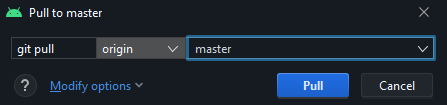
Assuming you've configured Git properly, pulling is pretty easy. Go up to Git and choose Pull, and specify master in the dropdown. If you don't see that as an option, hit CTRL+F5 or whatever it tells you to update branches. Then choose OK.
Committing
Identify yourself
First sign up for GitHub if you don't have an account already. Then contact the owner of the FTC8380 organization to grant you access. At the moment, this is Matt on Discord.
Before you commit, make sure that Git knows who you are. Try this in a terminal window:
git config --global user.name "GITHUB_USERNAME"
git config --global user.email "GITHUB_EMAIL"
Replace GITHUB_USERNAME with your GitHub username and replace GITHUB_EMAIL with one of the following:
- the email you signed up to GitHub with (this will publicly expose your email address)
- a GitHub-provided email address
Keep the quotation marks!
Choosing what to commit
You're happy with your changes and want to save them to a commit. Let's do that. Go to the very left of Android Studio and under Project, try to find Commit. You'll see a panel like this:
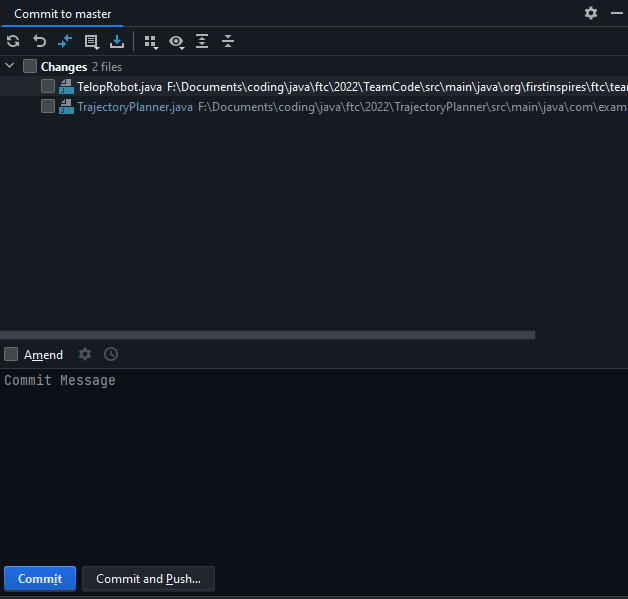
Now you can use the checkboxes to select what you'd like to commit. My suggestion is for you not to select too many files at once - commits should be logical pieces, something you can explain in a few words. Select only the files you want to include in your commit.
Speaking of which, that's the point of the Commit Message field. Here, you'll type a brief description of your changes. It doesn't need to be an essay, but please use it to tell your teammates what you did.
Now you can click Commit.
⚠ ALWAYS DO A GIT PULL BEFORE COMMITTING ⚠
Pushing
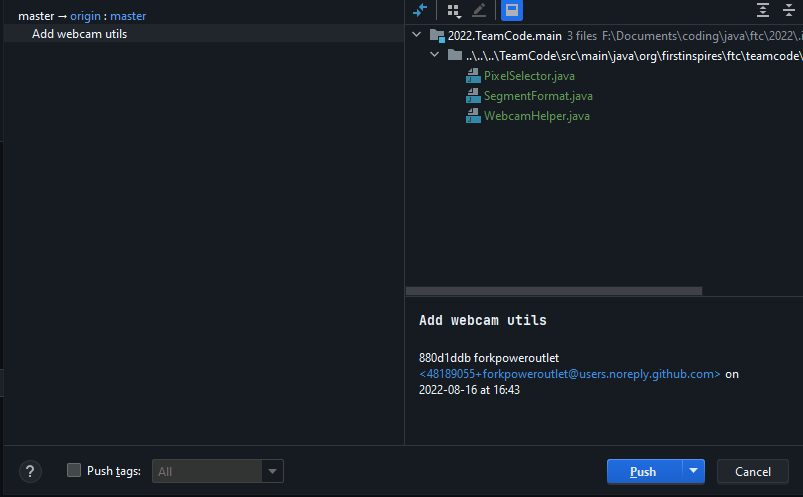
Simple enough. Go up to Git --> Push and through this panel you can review what exactly you're pushing before you do so.
Logging into GitHub
You may be prompted with a big blue button to log in to GitHub. Don't do that; they stopped supporting it. Find the button next to it and log in with a token instead. Hit the Generate button, generate your token in your GitHub settings, and paste it in.
Notifying teammates
Whenever you push something, you should let the other programmers know so they can pull in your commit(s). Pinging them in Discord is usually enough.