VIP processing through Shanoir - fli-iam/shanoir-ng GitHub Wiki
Virtual Imaging Platform (VIP)
VIP is a web portal for medical imaging applications. It allows access to scientific applications as a service, as well as distributed computing resources available in the biomed virtual organization of the EGI e-infrastructure. VIP is developed and maintained by the CREATIS team of INSA Lyon.
Shanoir allows an authenticated user to process datasets on VIP platform pipelines. The resulting data is reintegrated into Shanoir as processed datasets.
How to deploy your pipeline on VIP
Access VIP user documentation here : https://vip.creatis.insa-lyon.fr/documentation/
Containerizing your pipeline
Your pipeline (i.e. script, executable) needs to be packaged into a docker container. For that you need to :
- install Docker on your machine
- write a Dockerfile
- build the Docker image from Docker file and test it
- export the image as an archive
You can follow this step-by-step official tutorial : https://docs.docker.com/guides/workshop/
Describing your pipeline
In order to be integrated into VIP, your pipeline needs to be described following the Boutiques specification : https://github.com/boutiques/boutiques/tree/master/boutiques/schema
Pushing your pipeline to VIP
Create a VIP user account
To access VIP pipelines and start execution from Shanoir, the authenticated user must have previously created an account on the VIP platform.
This user must have the same email address than the Shanoir account, so that the two accounts can be linked between the two applications.
To create an account on VIP, see https://vip.creatis.insa-lyon.fr/sign-up.html.
Contact a VIP admin
To deploy your pipeline, its Boutiques descriptor needs to be provided to a VIP admin that will deploy it.
Contact the VIP team : https://vip.creatis.insa-lyon.fr/index.html#team
Push your docker image
Your pipeline Docker image needs to be available either :
- on the Docker official public repository : https://hub.docker.com/
- on the VIP private repository : your image needs to be provided to a VIP admin
How to process your Shanoir data on VIP with Shanoir UI
Selecting dataset(s) to process
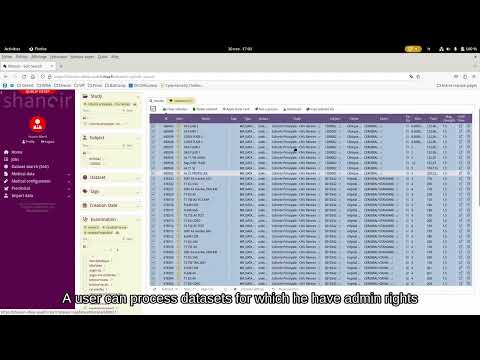
Datasets to process through VIP pipeline are selected through the Dataset search (Solr) view.
Once the selection made, click the Run a process button. Users must have admin rights on all the selected datasets.
Choosing a pipeline
Users can then select one of the VIP pipelines he has access to. They click Run this pipeline button to configure the pipeline execution.
Configuring execution
Execution nameis filled by default but can me modified by the userGroup byallow users to define the level of dataset files grouping (by dataset, acquisition, examination) expected by the VIP pipeline.Dataset export formatallow users to select the dataset export format (NIfTI or DICOM) expected by the VIP pipeline.
Other fields are execution parameters, specific to the chosen pipeline.
infile type fields correspond to the selected datasets. User can alter their selection by using regular expressions in these fields.
Once the execution started (after a few seconds), users are redirected to the Details on dataset processing view.
Following execution
Users can follow the state of the execution through the Jobs view.
In the Details on dataset processing view, they can check the status of the execution, and download some logs from VIP.
Accessing results
At the end of a successful execution, processings and processed datasets are created under each selected datasets.
The processings represents the VIP pipeline execution.
The processed dataset contains the raw results archive of the VIP execution, that can be downloaded through the Download process data button in the Details on dataset view
Some pipelines (e.g. ofsep_sequence_identification) can trigger specifically developed post-processing.
Video demo
Shanoir x VIP : The OFSEP Sequence Identifier use case
How to process your Shanoir data on VIP with PyNoir
PyNoir is a python git repository maintained by the Shanoir team, its goal is to simplify, specify and serialize HTTP request to the Shanoir API. It's not specific to VIP statements, but a major part of the PyNoir code is relative to that. You can find the repository here. If you can not access to this repository, please get in touch with the Shanoir team.
Configure your python client
Please refer to this ReadMe. You can consider existing projects as example.
## Use your python client
You just have to execute your main.py. There is a log system and a resumption system directly in the generic source code. You can refer to this ReadMe for more details.