Duplicate And Transform - ff6347/extendscript GitHub Wiki
With this piece of code you can generate patterns from Text.
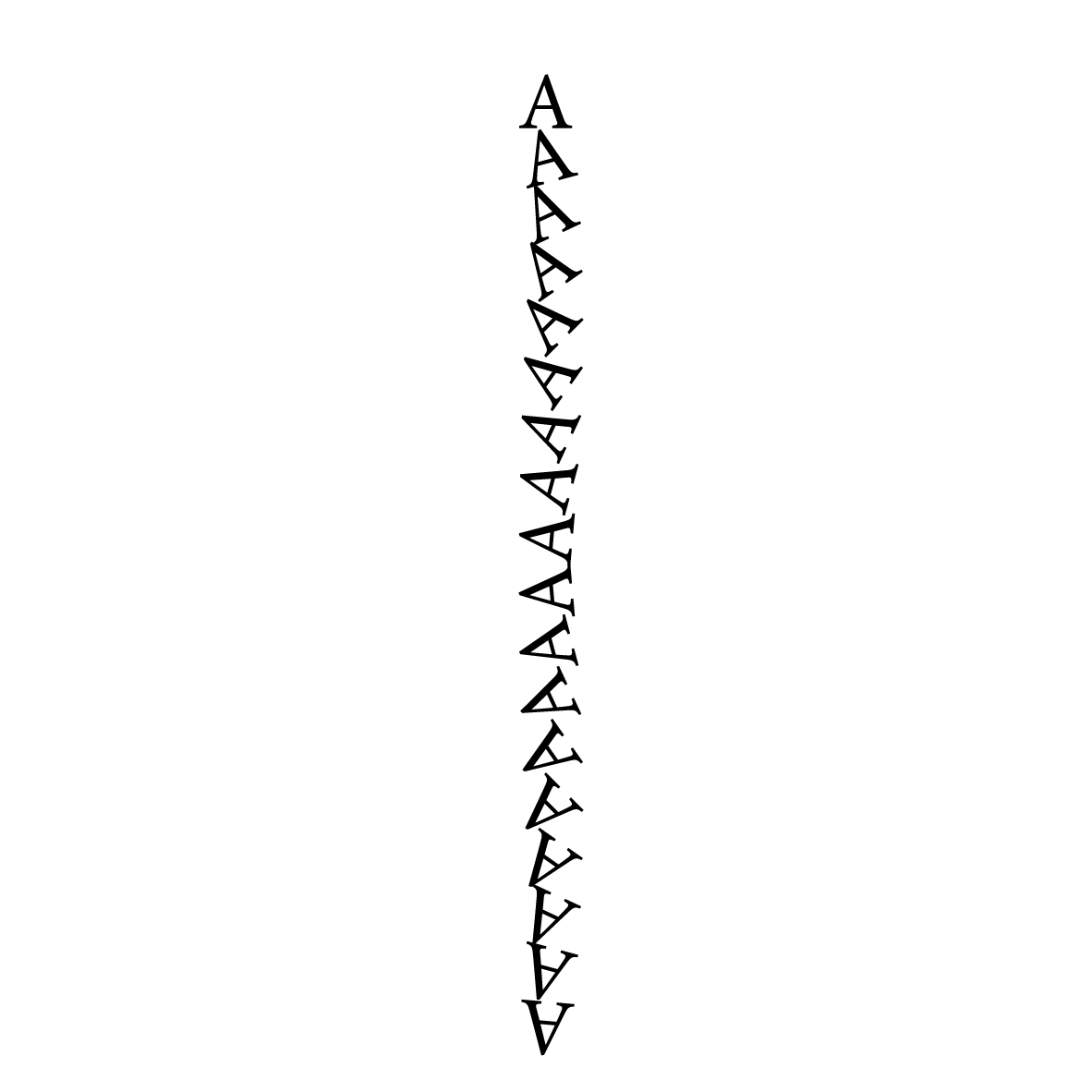
    main();

    function main(){

    var pw = 200; // for easier handling
    var ph = 200; // for easier handling

    /*
    These functions build a basic setup
    this is for better reuse
    */
    var result_of_doc_setup = basic_doc_setup(pw, ph, false, "A");
    alert("This is the result of the doc setup function:"+ result_of_doc_setup); // have a look at the rsult of the setup     function
    /*
     separate the result of the setup function into
     single variables. for better handling
    */
    var doc = result_of_doc_setup[0]; // This is a doc
    var page = result_of_doc_setup[1]; // This is a page
    var tf = result_of_doc_setup[2]; // this is our text frame
    tf.createOutlines(true); // make a polygon from the text

    /*
    In the loop we do 2 transformations
    once by duplicating the polygon and giving him a new location
    relative to its original

    than we apply a transform with the matrices we created in the loop
    there is also a option that is called transformAgain
    */
    for(var i = 10; i < ph - 20; i = i + 10){

      var dupe_poly = page.polygons.lastItem().duplicate(undefined,[0, i]);// this is a relative duplicate

      // create some transform matrices
      // var vertical_shift = app.transformationMatrices.add({horizontalTranslation: 10});// transform horizontal
      // var horizontal_shift = app.transformationMatrices.add({verticalTranslation: 35});// transform vertical
      var rotate = app.transformationMatrices.add({counterclockwiseRotationAngle:(5 + i)});// rotate
          dupe_poly.transform(CoordinateSpaces.pasteboardCoordinates, AnchorPoint.centerAnchor, rotate); //

      }; // end of loop

    };

    /*
    This function creates a document with some preset vales
    It also creates a text frame on page one

    **************ARGUMENTS**************
    page_width  Number
    page_height Number
    facing_pages Boolean
    text_frame_content String

    **************RETURN VALUES**************
    it returns an array of objects
    [Object Document, Object Page, Object TextFrame]

    */

    function basic_doc_setup(page_width, page_height, facing_pages, text_frame_content){

      // create a doc with a size of 200 w and h
      var doc = app.documents.add({
              documentPreferences:{
                      pageWidth : page_width,
                      pageHeight: page_height,
                      facingPages : facing_pages
                  }
              });
      /*
      get the page
      create a text frame with a the content
      */
    var page = doc.pages.item(0);
    var top = page.marginPreferences.top;
    var left = page.marginPreferences.left;
    var right = page.marginPreferences.right;
    var bottom = page.marginPreferences.bottom;

    // now make a text frame with the content of the argument text_frame_content
    var tf = doc.pages.item(0).textFrames.add({
              geometricBounds:[top,left,page_height - bottom, page_width - right],
              contents: text_frame_content,

              });

    tf.textFramePreferences.verticalJustification =  VerticalJustification.CENTER_ALIGN;

    var firstPar = tf.paragraphs.item(0); // get the first paragraph
    // set some properties
    firstPar.properties = {
                    pointSize: 42,
                    justification : Justification.CENTER_ALIGN,
                    hyphenation : false
                    };

    tf.fit(FitOptions.FRAME_TO_CONTENT);

    return[doc, page, tf];

    }; // end of basic_doc_setup function