room amplifier - fcorthay/RPi-multiroom-audio GitHub Wiki
For the RPi multiroom system, the different rooms can be fitted with a receiver amplifier.
The rooms can be fitted with an A5-shaped simple amplifier. It is made out of a power supply, a RPi 3 and a 30 W stereo amplifier hat.
The necessary hardware can be to a great extent purchased from Mouser (prices vary):
| description | product id | quantity | unit price | total |
|---|---|---|---|---|
| Raspberry Pi 3 - Model B+ | SC0073 | 1 | 32 | 32 |
| SD card - 64 GB | SDCS2/64GBCA | 1 | 12 | 12 |
| amplifier hat | 1 | 90 | 90 | |
| 24 V power supply | TXM 075-124 | 1 | 50 | 50 |
| right-angle HDMI connector | P142-000-UP | 0 | 8 | 8 |
| spacers M3x5 | 971050321 | 4 | 0.5 | 2 |
| spacers M3x40 | 971400361 | 2 | 1 | 2 |
| spacers M2.5x10 | 971100151 | 4 | 0.5 | 2 |
| spacers M2.5x11 | 971110154 | 4 | 1 | 4 |
| spacers M2.5x20 | 971200151 | 4 | 1 | 4 |
| hex nuts M2.5 | 9603 | 4 | 0.1 | 0.4 |
| power entry module | 4304.6063 | 1 | 10 | 10 |
| FastOn terminal 90° | 9-520132-2 | 3 | 0.5 | 1.5 |
| 0.5 A fuse | 0617.500MXP | 2 | 0.2 | 0.2 |
| banana jack - black | BU-P72930-0 | 2 | 3 | 6 |
| banana jack - red | BU-P72930-0 | 2 | 3 | 6 |
| rubber feet | SJ-5003 (BLACK) | 4 | 0.1 | 0.4 |
| 230 | ||||
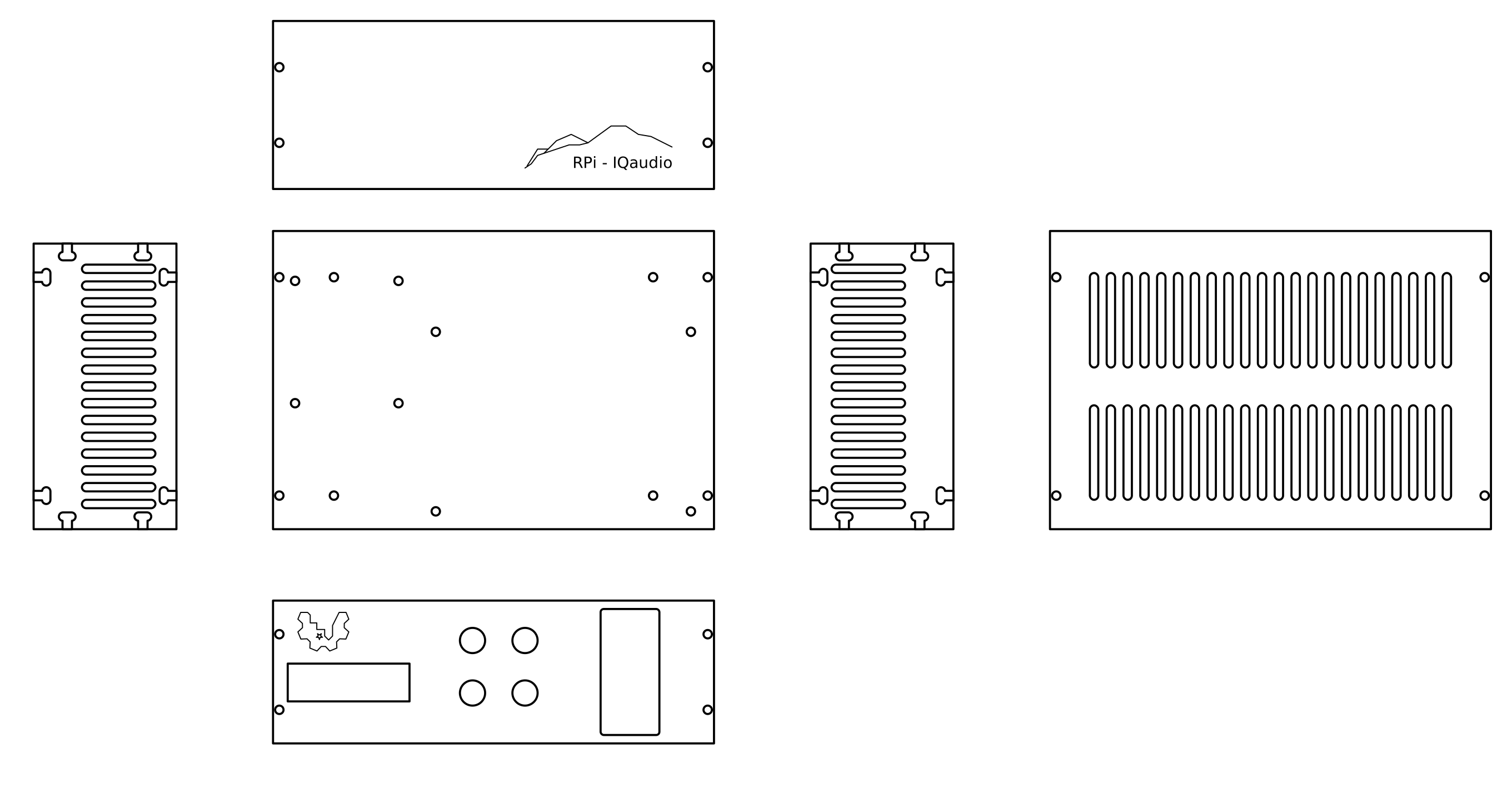
The housing is of A5 (148 x 210 cm2) bottom shape and 8 cm high.
I have made my room amplifiers using 0.6 mm resopal plates. One could imagine building them out of a nice wood such as larch.
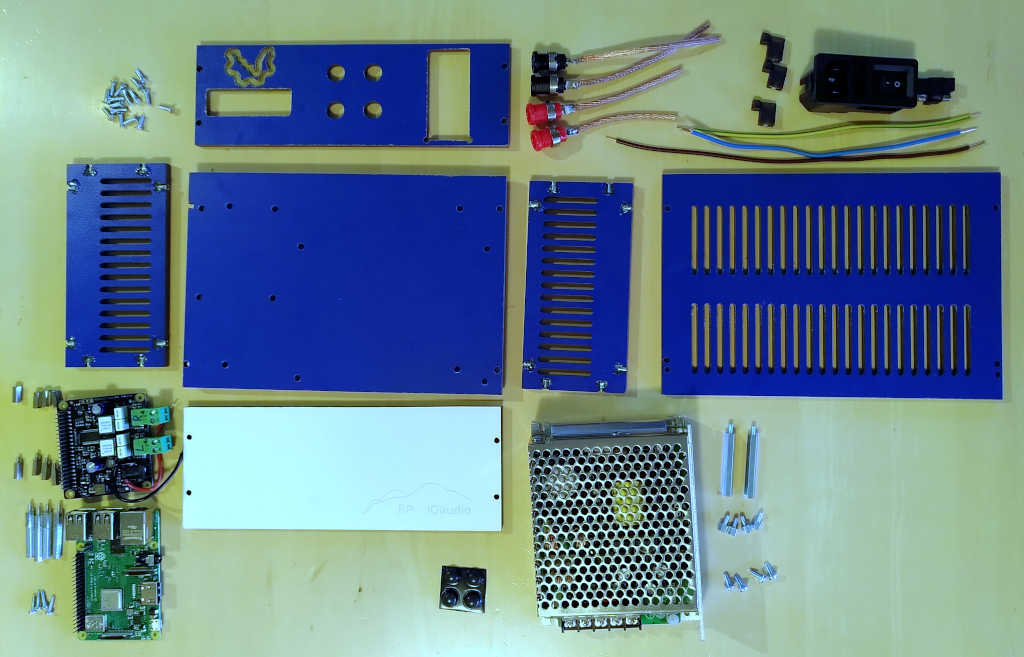
Prepare base plate, electronics, screws and spacers:
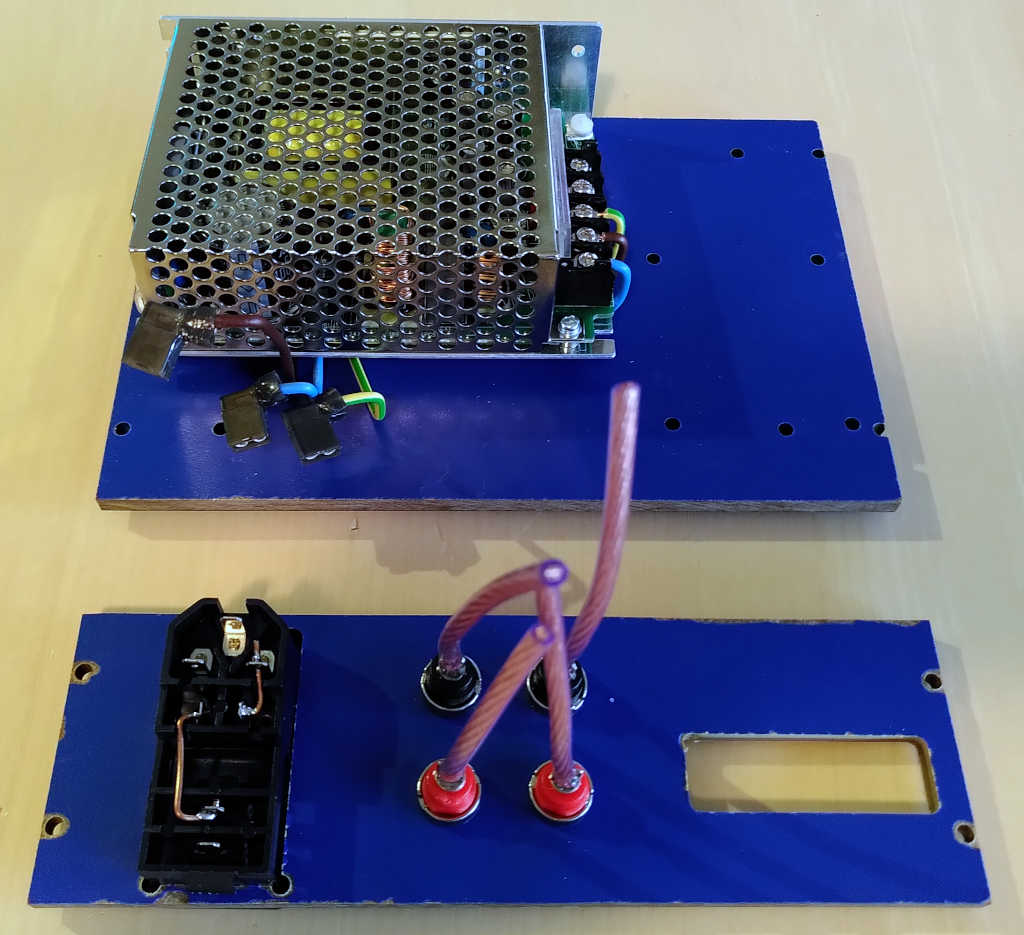
Mount the power supply on the base plate and the connectors on the backplate:
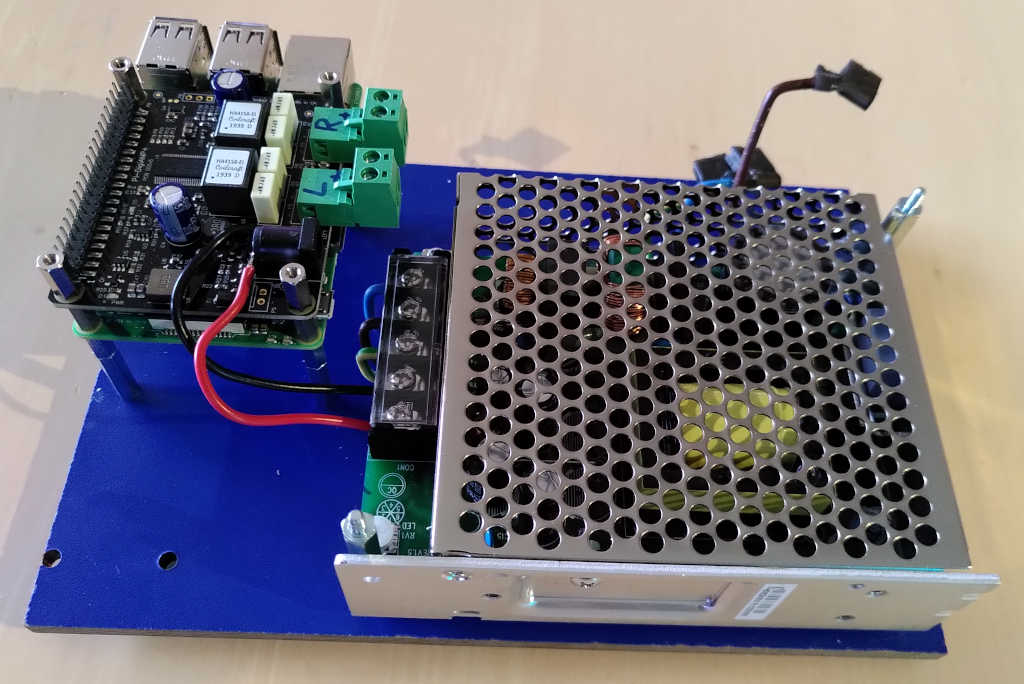
Mount the RPi:
Connect the entries of the backplate:
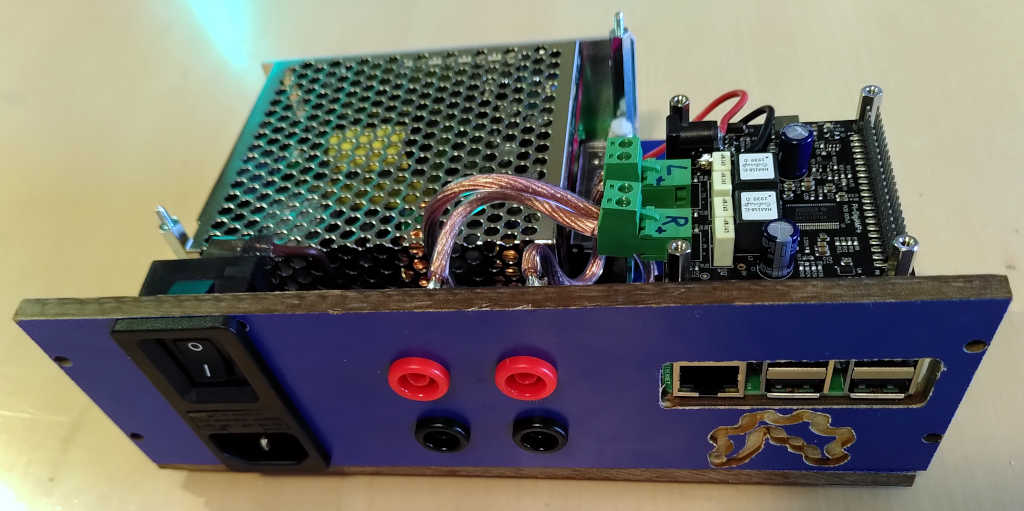
Time for a first test.
fix the lateral plates onto the bottom plate:
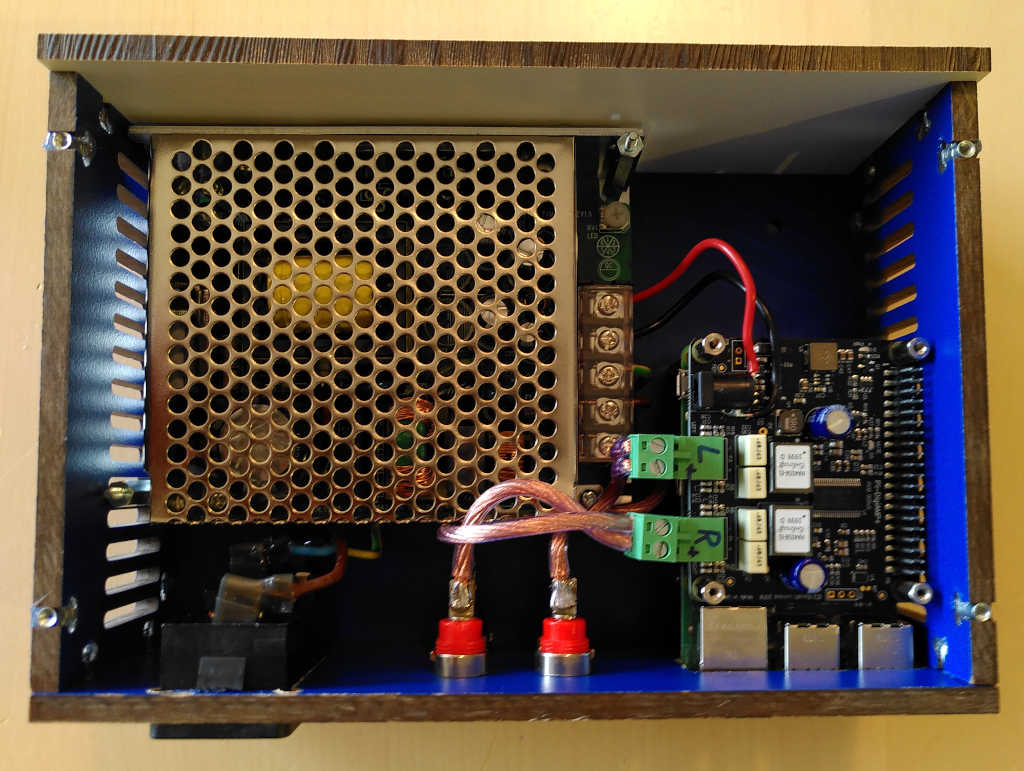
Fix the top plate.
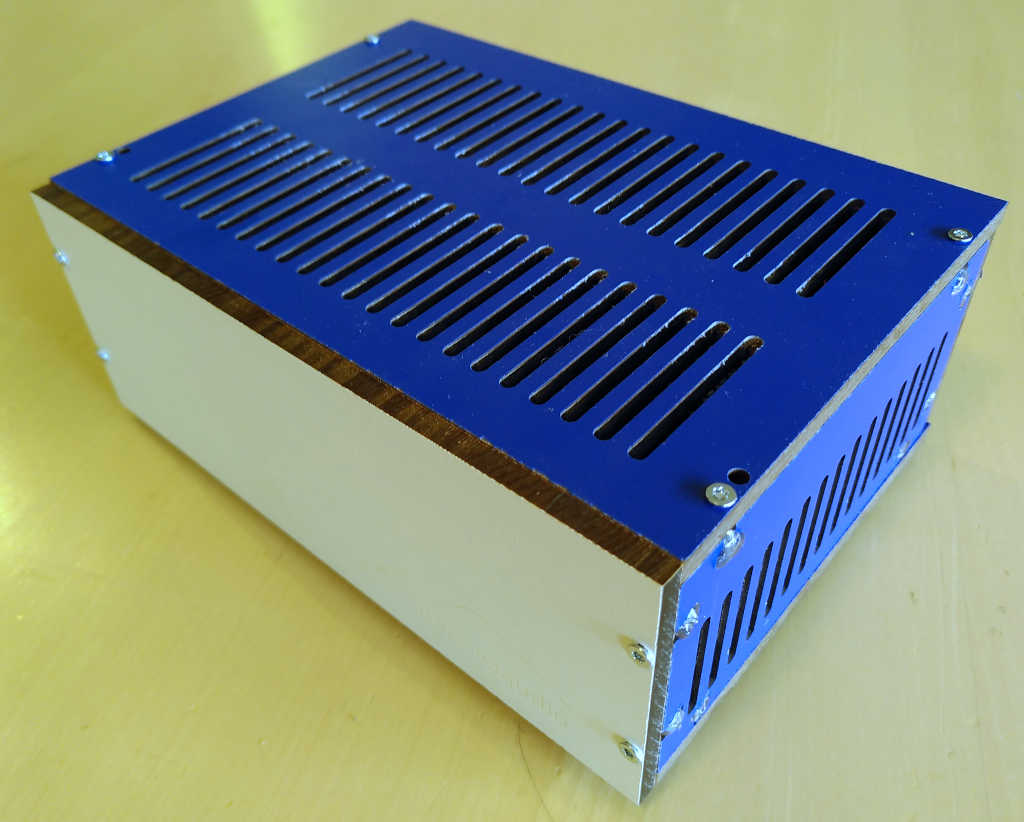
Done.
For a few dollars more (and, with this, a few Watt more), one can drive a stereo system with 2 amplifiers, each having a HiFiBerry Amp100 2 x 100 W amplifier.
As the basic amplifier, one mono amplifier fits into the surface of an A5 sheet.

The 2 amplifiers are made out of a 28 V power supply, a RPi 4, and a HiFiBerry amp100 stereo amplifier.
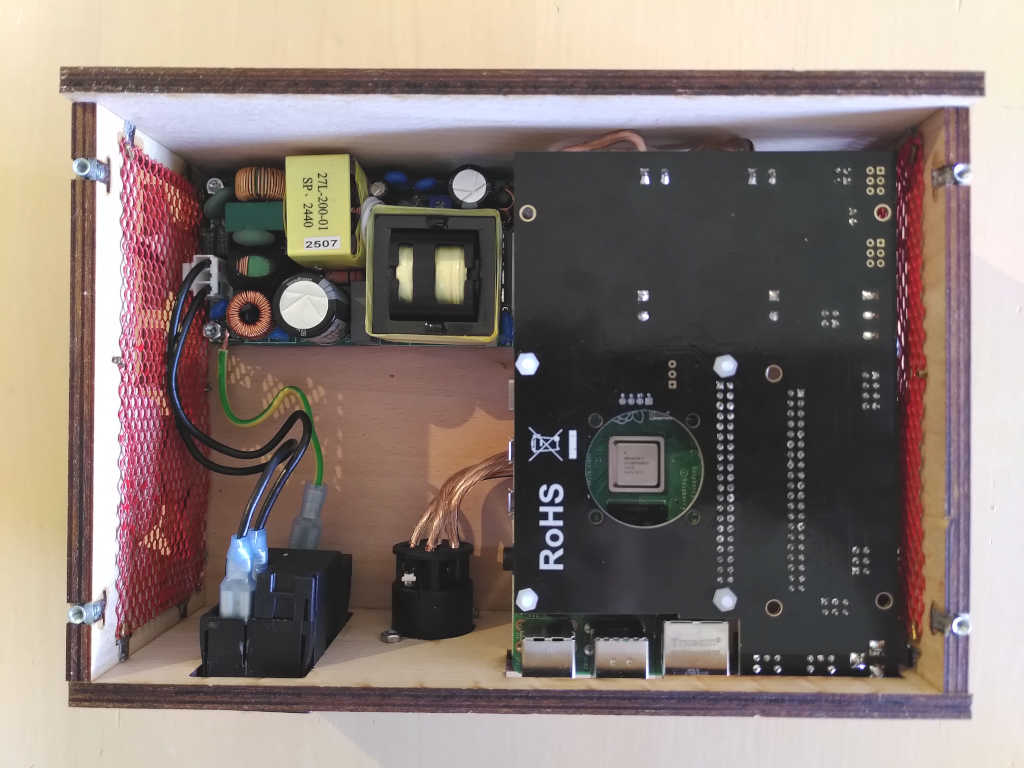
Both amplifiers receive the multiroom music. Alternatively, one of them can serve the music.
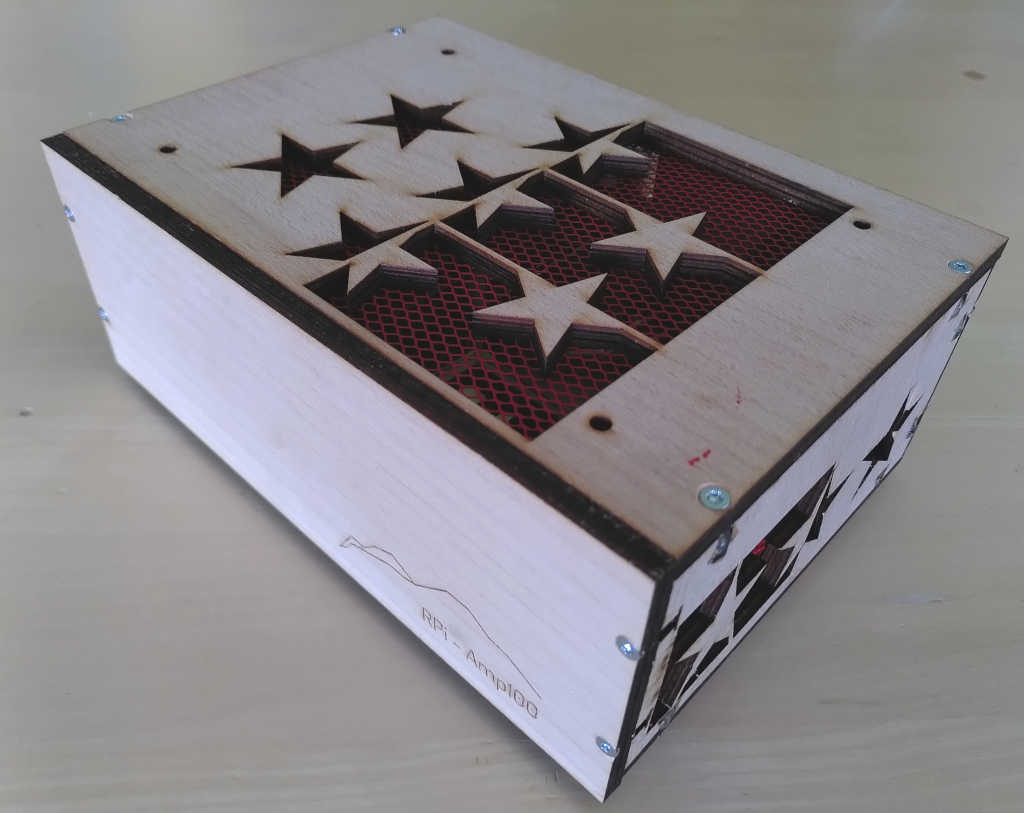
One processes the left channel, splits it into low frequency (bass) and high frequency (treble) parts and amplifies them separately to drive the left-side loudspeaker. Similarly, the other one processes the right audio channel.
I use the Amp100 boxes to drive a pair of Linn Katan loudspeakers. They can easily be configured in active mode. They will have the 2 ways crossover splitting at 3.5 kHz.
Finding the amplifier board's capacities is done with:
AMPLIFIER_DEVICE=`aplay -l | grep ^card | grep -v Headphones | grep -v vc4hdmi | grep -v Loopback`
AMPLIFIER_SOUNDCARD_ID=`echo $AMPLIFIER_DEVICE | cut -d ' ' -f 2 | tr -d :`
AMPLIFIER_SOUNDCARD=`echo $AMPLIFIER_DEVICE | cut -d ' ' -f 3`
echo "amplifier soundcard is card $AMPLIFIER_SOUNDCARD_ID, $AMPLIFIER_SOUNDCARD"

AMPLIFIER_CAPACITIES=`aplay -v -D hw:$AMPLIFIER_SOUNDCARD --dump-hw-params /dev/zero 2>&1 | grep -iE '^format|^rate|^channels'`
echo -e "$AMPLIFIER_CAPACITIES"
Bizarrely enough, the board adverts to have sample rates of 8 kHz and 384 kHz, but CamillaDSP's ALSA interface only managed to set the PCM sample rate to 48 kHz. So here the header:
devices:
#  samplerate: 384000
  samplerate: 48000
  capture_samplerate: 192000
  enable_rate_adjust: true
  resampler:
    type: Synchronous
  chunksize: 2048
  capture:
    channels: 2
    device: hw:Loopback,1,0
    format: S32LE
    type: Alsa
  playback:
    channels: 2
    device: dmix:sndrpihifiberry
    format: S32LE
    type: Alsa
  silence_threshold: -60
  silence_timeout: 3
Designing a Bessel crossover of order 16 is done by:
$AUDIO_BASE_DIR/Crossovers/crossover-iir.py -v -t bessel -c 3500 -o 16 -c 3500 -f 2
Obviously, one can play with the parameters and observe the result in the generated bessel.png file.
The designed filters information can be copied from the freshly created Crossovers/bessel.yaml
to CamillaDSP/Configuration/Configurations/crossoverBessel.yaml.
With this, define the Bessel filter as being the processing to be done:
ln -sf $CAMILLA_CONFIGURATIONS_DIR/crossoverBessel.yaml $CAMILLA_CONFIGURATION_FILE
sudo service camilladsp restart
The Bessel filter provides a good phase response but has a dip in the crossover region.
A Butterworth crossover provides a -3 dB attenuation at both the lowpass and the highpass filters cutoff frequencies and, as such, a more continuous transition in the crossover region.
The filter order can be pushed up to 30. Over this value, two of the poles have an imaginary part so close to zero that the design script doesn't provide a proper result. This is seen by the indication, in the verbose output, that the filter has real poles. Remember that we want an even filter order as we are using biquads.
$AUDIO_BASE_DIR/Crossovers/crossover-iir.py -v -t butterworth -c 3500 -o 30
Copy crossoverBessel.yaml to crossoverButterworth.yaml, edit it with the new filters description,
and run it on the amplifier:
ln -sf $CAMILLA_CONFIGURATIONS_DIR/crossoverButterworth.yaml $CAMILLA_CONFIGURATION_FILE
sudo service camilladsp restart
On a RPi 4, this signal processing takes about 12% CPU.
A Linkwitz–Riley crossover provides a totally flat transition.
As is it made out of the serial connection of 2 Butterworth filters, both in the lowpass and the highpass part of the crossover,
it is simply implemented by doubling all the filter list in the pipeline section of the CamillaDSP configuration file.
If latency is not a concern, a Nuttall crossover of order 4095 is designed with:
$AUDIO_BASE_DIR/Crossovers/crossover-fir.py -v -t Nuttall -c 3500 -o 4095
Move the coefficient files to the CamillaDSP environment:
lowpassFile=`ls -t -A1 $AUDIO_BASE_DIR/Crossovers/ | head -n 3 | tail -n 1`
mv $AUDIO_BASE_DIR/Crossovers/$lowpassFile $CAMILLA_COEFFICIENTS_DIR/
highpassFile=`ls -t -A1 $AUDIO_BASE_DIR/Crossovers/ | head -n 2 | tail -n 1`
mv $AUDIO_BASE_DIR/Crossovers/$highpassFile $CAMILLA_COEFFICIENTS_DIR/
Edit CamillaDSP/Configuration/Configurations/crossoverNuttall.yaml
and use the same device settings as for the IIR crossover, but define the freshly generated FIR filter coefficients.
With this, define the Nuttall filter as the processing to be done:
ln -sf $CAMILLA_CONFIGURATIONS_DIR/crossoverNuttall.yaml $CAMILLA_CONFIGURATION_FILE
sudo service camilladsp restart
As on can restart CamillaDSP on the fly while the music is playing, it is possible to live switch between different crossovers for the comparison.
Obviously, one can stick to a single Amp100 to drive a stereo loudspeaker pair without the signal processing described above.
Also, one could have a single box with a Beocreate 4 channel amplifier. This would change the cabling to be done with loudspeaker cables rather than with mains and Ethernet cables. The Beocreate 4 doesn't furnish the same amount of power as two Amp100. The signal processing is to be carried out in the on-board DSP rather than in the RPi.
For even more power, one can drive a stereo system with 2 amplifiers, each having a Wondom JAB5 2 x 200 W amplifier working in parallel bridge-tied load mode.
The 2 amplifiers are basically made out of a 24 V or 36 V power supply, a RPi 4, an USB to I2S converter and a JAB5 stereo amplifier. Both receive the multiroom music. One processes the left channel, splits it into low frequency (bass) and high frequency (treble) parts and amplifies them separately to drive the left-side loudspeaker. Similarly, the other one processes the right audio channel.
Installing Mopidy and SnapServer on one of the amplifiers allows to have a standalone stereo system.
One mono amplifier requires the surface of an A4 sheet.
It requires a double output power supply (or 2 supplies) : one for the RPi 5 V and one for the amplifier 24 V or 36 V. The negative (common) voltage of both supplies should be grounded. My experience shows that the USB to I2S converter has to be electrically isolated from the RPi : inserting an USB isolator nicely does the job.
Push the switch on the USB to I2S converter to the opposite of the USB-C connector.
Push the switch on the JAB5 amplifier on the position S.
With this, the audio connection is made by the 6-wire I2S cable.
Pushing both switches in the opposite direction allows an analog connection via a 3-wire cable which has to be inserted at the proper position in the 5-pin connectors.
The Wondom USB to I2S converter provides a 2 channel, 16 bit, 48 kHz soundcard.
We will take the example of a DEM audio Les Combins louspeaker.
It requires the 2 ways crossover to split at 2.5 kHz.
The treble driver also wants a 6 dB attenuation compared to the bass.
This is been taken care of in the mixers part of the configuration file.
For the devices section of the CamillaDSP configuration file, the following setup has to be set:
samplerate: 48000device: "dmix:UCM"format: S16LE
Designing a Bessel crossover of order 16 is done by:
$AUDIO_BASE_DIR/Crossovers/crossover-iir.py -v -t bessel -o 16 -c 2500 -f 2
The designed filters information can be copied from the freshly created Crossovers/bessel.yaml
to CamillaDSP/Configuration/Configurations/crossoverBessel.yaml.
With this, define the Bessel filter as being the processing to be done:
ln -sf $CAMILLA_CONFIGURATIONS_DIR/crossoverBessel.yaml $CAMILLA_CONFIGURATION_FILE
sudo service camilladsp restart
The Bessel filter provides a good phase response but has a dip in the crossover region.
A Butterworth crossover provides a -3 dB attenuation at both the lowpass and the highpass filters cutoff frequencies and, as such, a more continuous transition in the crossover region.
The filter order can be pushed up to 30:
$AUDIO_BASE_DIR/Crossovers/crossover-iir.py -v -t butterworth -c 2500 -o 30
Copy crossoverBessel.yaml to crossoverButterworth.yaml, edit it with the new filters description,
and run it on the amplifier:
ln -sf $CAMILLA_CONFIGURATIONS_DIR/crossoverButterworth.yaml $CAMILLA_CONFIGURATION_FILE
sudo service camilladsp restart
On a RPi 3, this signal processing takes about 1% CPU.
A Linkwitz–Riley crossover provides a totally flat transition.
As is it made out of the serial connection of 2 Butterworth filters, both in the lowpass and the highpass part of the crossover,
it is simply implemented by doubling all the filter list in the pipeline section of the CamillaDSP configuration file.
If latency is not a concern, a Nuttall crossover of order 4095 is designed with:
$AUDIO_BASE_DIR/Crossovers/crossover-fir.py -v -t Nuttall -c 2500 -o 4095
Move the coefficient files to the CamillaDSP environment:
lowpassFile=`ls -t -A1 $AUDIO_BASE_DIR/Crossovers/ | head -n 3 | tail -n 1`
mv $AUDIO_BASE_DIR/Crossovers/$lowpassFile $CAMILLA_COEFFICIENTS_DIR/
highpassFile=`ls -t -A1 $AUDIO_BASE_DIR/Crossovers/ | head -n 2 | tail -n 1`
mv $AUDIO_BASE_DIR/Crossovers/$highpassFile $CAMILLA_COEFFICIENTS_DIR/
Edit CamillaDSP/Configuration/Configurations/crossoverNuttall.yaml
and use the same device settings as for the IIR crossover, but define the freshly generated FIR filter coefficients.
With this, define the Nuttall filter as the processing to be done:
ln -sf $CAMILLA_CONFIGURATIONS_DIR/crossoverNuttall.yaml $CAMILLA_CONFIGURATION_FILE
sudo service camilladsp restart
As on can restart CamillaDSP on the fly while the music is playing, it is possible to live switch between different crossovers for the comparison.