Flutter HTTP GET - fauziardha1/learn-flutter GitHub Wiki
HTTP GET in single data
status: Success- Siapkan tampilan ,
- Buat model untuk data yang akan di ambil, misal user :
class Resource {
  int id;
  String name;
  int year;
  String color;
  String pantonValue;

  Resource({this.id, this.name, this.year, this.color, this.pantonValue});

  factory Resource.createResouce(Map<String, dynamic> jsonObject) {
    return Resource(
      id: jsonObject["id"],
      name: jsonObject["name"],
      year: jsonObject["year"],
      color: jsonObject["color"],
      pantonValue: jsonObject["pantone_value"],
    );
  }

  static Future<Resource> getFromAPI(int id) async {
    String url = "https://reqres.in/api/unknown/" + id.toString();
    var apiResult = await http.get(url);
    var jsonData = json.decode(apiResult.body);

    return Resource.createResouce(jsonData["data"]);
  }
}- kembali ke main.dart dan buat object resource dan tampilkan datanya. main.dart :
class GETAPP extends StatefulWidget {
  @override
  _GETAPPState createState() => _GETAPPState();
}

class _GETAPPState extends State<GETAPP> {
  Resource resource;
  Color color = Colors.grey;

  @override
  void initState() {
    // TODO: implement initState
    super.initState();
  }

  @override
  Widget build(BuildContext context) {
    return Scaffold(
        appBar: AppBar(title: Text("HTTP Post")),
        body: Center(
            child:
                Column(mainAxisAlignment: MainAxisAlignment.center, children: [
          Text(
              "name: ${resource?.name} \n year ${resource?.year} \n id : ${resource?.id} \n color : ${resource?.color} "),
          Container(
            width: 100,
            height: 100,
            color: color,
          ),
          RaisedButton(
              onPressed: () {
                Resource.getFromAPI(Random().nextInt(10)).then((value) {
                  setState(() {
                    resource = value;
                    var hexColor = resource.color.replaceAll("#", "");
                    hexColor = "0xFF" + hexColor;
                    color = Color(int.parse(hexColor));
                  });
                });
              },
              child: Text("GET Data"))
        ])));
  }
}
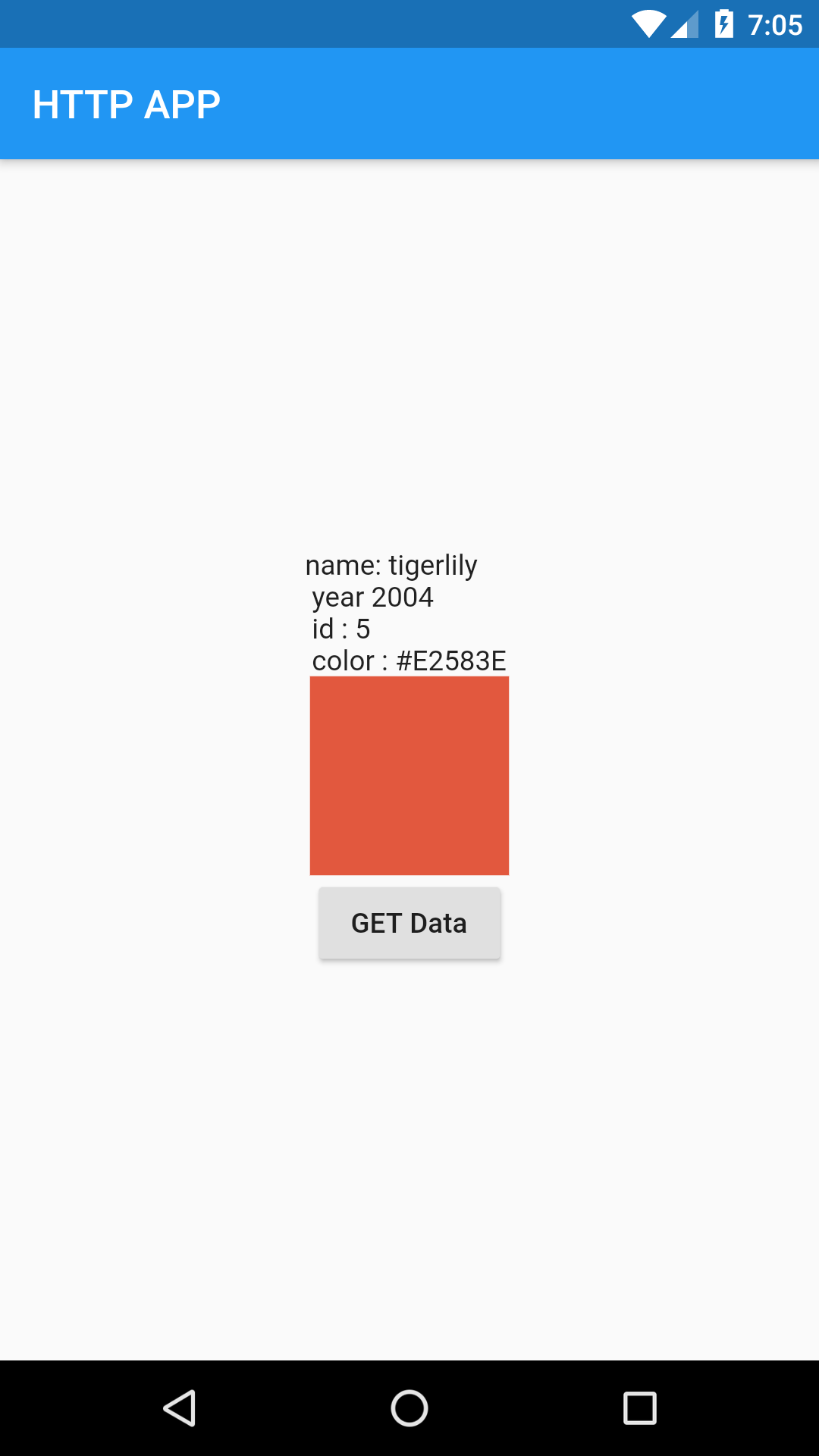
hasil :