Explaining Conversa graph nodes - enriquemorenotent/unity-conversa-support GitHub Wiki
Explaining Conversa graph nodes
Let's explain a little how the Conversa graph works.
Types of graphs
When working with node graphs, there are usually 2 types:
State machines
In this kind of graphs, you can see a series of states for a certain entity that are mutually exclusive. The best way to explain it is with an example. The most familiar one for everyone will be the state machine for animations in Unity.
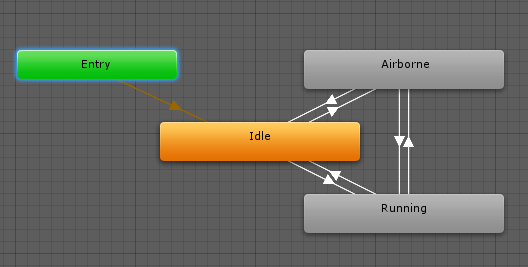
Here you can see a very simple graph, that illustrates very well how state machines work. Each node defines a different state inside the animation. In this case we have "Entry", "Idle", "Airborne" and "Running".
There is always one single "active state", which indicates to Unity what animation should be rendered in each moment. There cannot be 2 states active at the same time.
To move between those states, the user defines a series of connections between them. Each connection has a series of conditions that, when met, switch the active state to a new node. This can be changing a number, a boolean, or simply firing a trigger.
Data graphs
In this kind of graphs, the nodes represent just operations on data that have a certain output which can be calculated in any moment. This can also best explained with an example. In this case, let's have a look at a ShaderGraph graph.
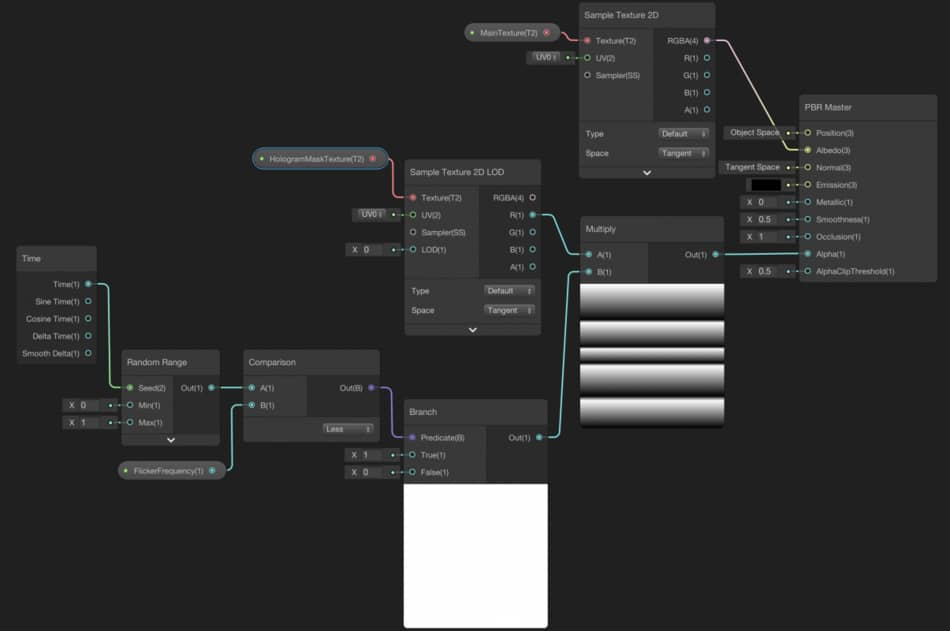
Here you can see how to calculate the rendering output of a Mesh material, ShaderGraph defines a series of operations that connect with each other, the same way that normal functions call each other to calculate a final value.
In this case, there is no concept of "active state". There is just a final single node that is the output of the shader, and nothing more. All the values can be invoked at any point in time.
Conversa graph
If we compare Conversa graphs with those 2 categories of graphs, you will realize that Conversa is kind of a hybrid between those two.
On one side, there is the concept of the "active state", which in this case would be the point of the conversation where we find at each point in time. The transitions between those states can be triggered through the functions offered by each node, to decide what would be the next appropriate node to move on to. Those kinds of nodes are commonly referred to as "Event nodes" or maybe also "State nodes".
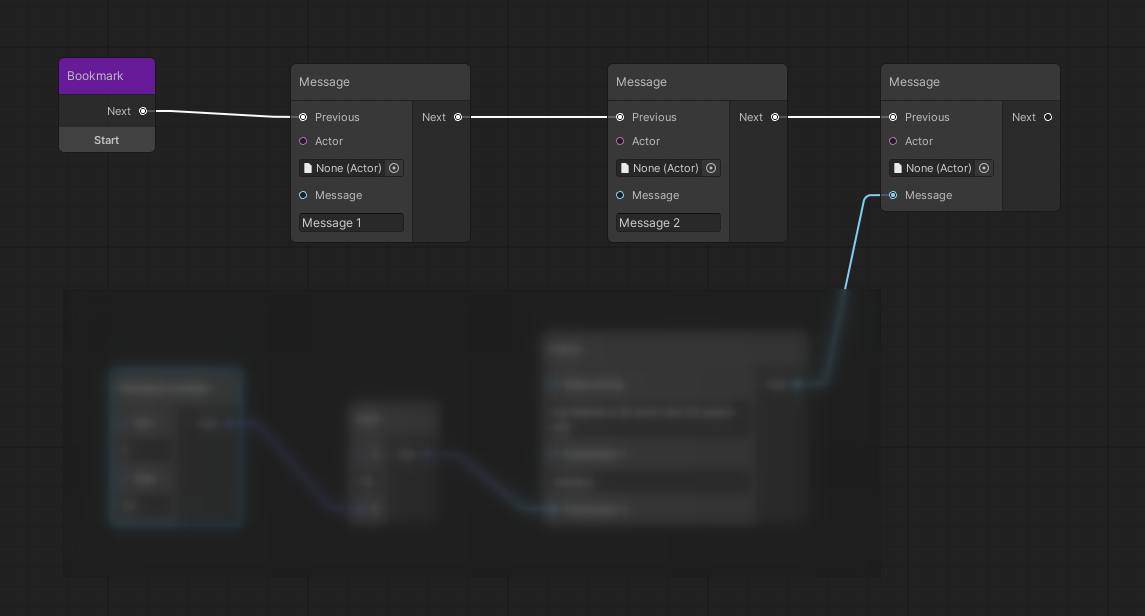
On the other side, we also have a sort of "Data graphs" which can be invoked at any time, and just offer an output value. This kind of nodes are referred to as Data nodes and can be used by any node, no matter if they are another Data node or an Event Node.
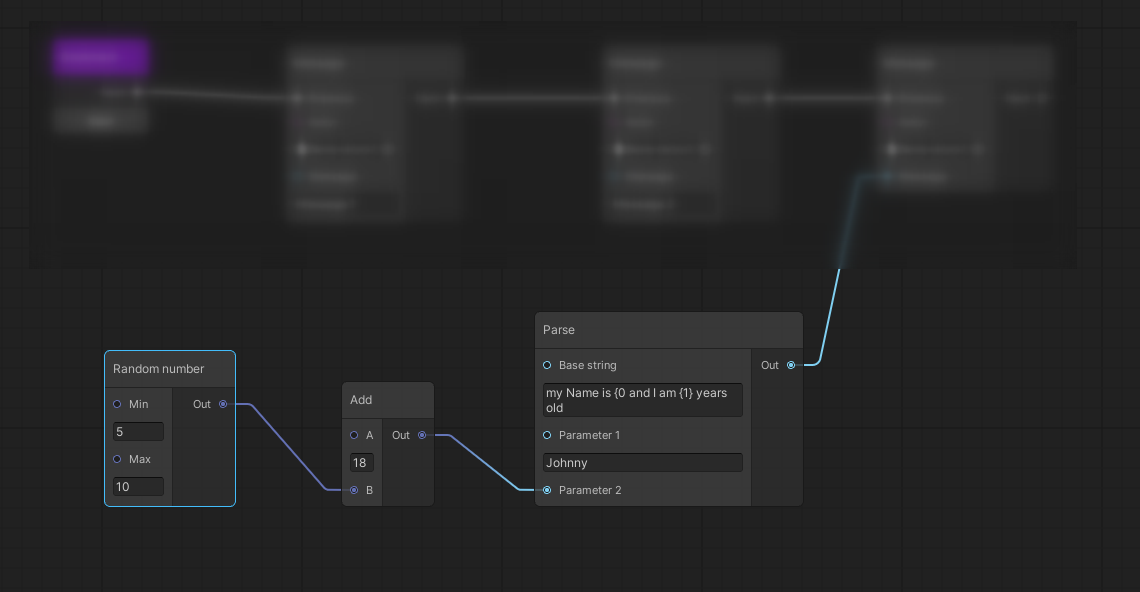
The hybrid nature of Conversa graphs allows you to create dynamic conversations without having to resort to writing code. A more visual way of building up the data needed inside your conversation allows for more flexibility and a better overview of the connection between those states/data.
Here are 2 links in case you want to build your own custom nodes, depending on their nature: