Blender Clothes Cycle - enimaroah-cubic/Sb3UGS GitHub Wiki
We begin the cycle with an import of an FBX file from Sb3UGS of original gloves. Imports and exports of FBX in Blender 2.90.1+ should be scaled using reciprocates! This neutral scaling also allows "Use File Scale" to be unchecked in Unity. If the scaling in Blender is left untouched, then you want to use the minimal value for the camera's near clip plane.

The skinned mesh shows some translation and it has lost its original Parent Bone. For fixing the parent bone we need to set the Armature's rotation from 90 to 0 in Edit Mode.

Now everything lies flat on the floor. The parenting itself:
- Select the orange Armature node
- Switch to Pose Mode
- Expand the hierarchy until you see the node you want to have as parent
- Note the hierarchy nodes. At first there might be the whole hierarchy selected, every node. In that case click the orange Armature node again, so that all nodes in the hierarchy are no longer selected.
- Ctrl-left click the mesh
- Ctrl-left click the parent node you want
- Move the mouse out of the outliner into the perspective view. Ctrl-P -> Bone

Great, now revert the Armature's rotation back to 90. Next Apply the mesh's translation.
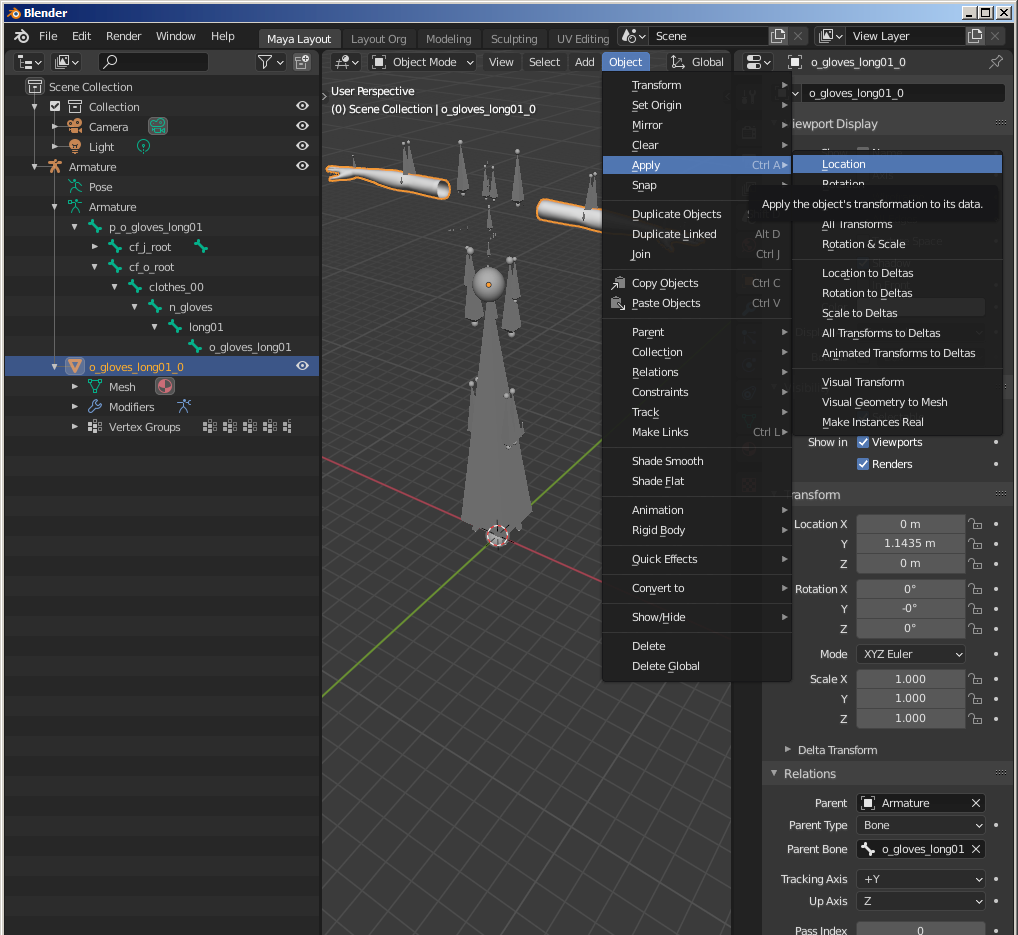
Even better, the mesh looks like shortly after import, but it is now corrected and allows to be exported. The FBX exporter does it right here.
In Unity editor we create an AssetBundle file for the gloves:
In your project folder is an Assets/Editor folder e.g. ...\KKModdingTools\Assets\Editor. The following script will never be executed from the game, it is for Unity editor itself and removes unused bones from the imported meshes: BlenderFBX_Postprocessor.cs.
-
Select the FBX file. I had put it into ...\KKModdingTools\Assets\Mods. Change the import options. Don't forget to Apply.

-
Drag the FBX file somewhere into the scene. Expand it there to reach p_o_gloves_long01. Set the Layer to CHARA, confirm that you want that for children as well, add a ChaClothesComponent MB in which you register the SkinnedMeshRenderer in rendNormal.
-
Drag p_o_gloves_long down to create a prefab and assign an AssetBundle filename.

Then build the AssetBundle, or zipmod and test it in game.

Inspecting the AssetBundle has some surprises for us.

- The bounding box of the mesh greatly differs from the original. That is because of the Bind Poses - Bone Matrices in Sb3UGS. They are a remainder of Blender's FBX importer when the local coordinates were transformed for breaking free from the Bone Parent or from Blender's "Apply" of the translation. For that reason Sb3UGS shows mismatching Bind Poses in the tooltip. This means that the mesh in not in "Rest Pose", and computing the rest pose in that state would shift the mesh in an unwanted way. If we would want to revert that in Sb3UGS, we would use the FBX exported from Blender using "WorldCoordinate" option and additionally we would have to compute the "Rest Pose" after replacement.
- The number of Bone Hashes is still very high and not aligned with Bones / Bind Pose. Luckily, Unity doesn't use them. Their hash values are computed for the original hierarchy beginning with Armature which is not longer inside the prefab.