Nmap - eamonstackpole/my-tech-journal GitHub Wiki
Nmap
Nmap is a network scanning tool that finds hosts and services on a network by sending packets. It is used to find vulnerabilities, check ports, and create and update System inventories.
Commands
Formatting for a scan: sudo nmap -(scan type) (IP Address)
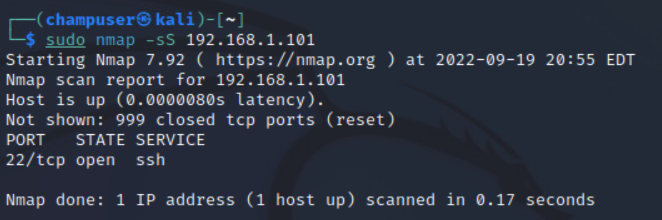
- -sS (TCP SYN scan): Scans many ports quickly without completing a connection, making it harder to detect
- -sT (TCP connect scan): Scans many ports quickly but also completes the connection, making it easier to detect
-
- SYN scans are preferable to connect scans, use only if you don't have the ability to send packets
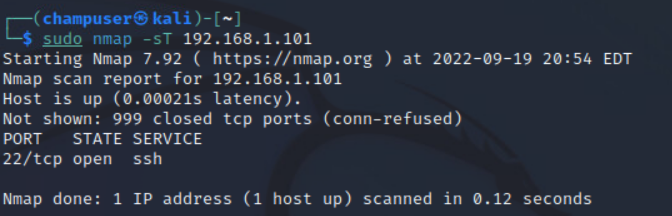
- SYN scans are preferable to connect scans, use only if you don't have the ability to send packets
- -sV (Service detection): Attempts to determine the version of the service running on the port
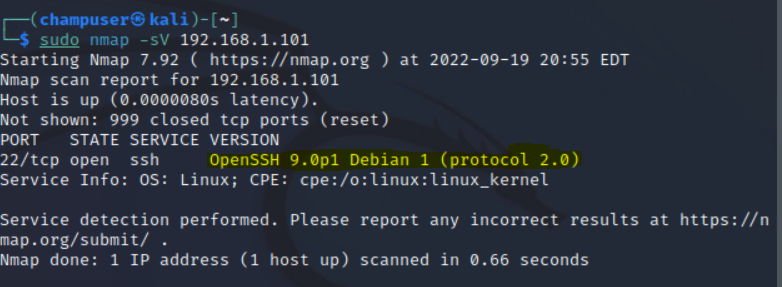
The highlighted part is the version of the service
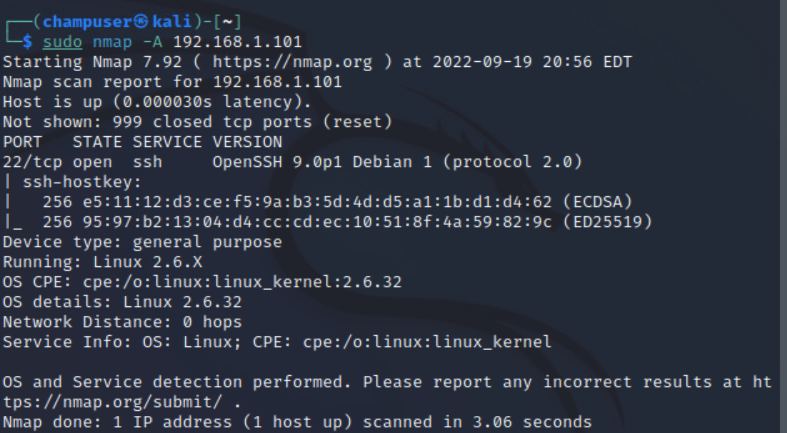
- -A (OS detection): Enables OS detection, version detection, script scanning, and traceroute
Port scans
There are many different ways to do a port scan:
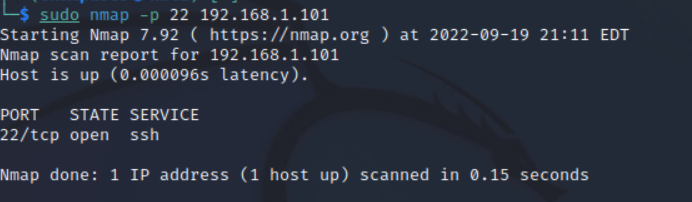
- -p (Port #): Scans for that specific port
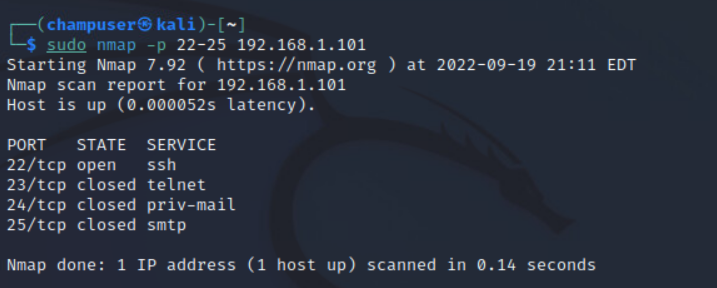
- -p (Port #) - (Port #): Scans ports between the first and last ports.
- -p- : Scans all ports
- Use U: or T: to indicate if the port is UDP or TCP respectively
Sources: