Building a WLAN - eamonstackpole/my-tech-journal GitHub Wiki
Summary
- In this lab we learned how to configure Wireless Routers and Clients to allow for a wireless connection to a web server.
Commands & Instructions
Configure the Wireless Router
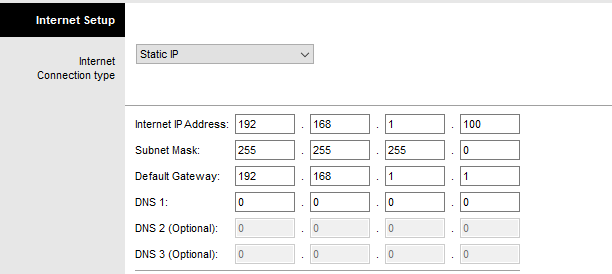
- GUI Tab
- Set Connection Type to Static IP
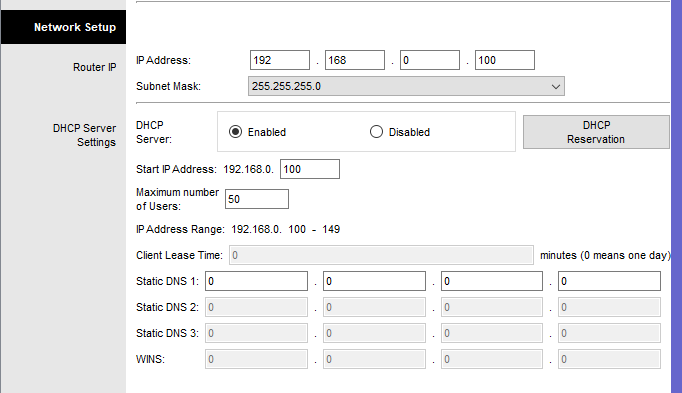
Configure Wireless and Security
Configure Wireless Client
- Profiles --> New
- Name "Wireless Access"
- Advanced setup, leave on infrastructure
- Enter Network Name (SSID)
- enable DHCP
- select WPA2-Personal for Security
- Enter Passphrase
- Save + Connect
Problems & Troubleshooting
- I had issues where the web server would not load, to fix it I just had to close cisco packet tracer and reopen the file and do it again.
Questions
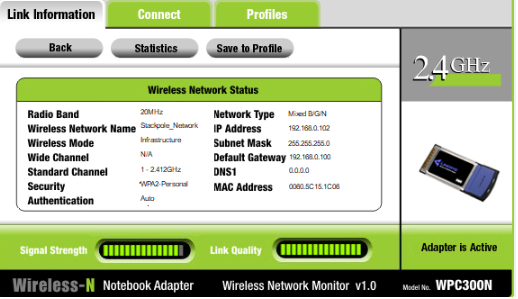
- Click More Information to see details of the connection including IP addressing information. SCREENSHOT
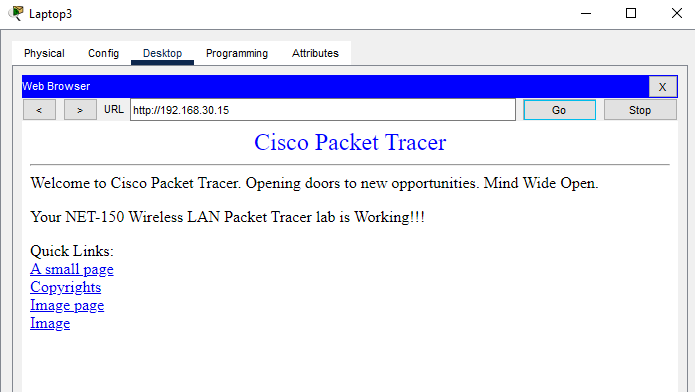
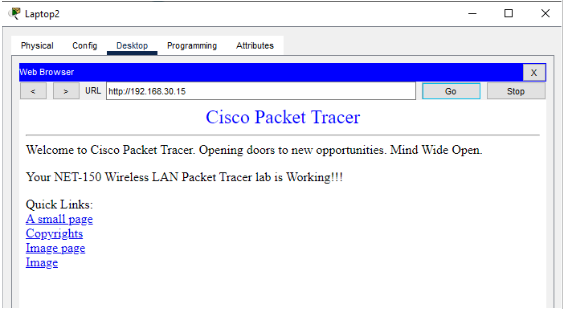
- Show Laptop 2 Connecting to the Web Server. SCREENSHOT
- Show Laptop 3 Connecting to the Web Server. SCREENSHOT