ONE PAGE - demipel8/game-wrapper GitHub Wiki
###HTML5 Videogame Programming How to make a 2D videogame using HTML5 technologies
Álvaro Martínez de Miguel
##Abstract
In these days where mobile and web gaming are on the rise, it's important to use a powerful and versatile environment like HTML5. This final project will cover the full development of a 2D videogame from its GDD to the different platforms shipping. it will provide all the tools for anyone to make one of its own.
The game Crazy Volley will be a 2D casual game, allowing to build a powerful core that will cover the use of animations, audio, physics, user input, user feedback, particles and all the tricks required to make a fun and complete game. As well as packing for mobile or desktop.
##Resumen
En una época en la que los juegos web y para móviles están en alza, es importante usar un entorno potente y versátil como HTML5. Este tfg cubrirá el desarrollo completo de un videojuego 2D, desde su GDD has el lanzamiento para diversas plataformas. Otorgará la herramientas para que cualquiera pueda hacer uno propio.
El juego Crazy Volley será un juego casual en 2d, permitiendo contruir un núcleo sólido en el que usar animaciones, audio, físicas, entrada de datos, respuesta al usuario, partículas y todos los trucos requeridos para hacer un juego divertido y completo, así como empaquetar para móvil y escritorio.
#Acronyms and initialisms
- JS: JavasScript
- MVP: Minimum Viable Product
- ES5: ECMAScript 5 and 5.1 edition
- ES6: ECMAScript 6 or 2015 or Harmony
- API: Application programming interface
#Introduction
##Motivation
After working for nearly 2 year with JavaScript and more specifically on JavaScript game development, I've gotten very fond of it. With a little study of this language you can find that a once thought of a toy language for DOM events and sticking AJAX petitions, is a very powerful tool that's present on every single browser in the world. Over the last years game developers have realized the power of these language and build a set of powerful tools for building from a small quiz with a question and a few buttons to a whole 3D MMO game.
Unfortunately not everything is joy. Due to the different browsers (and it's versions), the OS and the multiple devices, programming can turn to be a nightmare of hot-fixes to make sure your code will work as you intended everywhere.
Thus is my wish to collect all the experiences I've had making mini-games for my company and blend them into full game.
##Objectives
The objective behind this final project is to offer an wrapper API that collects all the basic needs for an HTML5 game to be implemented. Leave the API opened so it can be extended or make use of different implementation so students can try the wide variety of libraries available on the JS environment.
Make the Wrapper from a requirements specification, which will be extracted from an analysis of the basics needs a videogame has. Make a complete GDD of the game.
Use the Wrapper to make the game Crazy volley , this way it can be tested for errors and flaws on it's design. The main is to get the Minimum viable product or MVP, that will result in the possibility of making simple games as the requirements to make full complex game are out of the scope of this project.
Maintain all the project open source during and after its development.
##Project structure
On the state of art chapter, the JS environment will be analyzed from a game developing perspective. After a brief introduction to the ecosystem, a SWOT analysis will explain the benefits and disadvantages of making web games.
The following chapter will discuss different concerns on the technologies that are going to be used, the specification of the API and use cases.
In solution design chapter, find some specific implementations being explained as well as the development of the game. Extension mechanisms of the wrapper and deployment into production through a static objects pipeline is also discussed as is very important for web technologies.
#State of the art
##review
The game industry is on the rise, producing games with budgets that rival some of the most expensive films. Teams of tens or hundreds are spending years to create astonishing games. The sector has been enough time to see its age spectrum wide enough to make game of all sorts of themes and all type of devices.
But also the indie game industry is expanding, development engines such as Unity or Unreal are making free licensing plans. Mobile games allow small teams to bring fun simple games, with original mechanics and not so focused on costly visual effects. Along this current of small indie development a new technology is gaining a lot momentum: web.
Web is present everywhere and with the rise of JavaScript server side a lot of developers are shifting from other languages, building a very powerful ecosystem. Included in this shift are game developers. Getting away from flash due to banning in mobile devices and the increasing number of browsers that are restricting its functionality, added to the fact that APIs for the same areas where flash is required are being deployed natively to HTML5, make sense for the change.
Setting a development environment for games in HTML5 is pretty easy with the right tools and, projects like CooconJS and NW.js (previously known as node-webkit), allow to package our game into native mobile apps or desktop programs for every platform with little to non effort.
Lets talk about the technology used for this project.
###HTML5
It's the fifth version of HTML (Hyper Text Markup Language) presented by the World Wide Web Consortium (W3C). It unifies previous versions of the standard such as HTML 4, XHTML 1 and DOM Level 2 HTML. For the sake of complex applications it offers a new set of powerful APIs.

Some of these APIs give games applications a more flexible and stable base:
Canvas element: Allows for dynamic, scriptable rendering of 2D shapes and bitmap images. It also allow the use of webGL (allowing the gpu to take load from the cpu).
Web Audio API: A high-level API for controlling and synthesizing audio on the web.
Web storage: Adds persistent data storage to the client browser.
###JavaScript
##History
JavaScript was originally developed by Brendan Eich, while he was working for Netscape Communications Corporation browser Netscape navigator. Netscape wanted a lightweight interpreted language that would complement Java by appealing to nonprofessional programmers, and Eich was commissioned to create it.
The first version was completed in ten days in order to accommodate the Navigator 2.0 Beta release schedule,and was called Mocha, which was later renamed LiveScript in September 1995 and later JavaScript in the same month.
In November 1996, Netscape announced that it had submitted JavaScript to Ecma International for consideration as an industry standard, and subsequent work resulted in the standardized version named ECMAScript. In June 1997, Ecma International published the first edition of the ECMA-262 specification. In June 1998, some modifications were made to adapt it to the ISO/IEC-16262 standard, and the second edition was released. The third edition of ECMA-262 was published on December 1999. Development of the fourth version was never completer and 2009 brought the 5 edition.
After realizing the long process that took to release a new version of ECMAScript and the fast rhythm of the industry, 2015 brought the partial implementation of ES6 or ES2015 edition and it has been proposed to change the release cycle to a year. Being ES2016 the first of the new series of the standard.
##Characteristics of the language
-
C like syntax
-
OOP but not class oriented: An object-oriented program is a collection of individual objects that perform different functions. These objects are usually related in a hierarchical manner, in which new objects and subclasses of objects inherit the properties and methods of the objects above them in the hierarchy. JavaScript does not allow class instancing as it implements Prototype-based object-oriented programming. in this approximation behaviour reuse is performed via a process of cloning existing objects that serve as prototypes.
-
No variable typing: JavaScript has typed values, not typed variables. The following built-in types are available:
-
string
-
number
-
boolean
-
null
-
undefined
-
object
-
symbol (new to ES6)
-
Scripting language with JIT compilation
-
Functional programming: It has arrays instead of lists and objects instead of property lists. Functions are first class. It has closures. You get lambdas through anonymous functions..
-
Event Driven: A mechanism that handles executing multiple chunks of a program over time, at each moment invoking the JS engine, called the event loop. This introduces Asynchronous programming as an ordered queue of snippets of code to run, without JavaScript having a real sense of time.
-
Dynamic binding: object references checked at run time. This allow the same function to work over different contexts, helping the reuse of code.
##Performance
For a long time javascript was treated as second class language for two main reasons:
-
Slow: The main idea was that JS taked 10 times to run a program than the same program written in C. Even though javascript is a complied language, it is compiled by the engine before execution trying to find possible batter optimization, but it was complicated with characteristics such as the non typed nature of it’s variables and the automatic memory management through the garbage collector. ASM.js proposal works on this areas, restraining javascript to a subset of the language that allows the engine for the best optimization possible.
-
Single threaded: JavaScript runs in only one single thread. The event driven language delivers incredible speed when it comes to I/O operations but spreading the event loop to different threads, for CPU demanding tasks, and maintaining coherence the whole time introduces more complexity. Some advances have been made in this area with the introduction of web workers.
A web worker runs independently of other scripts, in another thread. This way it wont affect the performance of the page. User interaction in the main thread can run uninterrupted, while the web worker runs in the background.
###JavaScript engines
When a game is being developed in an environment such as javascript, it is impossible not to feel that some things escape your control. Even though you’ll be able to launch your game on multiple OS systems, through different web browsers or even different types of devices, you have to take on account that each one of them will have a particular javascript engine. This engine will support the standard APIs up to some exchange, but still if two engines would support the exact same APIs, the underlying implementation would be diverse, and its areas of optimization won’t be the same.
So we’ll look at some points of interest:
####Renderer
WebGL is the new boy in town for web rendering an it offers the developers to send to the GPU repetitive work saving our CPU a lot of time, and has broaden the use of 3D graphics for the web. In a desktop environment it would be my favorite choice without a doubt.
But, mobile is a totally different world. IOS has a very optimized canvas component ans has been know to give problems with WebGL. As for android, forget about it. All pre-Lollipop Android versions will give problems with WebGL. So canvas comes as the reasonable option for this type of environment. Also lets mention that Microsoft didn’t supported WebGL until IE11, which can be a huge problem depending on the country you’re planning to get your main audience from.
####Optimization
As Kyle Simpson says on the fifth book of his You Don’t Know JS saga, Async & Perfor- mance: ’Many common performance tests unfortunately obsess about irrelevant microp- erformance details like x++ versus ++x. Writing good tests means understanding how to focus on big picture concerns, like optimizing on the critical path, and avoiding falling into traps like different JS engines’ implementation details.’
This means we will focus on the maintainability and readability of the code except on critical parts such as update and render methods, on which we will code the most efficient way possible, explaining with comments if needed.
##Data protection analysis
####Cheating
There’s a big problem for data consistency and avoiding data manipulation by evil users with technologies like javascript. The game runs in the client-side, the code will run on the users own device, so it’s sensitive to manipulation. If the game your trying to do is multiplayer, you’ll need to check server side if the actions one user is making are possible in the players context, that takes a lot of server computing, but helps to avoid cheaters.
The most common is typically a server that has an authoritative state of the game. That is, the server receives all players inputs and calculates what the world should look like in order to prevent players from cheating.
####Privacy
Private projects fear their code been stolen as it will be as simple as opening the browser console or scraping the game page. For this and for optimization purposes. Minimization and obfuscation are highly recommended, your code will weight less and be harder to read and modify.
Every task manager like Gulp or Grunt or a bundler like webpack will offer functionalities to take this measures.
###Justify
Lots of game engines are available to make games in HTML5 or have ways to export to JavaScript. These programs are powerful, complete and extensible pieces of software tested and ready for developing a professional game. So if there are so many engines. Why this final project?
##Learning Purposes
It's true there are very good game frameworks but they are oriented to making games, not lo let people what it is required to make those same games. Some of the have private proprietary code bases, or are really bad documented inside or can simply be overwhelming for someone who has just entered this world and wants to know how a simple game is made.
##Modularity
In object-oriented programming there is a say: You wanted a banana but what you got was a gorilla holding the banana and the entire jungle. Meaning that even though you can only want a small functionality, you have to carry around the whole environment. It can also be applied to this situation, to test a physics system you must know the whole objects system, the update loop,... Instead with a wrapper that has a defined interface you know what you have to implement to get it working.
##Proposal
A set of interfaces that implemented and bundled together can get a simple game running. the implementations must be easy to adapt and change. Also the wrapper must be extensible so new custom functionality can be added without modifying the core.
#Problem analysis
##Project needs
At the introduction it was established through the objectives section that the API would be made based on a requirements specification, but before focusing on the web and game side. What does a software project of this type needs to have? lets sum up its needs
##Loose coupling
All the components forming this project must be able to change, so other people can test a specific library without having to compromise with a whole gaming framework. Loose coupling means that each of the system components has, or makes use of, little or no knowledge of the definitions of other separate components. This has to be met by always programming to an interface. The only immutable parts of the API will be its basic modules interfaces.
##Open to changes
This is going to be an open source project intended to be not just used by the user but modified by him so it has to have a maintainable code base. This will be achieved by setting a naming convention for all modules, methods and variables in the project and the use of documentation.
##Robustness
The change of a component of the game cannot make the other pieces fall even through and error. Robustness in software is defined as the ability of a computer system to cope with errors during execution so error handling and testing are crucial to the development of the library.
##What it's needed to make a web game
To make a game a certain set of functionalities is required in a framework, lets discuss them.
##Assets
Every game needs different resources, from a cli adventure game that has all of its texts saved on a file, to top tier games that have models, filters, audio, meshes, sprites, animations...
The most basic ones are: images, audio and data (JSON objects in JS case). The game is loaded through the internet so the assets need a component that takes care of caching the data into the client browser and binding a logical name inside the game with the actual resource, the loader.
Also a standard interface must define the assets properties so any section of the game knows how to manipulate an asset, lets call it the resource interface.
##Visualization
For the user to interact and enjoy a game, he must see the graphics that the game is intended to show. The render takes care of the drawing tasks that are required. In web technologies there are 3 ways of rendering games, from the worst performance to the best: DOM, Canvas and webGL.
###DOM
The Document Object Model (DOM) is a programming interface for HTML, XML and SVG documents. It provides a structured representation of the document (a tree) and it defines a way that the structure can be accessed from programs so that they can change the document structure, style and content.
Basically is a technique that creates an html element for each rendered object in the game and it is rendered like any normal web would be. DOM rendering tends to slow on performance when a lot of objects are instantiated as it has to maintain an html element for each.
###Canvas
HTML5 Canvas is an immediate mode bitmaped area of the screen that can be manipulated with JavaScript. Immediate mode refers to the way the canvas renders pixels on the screen. HTML5 Canvas completely redraws the bitmapped screen on every frame by using Canvas API calls from JavaScript.
###webGL
WebGL (Web Graphics Library) is a JavaScript API for rendering interactive 3D computer graphics and 2D graphics within any compatible web browser without the use of plugins. Based on OpenGL ES 2.0 standard it runs in the majority of desktop and mobile.
##Update
If a game stays the same all the time, it's not a videogame, maybe even not a game. The game has to advance and change. This task is delegated to a Game Loop, which iterates all the time through certain aspect of the game like processing user input, updating object states and redrawing the screen. A game loop also helps to decouple I/O of the game from it's own advancement, making able to continue game execution while waiting for user input.
##User Input
A game is intended to be interactive, the user must be able to communicate and manipulate the game. In a day with so many type of devices user input has to be supported in multiple ways: keyboard, mouse, touch and controller.
##Physics
Lots of games try to imitate reality in a more or less realistic way. Physics libraries help to simulate forces on the objects of a game. This is a must in any ambitious game engine.
##Audio
A game audio is more than a song. It need ambient sound, sound effects when events happen. Some games change the music depending on the situation of the player or even use sound to indicate the user of things that are about to take place. That's why an audio manager is recommended.
##Tweening
Short for in-betweening, the process of generating intermediate frames between two images to give the appearance that the first image evolves smoothly into the second image. It's an easy way to move objects in simple ways without the use of a physic library which can over-complicate this task.
##Spritesheets and Animations
A sprite, or image, is a very basic object of a game. A living object of the game often needs not just one image but a set of them to make on or more animations. Spritesheets are a good way to organize these animations, as it also help to save memory and work for the GPU. //TODO explicar spritesheet mas a fondo
##Comparing Frameworks
To contrast the information posted before lets check the most used HTML5 Game frameworks:
##Frameworks
###Non free frameworks
Construct 2 The most popular framework according to HTML5gameengines.com. It has its own IDE, graphic level editor and it is extensible via plugin, also provides exportation to multiple platforms. It remembers to those types of frameworks that people who doesn’t know how to program can use to make a videogame. Its prices go from 100 euros (personal license) to 330 euros (Business license) and a free license for education or other non profit projects.
Impact Some years ago it seemed like a very popular solution with its level editor and cross-platform optimization but the fact that it is non free and that it hasn’t been updated for almost a year have made the presence of this framework in the community almost inexistent.
###Free frameworks
The are multiple way you can catalog game development framework, we will use the
rendering technology as graphics seem like the most basic and performance issue in our
games. Even thought some people might think that the are types of games, like old text- based games, that don’t need to worry about graphics you still need to render the text, and in some technologies is not as cheap, performance speaking, as people think.
####DOM
CraftyJS This is the framework I use at work. it’s the only one I’ve come across that allows DOM rendering (It also works with canvas). It uses the ECS (Entity Component System) model to program games, which is a very comfortable and extensible pattern. With this pattern every instanced object you have in your game will be an entity. Enti- ties can be formed mixing different components together. Giving you a way to reuse and structure your code.
With a very simple API it gives you almost all the functionalities needed to develop a 2D game. Particles are only allowed in canvas rendering mode and Physics are not implemented, only a Gravity component it’s available which is not enough for most cir- cumstances. As of this date (December 2015) my company has released an open plugin for MatterJS, a 2D physics engine written from a scratch in javascript. You can also use a couple ports of Box2D but their repositories have been abandoned for 3 years.
The biggest downside of this framework, aside from not having webGL rendering is the slow updating rate it has. Since July 2014 to June 2015 it has gone from 0.6.1 to 0.6.3. and its community, even though active, is pretty small compared to other frameworks.
####Canvas
stage.js gives you a DOM-like tree data model to make your game. It abstracts all canvas dirty work (game loop and rendering). It also has physics via different plugins (MaterJS, p2.js, PhysicsJS, sat.js). It’s a very simple framework to use, ideal for quick, simple games.
EaselJS is part of a suite library for HTML5 technologies know as CreateJS. Inside the library EaselJS take the role of simplifying canvas work. although it’s not game specific solution, the fact that you can use the other libraries of the suite (all related to game programming: tweening, sound and preloading resources), and the flash-like interface. Attract some developers that come from other environments.
####webGL
Kiwi.js is a WebGL rendering based framework that uses the ECS model. It relies on a tight but still small community that make multiple plugins and game blueprints, which are whole games on github featuring a certain genre.
Phaser is game engine based on PixiJS renderer which gives it WebGL support with canvas fallback. It has probably the biggest HTML5 game developing community as it’s founder also founded the html5gamedevs forum.It offers a lot of examples, 3 different Physics libraries and some awesome plugins (Although we will not be using them, as the are paid plugins). Appart from tutorials, Phaser developers release minibooks explaining the insides of the framework trying to get people to knoww more the tool and make the most of it.
One of phaser community more interesting projet is Mighty editor. An online game editor that lets you code , edit your scene graphically and preview your game.
Pandajs Another framework based on PixiJS renerer. Less known and smaller than Phaser, also includes a game editor called Bamboo. Its advantage is that it’s more lightweight than Phaser, who until recent versions has a monolithic structure.
Babylon is a webGL based 3D games framework. It has an interesting performance on system with good hardware. Also Microsoft has made some demos to promote their new browser, Microsoft Edge, and they seem quite interesting.
one appealing feature for starters is that it allows you to play with the framework on a playground domain, being able to download the code once your finished.
###Other
Some other frameworks may not be specifically made for HTML5 programming, but they produce games for the web.
Cocos 2Djs This framework is the HTML5 version of the C++ ultra famous Cocos-2D. It allows you to program in javascript and ditribute a all kinds of plaform, web and native. This is achived through to important pieces: Cocos2d-html5 and Cocos2d-x JSB.
Cocos2d-html5 is a full HTML5 game engine, rendering on WebGL and Canvas. This allows games to run in browsers.
Cocos2d-x JSB serves as a middle layer between javascript and C++ Cocos2D-x code. With it you can communicate beetwen both, allowing to target native platforms from javascript code.
Haxe is an open source toolkit used to build cross-platform tools. It includes a programming language, a cross-compiler and a library. With this tools and the set of framework and libraries for gaming development built around haxe you can program once and deploy to multiple platforms. Including web platforms.
Atomic is a new game engine in a very early stage that allows to program game with javascript as well as C++. It has a very promising editor and its 2D module is free to use. It also deploys to multiple platforms.
###The big guys
With the growth of HTML5 as a game programming language every one wants to be on board. This is the case of the next two engines. With a lot of experience on their backs, their working hard to deliver their product on WebGL based renderers.
Unity 3D The favorite engine of indie studios of the last years. It’s easy to learn and pretty powerful. A scene polished graphic scene, animation and audio editor with support for C# programming and a modified version of javascript.
With the popularity of Unity a really big community has formed around it, releasing lots of tutorials and learning material. A very good documentation and a spectacular asset store round up this product. Recently changing its license term have made viable for anyone to use all the power of this engine.
Unreal Engine 4 We could call this engine ”Bid daddy”. With its origin in the all- around the world known ”Unreal Tournament” game from the studios epic games, it is one of the most famous engines, used to make from casual to 3A games. The last version of the engine uses C++ for its programming language and it’s experimenting with WebGL rendering. It has a bigger learning curve than Unity but in exchange you get the power of a much deeper control of optimization, as it allows you to go down to assembly language if required.
##Comparative
After presenting all these engines lets see if they used what we have defined a game must have.
| Sprite | Loader | DOM | Canvas | webGL | Game Loop | Physics | Audio | Tween | User Input | |
|---|---|---|---|---|---|---|---|---|---|---|
| Construct 2 | yes | yes | yes | yes | yes | yes | yes | yes | yes | |
| Impact | yes | yes | yes | yes | yes | yes | yes | |||
| CraftyJS | yes | yes | yes | yes | yes | yes | yes | yes | yes | |
| stage.js | yes | yes | yes | yes | yes | yes | ||||
| EaselJS | yes | yes | yes | yes | yes | yes | yes | |||
| Kiwi.js | yes | yes | yes | yes | yes | yes | yes | yes | yes | |
| Phaser | yes | yes | yes | yes | yes | yes | yes | yes | yes | |
| Pandajs | yes | yes | yes | yes | yes | yes | yes | yes | yes | |
| Babylon | yes | yes | yes | yes | yes | yes | yes | |||
| Cocos 2Djs | yes | yes | yes | yes | yes | yes | yes | yes | ||
| Haxe | yes | yes | yes | yes | yes | yes | yes | yes | yes | |
| Atomic | yes | yes | yes | yes | yes | yes | yes | yes | ||
| Unity 3D | yes | yes | yes | yes | yes | yes | yes | yes | ||
| Unreal Engine 4 | yes | yes | yes | yes | yes | yes | yes | yes | ||
| Total | 14 | 14 | 1 | 9 | 11 | 14 | 11 | 13 | 13 | 14 |
##Conclusion
As it can be observed most of the studied frameworks have all the characteristics we were looking for, it's normal as they were the most basic ones. To get a the fundamental, every feature that will have to be implemented for the game wraper are the ones present in 10 out of the 14 studied framework.
The selected are Sprite, Loader, webGL render, Game Loop, Physics, Audio, Tween and user Input. In the next chapter we will focus to study each on of them and try to resume a basic interface for each. Afterwards the architecture of the library will be discussed.
##Specification
After discussing the general needs lets focus on each specific requirement. Briefly comment it and show what the interface would look like.
###Loader
In general, a loader is the part of a system that is responsible for loading programs and libraries. It is one of the essential stages in the process of starting a program, as it places programs into memory and prepares them for execution. In our case the loader gives 2 basic functionalities. The first and most important is loading the game assets from the web onto the client browser. The second is to assign a name to each resource, making it easier to work it during the development of the game.
The loader interface will have methods to load the 3 most used types of files in game: images, audio and data ( json objects ).
For the sake of controlling loading times, instead of loading one file at a time, loaders use to have a loading queue that only loads the files on it when an event is fired or the user specifies it. The interface will have a start method which will start loading the files and return a promise that will be resolved after all the elements are loaded.
##Interface
loaderInterface = {
  initialize : function( game ){...},
  start: function(){...},
  image: function( name, url ){...},
  audio: function( name, url ){...},
  json: function( name, url ){...},
  getResource: function( name ){...},
}
##Resource
Every asset the loader will process will have different properties depending on the implementation. The resource object specifies only the required objects for the wrappers and its implementation is an object factory that return a correct formatted resource object from an arbitrary object data.
For the first version only the name and the path to the resource will be required, Both parameters will be strings.
##Interface
Resource = {
  name: '',
  url: ''
}
###Loop
The Loop it used to decouple the progression of game time from user input and processor speed. Almost every type of game needs one. A game loop runs continuously during gameplay. Each turn of the loop, it processes user input without blocking, updates the game state, and renders the game. It tracks the passage of time to control the rate of gameplay. This part of the program is really important as it will be the running code about 90% of the time the game is active.
In the first approximation after loading the resources, the loop will start running through 4 defined stages for each frame:
- process: The initial stage, its purpose is to take care of actions such as input management.
- update: Runs zero or more times per frame depending on the frame rate. It is used to compute anything affected by time - typically physics and AI movements.
- render: Update the screen, by changing the DOM or painting a canvas.
- postRender: Runs at the end of each frame and is typically used for cleanup tasks such as adjusting the visual quality based on the frame rate.
Each of the stages will contain a bucket of functions to execute, the user will add or remove functions from these buckets to add or delete functionality. The interface requires one add and remove function for every bucket present. The execution of the function buckets will be delegated to de implementation as added functionality may be needed at these steps.
##FPS
Frames per second is a typical unit of control for performance of the loop. It sets how many times the loop will be executed every second, being crucial to the user experience. With the actual technology, 60 FPS are considered the standar for pc and consoles so the library will aim to this speed, however as web games can run in environmets with lower resources, the user has to be able to change the desired FPS value.
##Start
Even though the loop will run for most of the game, there are some times when it is not necessary, at loading time for an instance (always speaking of a simple approximation, a more complex engine will have a specific loop through the loading that will show a loading splash). a Start method is needed.
##Interface
loopInterface = {
  FPS : 60,
  start: function(){...},
  process: function( bucket ){...},
  update: function( bucket ){...},
  render: function( bucket ){...},
  postRender: function( bucket ){...},
  getFPS: function(){...},
  setFPS: function( number ){...},
  addProcess: function( func ){...},
  removeProcess: function( func ){...},
  addUpdate: function( func ){...},
  removeUpdate: function( func ){...},
  addRender: function( func ){...},
  removeRender: function( func ){...},
  addPostRender: function( func ){...},
  removePostRender: function( func ){...}
}
##Architecture
On the previous chapter the set of basic different interfaces now, how do we blend them together?
##Modules
Each feature is going to be a standalone module which is able to function independently from the other, it will be a black box that will be accessed by other through the interface, exposed by using the facade patter.
###Facade pattern
The objective is to Provide a unified interface to a set of interfaces in a subsystem. Facade defines a higher-level interface that makes the subsystem easier to use
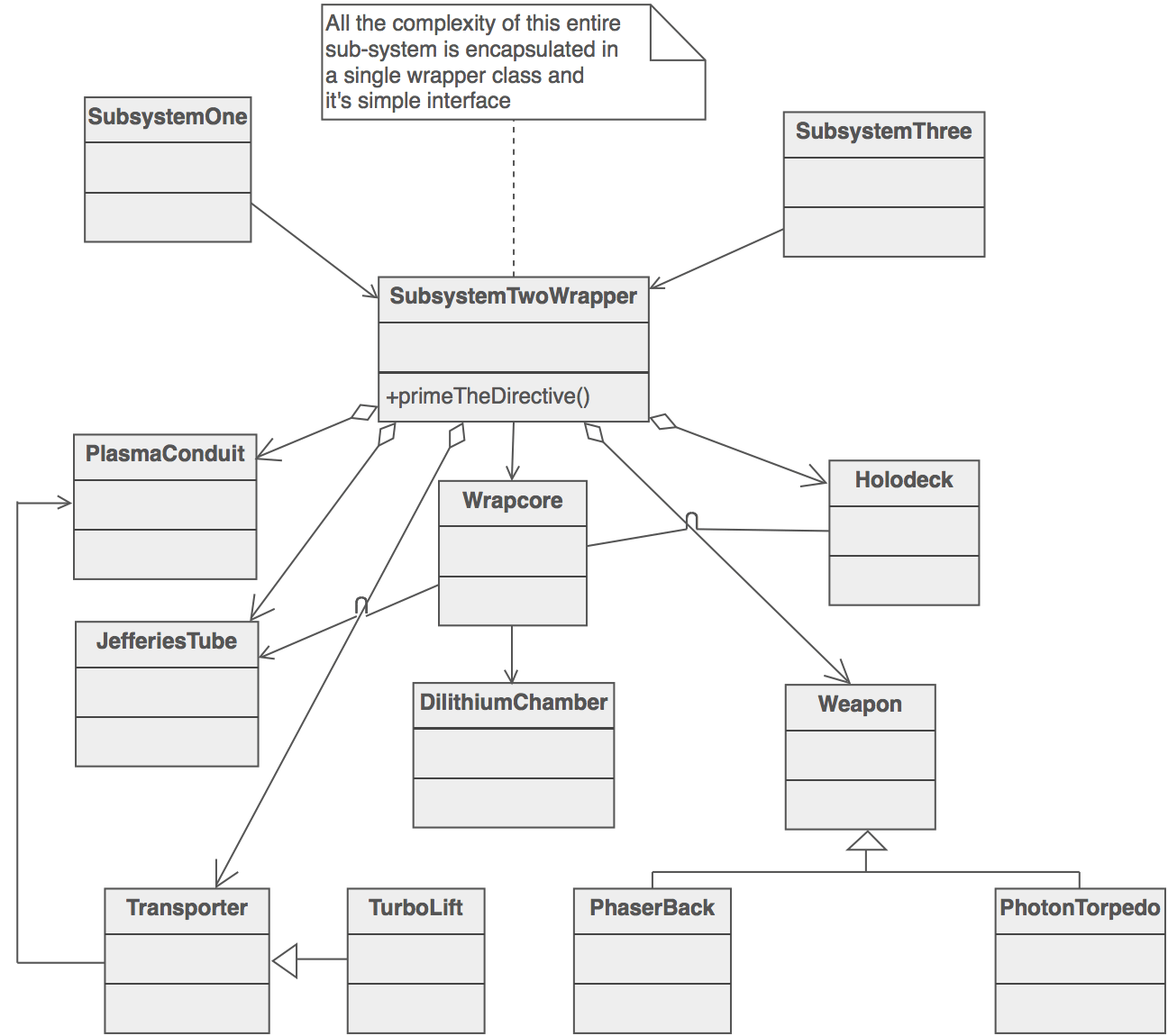
This means that the interfaces we have presented individually before must correspond to the facade we'll show, but that doesn't mean that a module is form by just one interface and one implementation. This comes handy when dealing with some system that require sub systems of its one. For example the input system has to control keyboard input, mouse input and touch input. These functionalities can be modeled individually and brought together at the facade.
##Object generators
Most of the features correspond to unique services that only on instance ob the object will be active through the game but we have a special type. Those modules that will generate the objects of the game that we will play with. They are responsible for creating all instances of them, we will use the factory function pattern. this pattern avoid the use of the new operator, that is controversial along the JavaScript community, instead is consists in a function that returns a new object each time like this:
function Factory( param ) {

  function feature() {
    obj.prop++;
  }

  var obj = {
    prop: 1
    feature: feature
  }

  return obj;
}
##Overall structure
The first version of game wrapper modules will look like this:
//image of structure
We have the modules but there are a couple of thing to clarify. Who will handle the flow of the game and how can the user communicate with the structure as a hole.
###Controller
The controller will be a special module. When a game is instantiated it will pass the game config parameters to it and it will be responsible for getting all systems up, after that it will return control to the user so he can program the mechanic.
In the v1.0 case the controller will first load all assets, initialize the render with the required sizes and start the loop, then it will give control back to the user.
//Controller schematic ###Launcher/Exposer
The Launcher has 2 fundamental tasks. Expose a global variable for other to access the game-wrapper and return an game generator with the required config.
####Expose When es2015 it's completely supported most people will use JavaScript new module system to avoid exposing global variables that can pollute the namespace, override others with the same name and open a window for a malicious user to mess around. But right now es5.1 is the de facto standard and it force us to add a global variable to the namespace if we want to be independent from any module library. Launcher takes car of that.
It will also act as a factory for new game generators given a specific config, lets see an example of usage:
var engine = GW( customModules ); //if no parameter is send, it will use the default modules
engine( gameConfiguration ).then( function( game ) {
    ... //the game
});
As shown in the example, the launcher will send a promised that when resolved will send the instance of the game.
###config object for default
//common initialize method
//building pipeline //tooling in implementation //testing how and why its benefitial //documentation