Architecture - demipel8/game-wrapper GitHub Wiki
On the previous chapter the set of basic different interfaces now, how do we blend them together?
##Modules
Each feature is going to be a standalone module which is able to function independently from the other, it will be a black box that will be accessed by other through the interface, exposed by using the facade patter.
###Facade pattern
The objective is to Provide a unified interface to a set of interfaces in a subsystem. Facade defines a higher-level interface that makes the subsystem easier to use
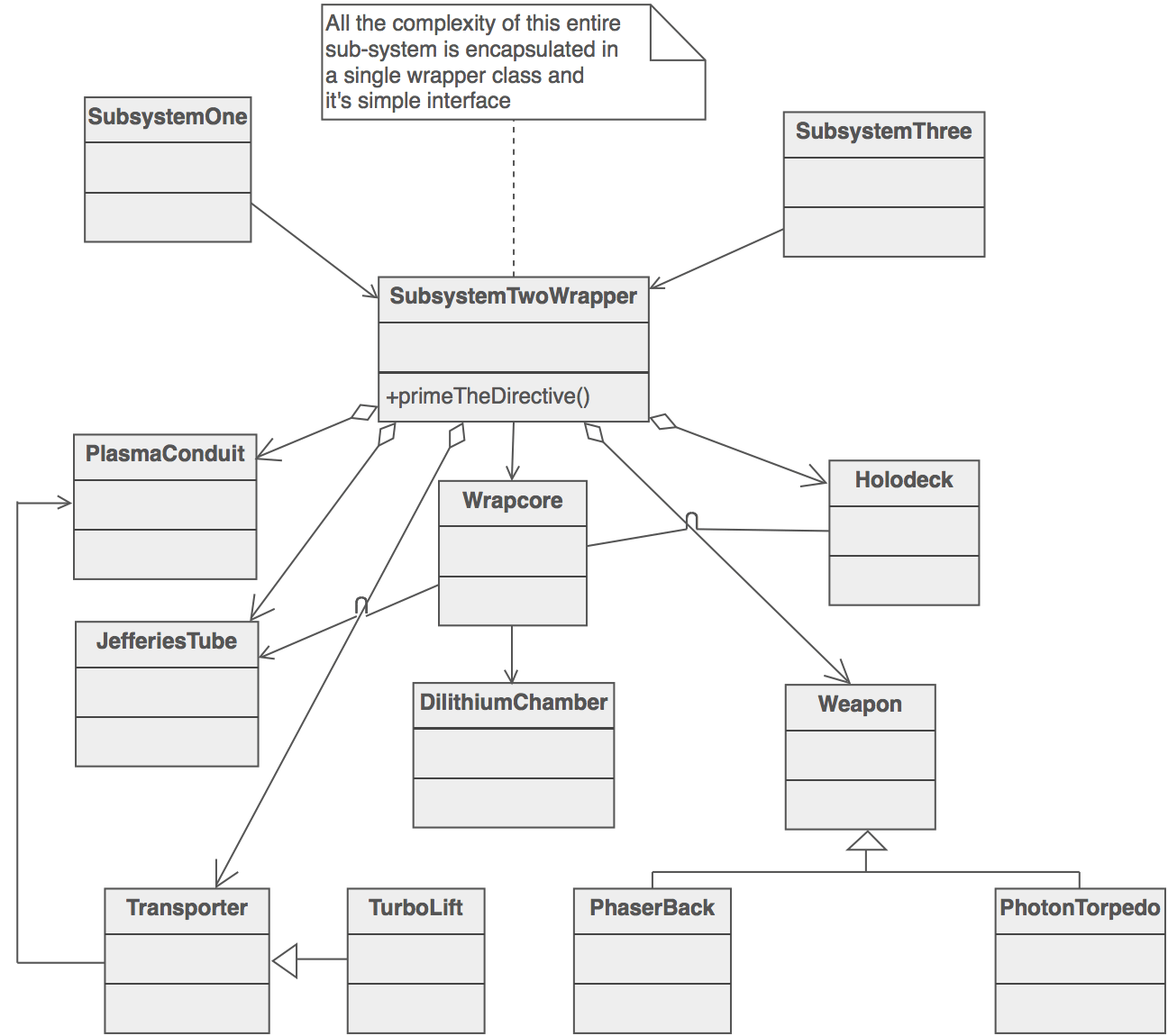
This means that the interfaces we have presented individually before must correspond to the facade we'll show, but that doesn't mean that a module is form by just one interface and one implementation. This comes handy when dealing with some system that require sub systems of its one. For example the input system has to control keyboard input, mouse input and touch input. These functionalities can be modeled individually and brought together at the facade.
##Object generators
Most of the features correspond to unique services that only on instance ob the object will be active through the game but we have a special type. Those modules that will generate the objects of the game that we will play with. They are responsible for creating all instances of them, we will use the factory function pattern. this pattern avoid the use of the new operator, that is controversial along the JavaScript community, instead is consists in a function that returns a new object each time like this:
function Factory( param ) {

  function feature() {
    obj.prop++;
  }

  var obj = {
    prop: 1
    feature: feature
  }

  return obj;
}
##Overall structure
The first version of game wrapper modules will look like this:
//image of structure
We have the modules but there are a couple of thing to clarify. Who will handle the flow of the game and how can the user communicate with the structure as a hole.
###Controller
The controller will be a special module. When a game is instantiated it will pass the game config parameters to it and it will be responsible for getting all systems up, after that it will return control to the user so he can program the mechanic.
In the v1.0 case the controller will first load all assets, initialize the render with the required sizes and start the loop, then it will give control back to the user.
//Controller schematic ###Launcher/Exposer
The Launcher has 2 fundamental tasks. Expose a global variable for other to access the game-wrapper and return an game generator with the required config.
####Expose When es2015 it's completely supported most people will use JavaScript new module system to avoid exposing global variables that can pollute the namespace, override others with the same name and open a window for a malicious user to mess around. But right now es5.1 is the de facto standard and it force us to add a global variable to the namespace if we want to be independent from any module library. Launcher takes car of that.
It will also act as a factory for new game generators given a specific config, lets see an example of usage:
var engine = GW( customModules ); //if no parameter is send, it will use the default modules
engine( gameConfiguration ).then( function( game ) {
    ... //the game
});
As shown in the example, the launcher will send a promised that when resolved will send the instance of the game.
###config object for default
//common initialize method
//building pipeline //tooling in implementation //testing how and why its benefitial //documentation