FAQ - de-jcup/eclipse-bash-editor GitHub Wiki
- How can I use the debugger?
- I have got problems to launch my script with debugger
- I am using an older eclipse version and some features are not working
- How to apply default dark theme colours?
- Do I need cygwin etc. on windows?
- Why is bash editor not automatically associated with other script file types?
- How can I execute shell scripts with bash editor?
- How can I install bash editor automated?
- How can I install bash editor offline?
- Install fails with "Unable to read repository at …"
- How can I auto format my bash scripts?
- How can I get more information about problems?
Please see Debugger
Please see Debugger trouble shooting
Bash editor can be at least started with Eclipse >= NEON (4.6)
but maybe some features (e.g. hyperlinking across files) will not work. Sometimes we have to use new features to
get things working - sorry.
So: Please try to use always the newest eclipse version… Normally you can always download a new eclipse package from https://www.eclipse.org/downloads/packages/ and just unpack it - no installation needed, just a JRE must be available.
Please go to
Window→Preferences→Bash Editor→Syntax coloring
and klick on Button "Restore Defaults for Dark Theme" and then "Apply and close" (or "OK" on eclipse older than oxygen)

No. The editor has not such dependencies.
It seems it’s possible to edit fish shell scripts (see https://github.com/de-jcup/eclipse-bash-editor/issues/85) also with bash editor. But the bash editor is for bash scripts designed. If it works with other shell script languages too this is very nice, but those script languages will not be official supported. The bash editor is written for bash scripts.
Anyway, if you want to associate other script files with bash editor you can do this the standard way, by
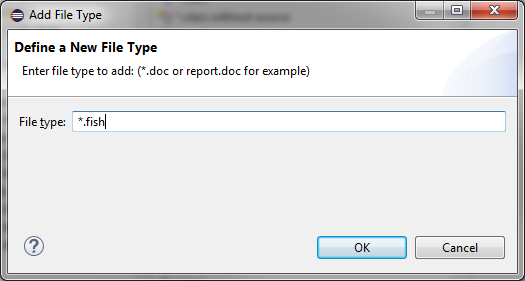
Window→Preferences→"file"→Add→*.fish as shown in next picture:
Then add associated editor:
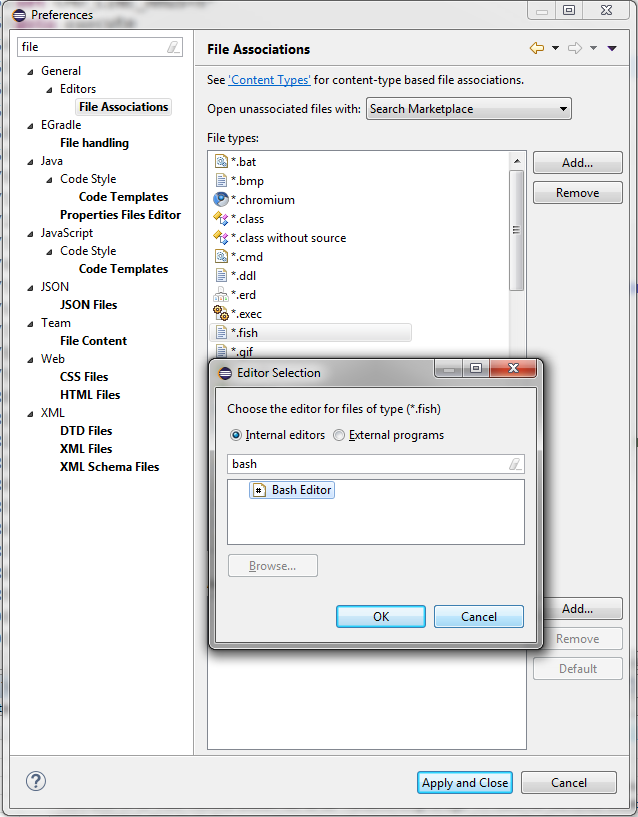
This was implemented with https://github.com/de-jcup/eclipse-bash-editor/issues/174 (please look into issue for more details). Next picture show how to launch bash scripts. If you want to customize execution commands you can do this is in debugger configuration.
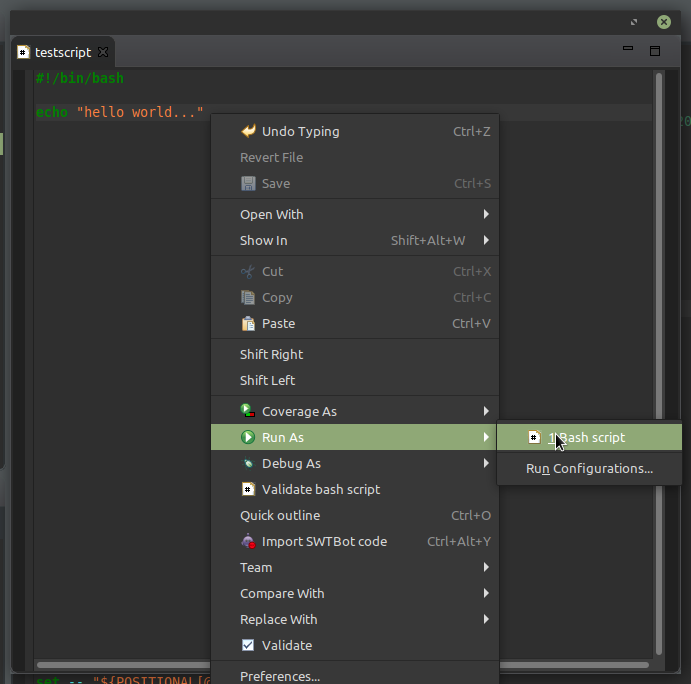
Will create a launch configuration which can be modified

On a linux docker image you can easily install the plugin automatically by using p2 director with following command:
/opt/eclipse/eclipse -application org.eclipse.equinox.p2.director -noSplash -repository 'https://dl.bintray.com/de-jcup/basheditor' -installIU 'de.jcup.basheditor'
Normally the Eclipse Marketplace should be the preferred way to install. But if absolutely necessary, you can use a local update site. An example zip file of an update site for bash editor in version 1.5.3 is available at https://github.com/de-jcup/eclipse-bash-editor/issues/110. It’s designed as a template and also describes howto install the plugin by the local site and also how to setup/integrate newer bash editor versions into the template.
Newer files can be directly downloaded from https://bintray.com/de-jcup/basheditor/update-site/ - just click at your wanted version and then inspect files.
The plugin update site is hosted at https://bintray.com which is a very wellknown provider - e.g. complete JCenter repository is also located here. The certificates are directly maintained by JFrog and should always be valid - otherwise many maven and npm repositories would have big problems…
So output messages containing error messages with PKIX path or trustanchor normally have their problem in usage of an JRE were certificate store is too old - or you are a victim of security attack (man in the middle). Details and suggestions how to fix (when no security attack…) can be found inside
https://github.com/de-jcup/eclipse-bash-editor/issues/147
Some examples:
Unable to read repository at https://dl.bintray.com/de-jcup/basheditor/content.xml.
PKIX path building failed: sun.security.provider.certpath.SunCertPathBuilderException: unable to find valid certification path to requested target
Unable to read repository at https://dl.bintray.com/de-jcup/basheditor/content.xml.
Unexpected error: java.security.InvalidAlgorithmParameterException: the trustAnchors parameter must be non-empty"There is no auto formatter implemented inside the plugin itself, but you can use external formatting tools for safe actions. For example: You could use beautysh which is already configured as a default in preferences (but not enabled).

Just enable the checkbox, install beautysh (or use another formatter tool) and your code will be automatically formatted on each file safe.
If you want to create an issue for the plugin it’s recommended to add error log information. Please follow the next steps to obtain more information:
Please do Window→Show View→Other… and enter error inside upcoming dialog:
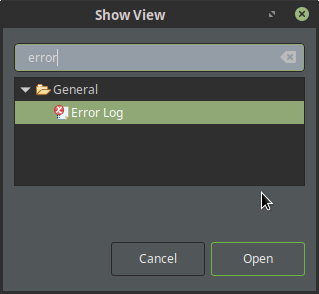
Select the error log view and search inside the log view for problems with Bash Editor plugin (e.g. it cannot start because of some problems etc).
If there were errors inside opened logview: Please copy the stacktrace and paste it to this issue
Please open Help→ About Eclipse IDE again and select the tab Configuration.
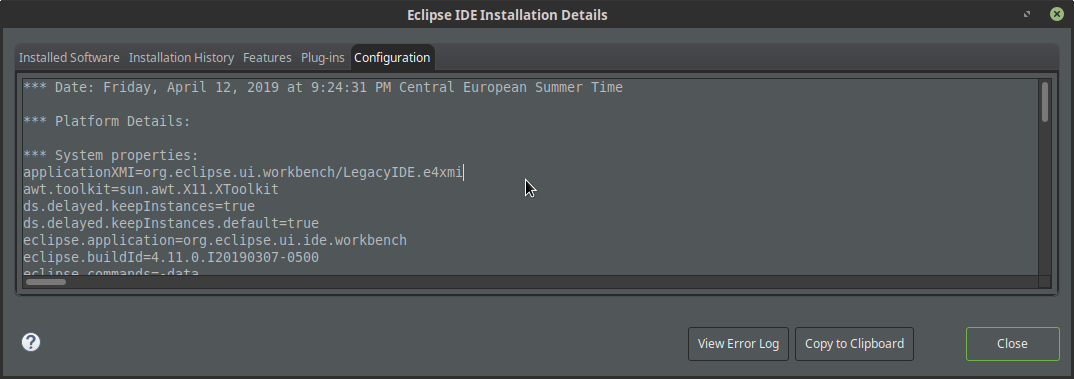
Select `Copy to clipboard`and attach the information to this issue