Help desktop visible pdf en US - ctt-gob-es/clienteafirma GitHub Wiki
This interface allows you to configure the following properties for the visible signature:
- Text to be included in the signature.
- Rotation of the text.
- Text format, in which the following text attributes can be configured:
- Source.
- Size.
- Color.
- Style.
- Include image.
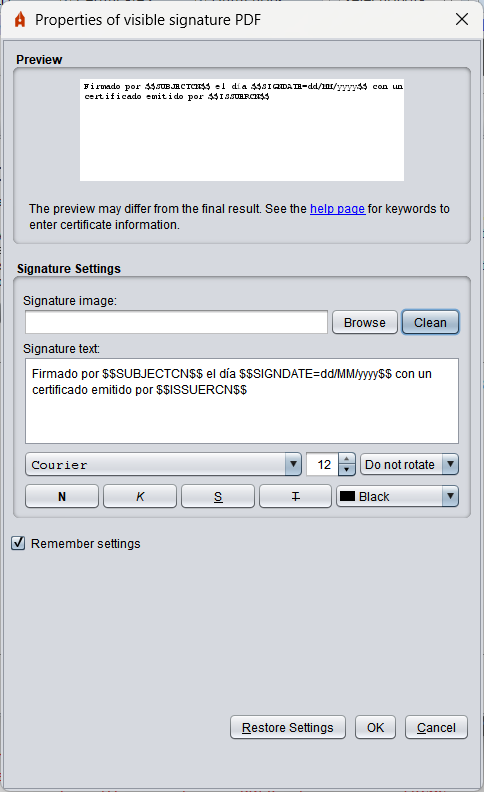
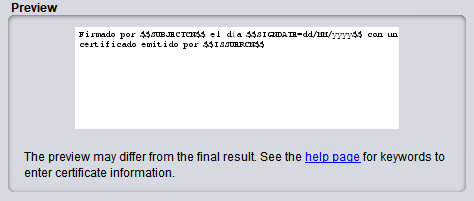
The interface is composed of three sections. The first section consists of an approximate preview of how the chosen properties will look in the previously selected area of the document.
To include an image in the signature you must click on this preview, which will open a file selection menu to choose the image. You can also include an image by dragging the file over the preview pane or through the selection dialog accessible by the "Browse" button. To remove an included image, you must right click on the preview (if you right click without any image being included you will allow to include rather than remove).
The second section contains the area for entering the text that you want to include in the signature and the configurable properties of the text.
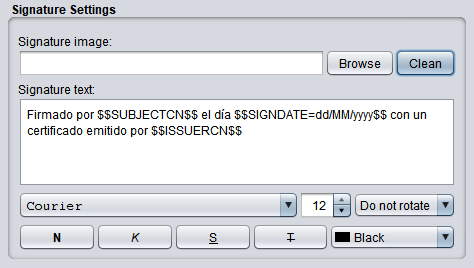
This area has a default text when you start the dialog that, if not modified, will be printed in the PDF.
The text can include a series of keywords that will be replaced by the appropriate texts of the holder or issuer of the signature certificate:
-
$$SUBJECTCN$$: Common Name (CN) within the X.500 Principal of the signature certificate holder. -
$$ISSUERCN$$: Common Name (CN) within the X.500 Principal issuer of the certificate of signature. -
$$CERTSERIAL$$: Serial number of the signature certificate. -
$$SIGNDATE=PATTERN$$: Signature date, where PATTERN should indicate the format in which the date should be displayed, following the schema defined by Oracle for the SimpleDateFormat class. -
$$GIVENNAME$$: Name of the holder declared in the certificate. This value may not appear on the certificate, in which case the pattern will be replaced by an empty string. Included in Autofirma 1.6.4. -
$$SURNAME$$: Surname of the holder declared in the certificate. This value may not appear on the certificate, in which case the pattern will be replaced by an empty string. -
$$ORGANIZATION$$: Organization of the holder declared in the certificate. This value may not appear on the certificate, in which case the pattern will be replaced by an empty string. Included in Autofirma 1.6.4. -
$$REASON$$: Reason why the PDF is signed. This value may not appear set, in which case the pattern will be replaced by an empty string. Included in Autofirma 1.6.4. -
$$LOCATION$$: City in which the PDF is signed. This value may not appear set, in which case the pattern will be replaced by an empty string. Included in Autofirma 1.6.4. -
$$CONTACT$$: Contact information of the PDF signer. This value may not appear set, in which case the pattern will be replaced by an empty string. Included in Autofirma 1.6.4. -
$$PSEUDONYM$$: Certificate pseudonym. This value may not appear on the certificate, in which case the pattern will be replaced by an empty string. Included in Autofirma 1.9. -
$$OU$$: Organizational Unit (OU) of the certificate. This value may not appear on the certificate, in which case the pattern will be replaced by an empty string. Included in Autofirma 1.9. -
$$OUS$$: Organizational units of the certificate, in the event that the certificate has information about one or more organizational units. This value may not appear on the certificate, in which case the pattern will be replaced by an empty string. Included in Autofirma 1.9. -
$$TITLE$$: Information about the position or role of the certificate holder. This value may not appear on the certificate, in which case the pattern will be replaced by an empty string. Included in Autofirma 1.9.
Thus, for example, the text Signed by $$SUBJECTCN$$ on the day $$SIGNDATE=dd/MM/yyyy$$. will finally result in the PDF as "Signed by Juan Ejemplo Español on 04/01/2016." assuming that the CN of the holder of the certificate of signature is "Juan Ejemplo Español" and that the signature is made on "04/01/2016".
The text settings will apply to the entire text and not to specific portions of it.
If the "Remember Settings" checkbox is checked, the configured options will already appear set in future visible signing operations.