Working on assignments - cs440-epfl/nori-base-2023 GitHub Wiki
This tutorial will take you through the main steps required to work through the CS-440 homeworks. We are using GitHub Classroom along with Github Actions to provide Continuous Integration builds within a modern development workflow.
At any point, please feel free to reach out to the TAs through the course mailing list if anything is unclear.
- A GitHub account
- On your computer, working versions of
git,cmake, and a C++ compiler (Clang, GCC or MSVC)
This will give you access to the base code and create a private repository where your code and reports will live.
- Log in to your GitHub account.
- Open the link starting with
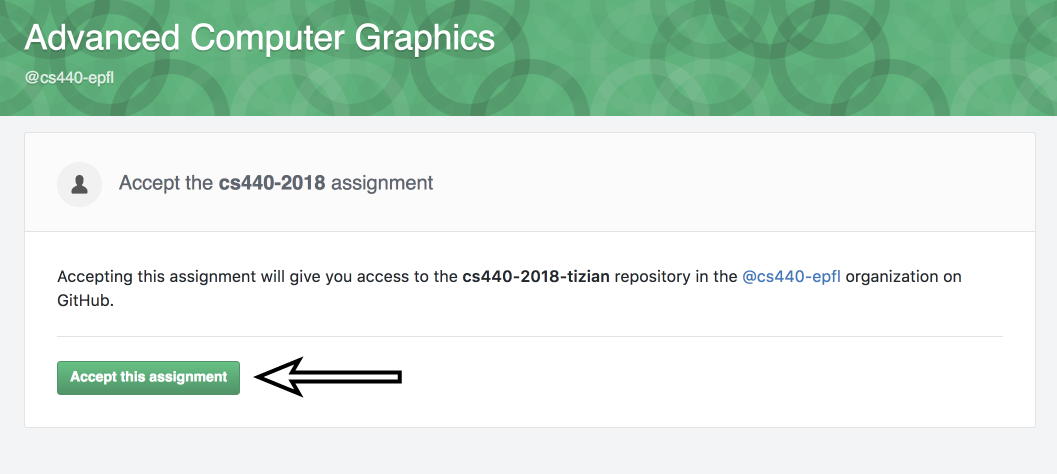
https://classroom.github.com/a/...that was provided to you on Moodle (Moodle CS440 -> Week1 -> Get Your Repository). - Accept the permissions required by GitHub Classroom, then click "Accept this assignment".
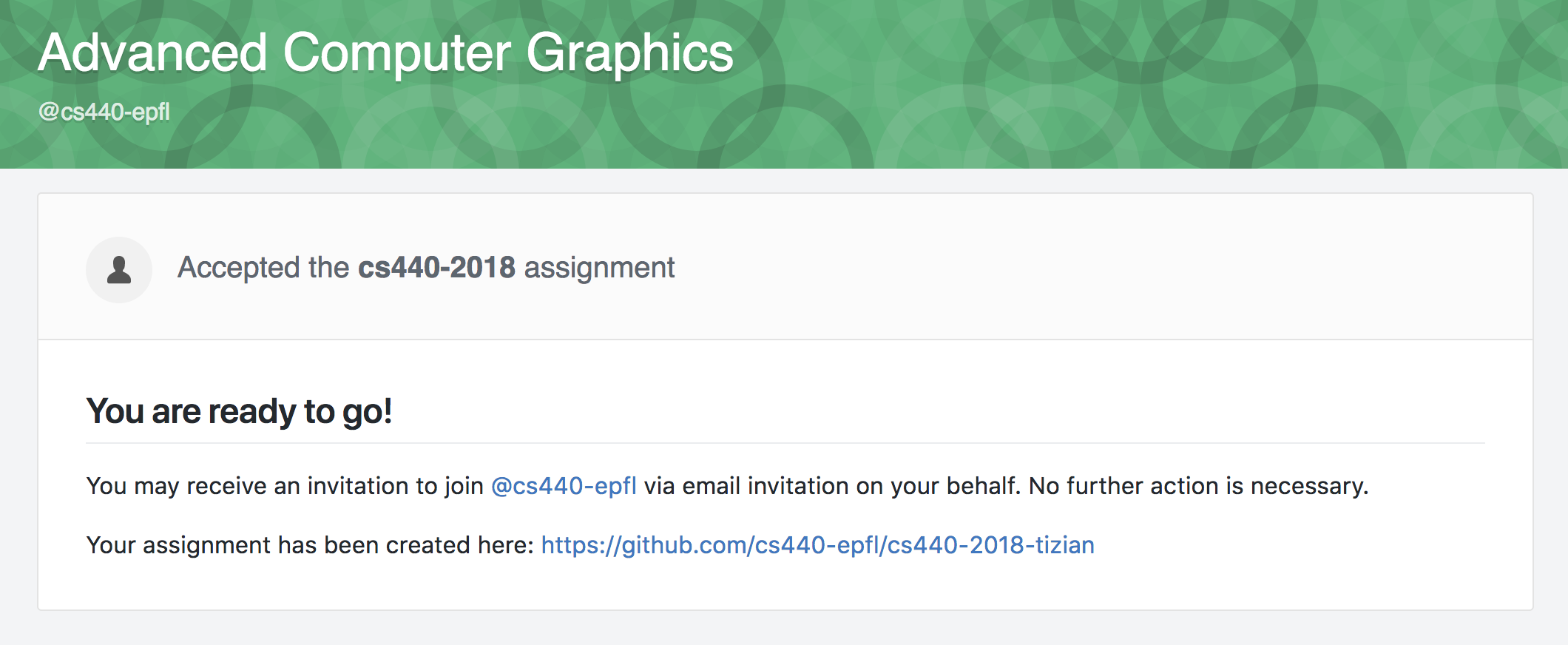
- You now have a private repository that you will use throughout the semester to implement your coding assignments, as well as to write each homework's report. Note that this directory is empty. The following steps explain how to get the base code for the assignements.
- Visit your personal homework repository (not the public base one) on GitHub and click "Clone or download". Copy the provided URL.
- On your local machine, clone your private repository with:
git clone <your repo URL>
This will clone an empty repository. To get the base code for the assignments, you will need to
-
Only once: add the base repository as a new "remote":
git remote add upstream https://github.com/cs440-epfl/nori-base-2023.git(or using the SSH variant). -
Pull the code from the base repository:
git pull upstream master
The second command will also have to be run to pull changes to the base repository (e.g. code related to new homeworks).
The base code contains several dependencies as so called "git submodules". In order to initialize them, you need to run
git submodule update --init --recursive
In case you don't want to use git on the command line, there are several visual front-ends available, such as GitHub Desktop and Source Tree. In any case, make sure to use recursive cloning which ensures that all required dependencies are cloned as well.
Note:
- Your repository contains your own solutions, so it is not OK to make them available online in any form.In particular, don't publicly fork the nori base project!
Your repository is now setup, and you can start working on the homeworks. Note that all homeworks will use the same private repository that you just created.
While implementing your solutions, don't forget to commit, push, and check the build status periodically.
Every assignment requires writing a small report. A template file is provided in results/homework-#/report.hml. Please add your answers in place, and commit them along with the rest of your code.
Before submitting, please double check that:
- All your changes have been committed and pushed to GitHub,
- The continuous integration build passes,
- Your report is written in
results/homework-#/report.hml, including all renders that you want to show.
The Moodle submission simply consists of a link to a specific state of your repository. With git, each state is uniquely identified by an identifier (SHA). You can view this identifier for each commit using the git log command.
For convenience, we ask you to submit a direct link to the state of your report at a specific commit. To do so,
- Open your repository on the GitHub web interface.
- Navigate to your report:
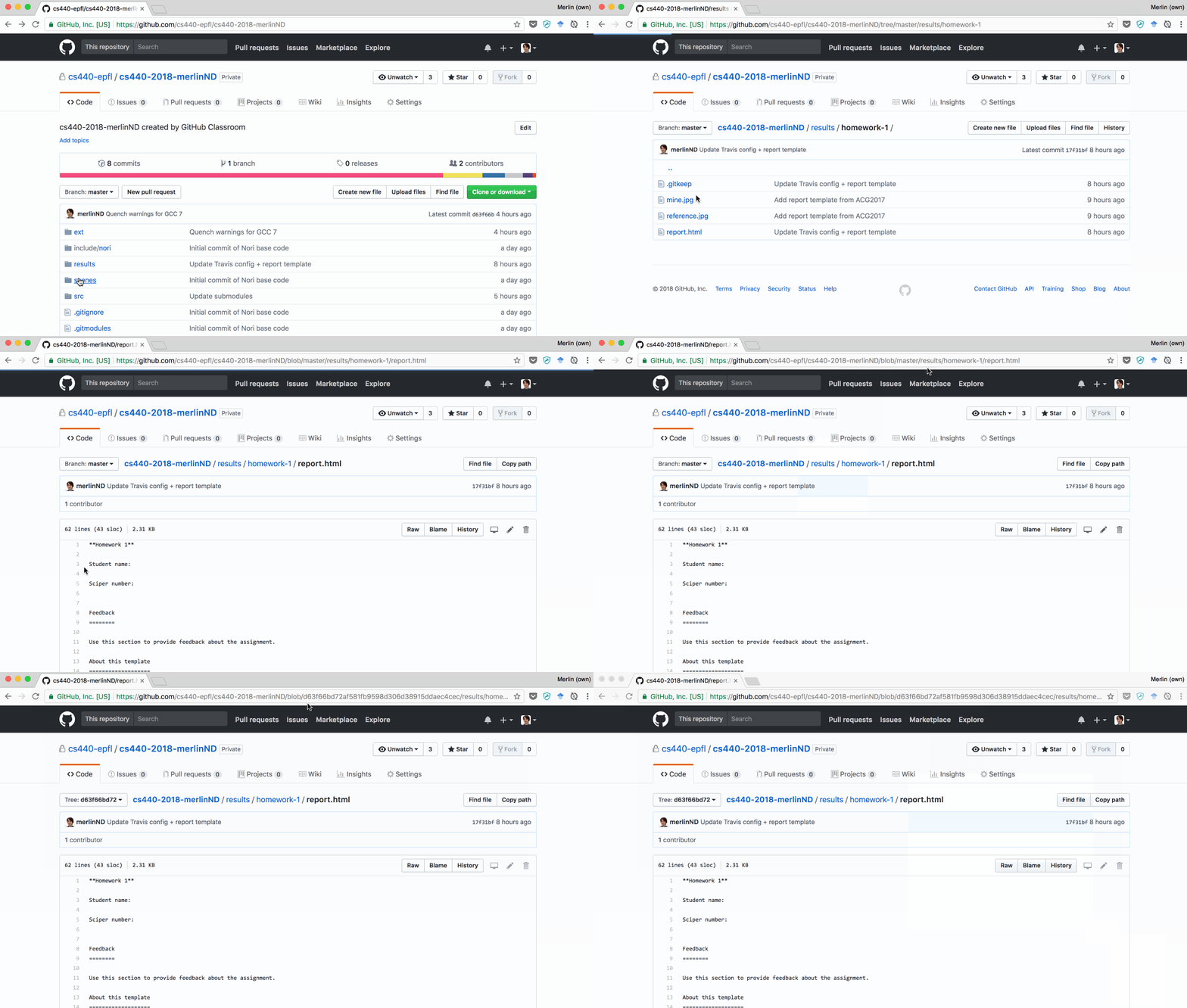
results>homework-<assignment number>>report.html - Press the
ykey on your keyboard. Note that the URL now has the form:
https://github.com/cs440-epfl/cs440-2023-<username>/blob/<the commit identifier>/results/homework-<assignment-number>/report.html - Copy this URL and submit it on the Moodle homework page.
Note that the following cannot be accepted, as they do not uniquely identify a specific state:
- ❌ A link to a branch or tag:
https://github.com/cs440-epfl/cs440-2023-<username>/blob/master/results/homework-1/report.html - ❌ A link to the base repository:
https://github.com/cs440-epfl/nori-base-2023/blob/17f31bff65f3476ec3f94685b68ddafeca92b431/results/homework-1/report.html - ❌ A link to a specific state, but that is later overwritten and so results in a 404. You need to be extra-careful to never rewrite the repository's history after a submission, at the risk of loosing your submission and getting zero points.
👏 You're all set! Please continue with the next tutorial to receive continuous, automatic feedback on your implementation.