Options Menu: Counters - comgram/ClassicUO GitHub Wiki
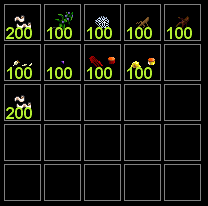
Items can be added to the counter bar by dragging it onto the grid.
To remove an item use [alt + right click].
Items can also be used directly from the counter bar by double clicking on the image.
아이템을 카운터 막대로 드래그하여 카운팅하여 보여줄 아이템을 추가할 수 있다.
카운팅 아이템을 제거하기 위해서는 [알트 + 오른쪽 클릭]을 사용한다.
카운터 막대에 추가된 아이템은 카운터 막대상에서 더블클릭을 하여 바로 사용할 수 있다.

Enable Counters: Enable the in game counter system 카운터 시스템을 사용한다.
Highlight on use: Highlights the counter item when used (not implemented) 등록된 아이템이 사용되면 표시한다.
Highlight red when amount is below: Set an amount to warn when the counters get below that number. Box highlights red. 등록된 아이템들의 경고 개수를 정한다. 등록된 아이템이 정해진 개수 아래로 떨어지면 경고의 의미로 빨간색으로 표시한다.
Counter Layout
Cell Size: Sets the size of the counter boxes 카운터 상자의 크기
Rows: Number of rows for the counter bar 카운터 막대의 오(row) 수
Columns: Number of columns for the counter bar 카운터 막대의 열(column) 수
Counters can be set up horizontally or vertically. You can also use multiple columns or rows to create a full grid.
카운터 막대는 수평이나 수직으로 할 수 있으며, 오와 열의 수는 여러개로 하여 그리드로 표시 가능하다.