Lua interpreter ᴾᴴᴾ - chung-leong/zigar GitHub Wiki
JavaScript | PHP
In this example we're going to build a Lua interpreter. The main purpose is to demonstrate how to use the Zig package manager to include third-party code in a project.
We begin by creating the basic app skeleton:
mkdir zzz
cd zzz
mkdir src zig
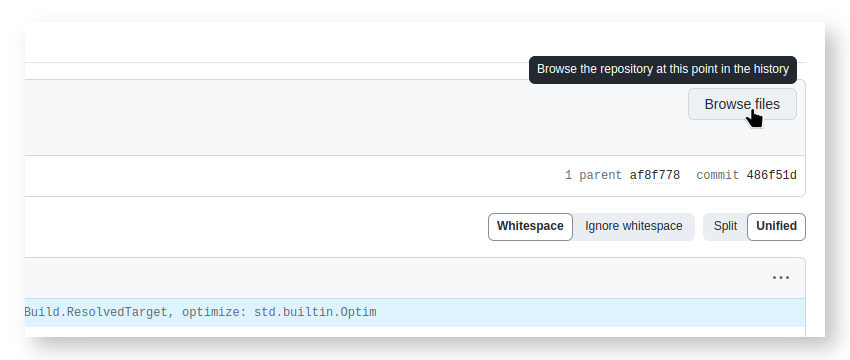
After that we'll install ziglua, a Zig package that provides the Lua language engine. As there is currently no central repository for Zig packages, you'll need to obtain ziglua from the source. First, go to the project's Github page. Select the tag "0.7.2" branch. Then click the "Code" button, right-click on "Download ZIP" and select "Copy link address":
Go back to the terminal, cd to the sub-directory zig and create an empty build.zig:
cd zig
touch build.zig
Enter "zig fetch --save " then paste the copied URL and press ENTER:
zig fetch --save https://github.com/natecraddock/ziglua/archive/refs/tags/0.7.0.zipThat'll fetch the package and create a build.zig.zon listing it as a dependency. The empty
build.zig only exists to enable the fetch --save command. It won't be used. Import of the
package happens in build.extra.zig:
pub fn getImports(b: *std.Build, args: anytype) []const std.Build.Module.Import {
    const zlua = b.dependency("zlua", .{
        .target = args.target,
        .optimize = args.optimize,
    }).module("zlua");
    return &.{
        .{ .name = "zlua", .module = zlua },
    };
}
In the same directory create lua.zig:
const std = @import("std");

const zlua = @import("zlua");

var gpa = std.heap.DebugAllocator(.{}).init;
const allocator = gpa.allocator();
const LuaOpaque = opaque {};
const LuaOpaquePtr = *LuaOpaque;

pub fn createLua() !LuaOpaquePtr {
    const lua = try zlua.Lua.init(allocator);
    lua.openLibs();
    return @ptrCast(lua);
}

pub fn runLuaCode(opaque_ptr: LuaOpaquePtr, code: [:0]const u8) !void {
    const lua: *zlua.Lua = @ptrCast(opaque_ptr);
    try lua.loadString(code);
    try lua.protectedCall(.{});
}

pub fn freeLua(opaque_ptr: LuaOpaquePtr) void {
    const lua: *zlua.Lua = @ptrCast(opaque_ptr);
    lua.deinit();
}
createLua() creates an instance of the Lua interpreter. The interpreter is returned as an opaque
pointer so that implementation details are hidden from the JavaScipt side. runLuaCode() makes it
run the given code, casting the opaque pointer it receives back into *Lua first. freeLua()
frees memory allocated for the interpreter.
To test that our Zig code is working as expected, create index.php in src:
<?php

$m = zigar_use(__DIR__ . '/../zig/lua.zig');
$lua = $m->createLua();
$m->runLuaCode($lua, 'print "Hello world"');
$m->freeLua($lua);
Then run it:
php src/index.phpA message should appear informing you that the "lua" module is being compiled. When that is done, "Hello world" should appear in the terminal. That tells us that the interpreter is working.
Now let us build an HTML form for our interpreter. Replace the code in index.php with the
following:
<?php

$m = zigar_use(__DIR__ . '/../zig/lua.zig');

$code = trim($_GET['lua'] ?? '');
ob_start();
if ($code) {
    $lua = $m->createLua();
    try {
        $m->runLuaCode($lua, $code);
    } catch (Exception $e) {
        echo $e;
    } finally {
        $m->freeLua($lua);
    }
}
$output = ob_get_clean();

?>
<html>
<head>
    <title>Lua interpretor</title>
    <style>
        textarea {
            font-family: monospace;
            width: 100%;
            height: 50vh;
            margin-bottom: .5em;
        }
    </style>
</head>
<body>
    <form>
        <textarea name="lua"><?= htmlspecialchars($code) ?></textarea>
        <div><button type="submit">Run</button>
    </form>
    <hr>
    <pre><?= htmlspecialchars($output) ?></pre>
</body>
</html>
After that, start up PHP's test server:
php -S localhost:8080And open http://localhost:8080/src/index.php in a web browser.
Here's the app running a code example from Wikipedia:

As was done in previous example, we create a build.php to compile the Zig code for multiple
platforms:
<?php

$targets = [
    [ 'platform' => 'linux', 'arch' => 'x64' ],
    [ 'platform' => 'linux', 'arch' => 'arm64' ],
    [ 'platform' => 'darwin', 'arch' => 'arm64' ],
    [ 'platform' => 'win32', 'arch' => 'x64' ],
];
foreach ($targets as $options) {
    $options['optimize'] = 'ReleaseSmall';
    zigar_compile(__DIR__ . '/../zig/lua.zig', $options);
}
Here, we're choosing to set the optimization level explicitly instead of relying on the setting in
php.ini.
We then run the script:
php src/build.phpAfterward, we change the path given to zigar_use() so that it
references the .zigar directory instead of the .zig file:
$m = zigar_use(__DIR__ . '/../lib/lua.zigar');Zig's package manager makes it incredibly easy to make use of C libraries. While this example ultimately relies on the Lua C API, at no point did you need to think about it. There was no autoconf script to run. You didn't need to build any static library. All you had to do is ask Zig to fetch the module from the right URL. Work done by the maintainer of ziglua took care of everything, including issues related to cross-platform support. Using a Zig package is almost as easy as using a Composer package.
The Zig package manager is still under heavy development. Currently there aren't so many ready-to-use packages and is no central package directory where you can quickly find something you need. I hope you can see the ease-of-use that it promises though. The ability to easily use native code makes PHP a much more powerful platform.