Azure: Create custom role using ARM template - chjgithub/Helps GitHub Wiki
-
We could add individual permissions instead of using existing built-in roles as you mentioned. The role “Restart Virtual Machines” you described was called “Custom Role”. There is one thing we need to notice that the custom roles can be shared between subscriptions that trust the same Azure AD directory. There is a limit of 5,000 custom roles per directory. You could refer to this document for more details.
https://docs.microsoft.com/en-us/azure/role-based-access-control/custom-roles
-
When I test the ARM template to create a new custom role but failed because exceed the limit of custom roles in my directory. There are the steps to deploy the template:
-
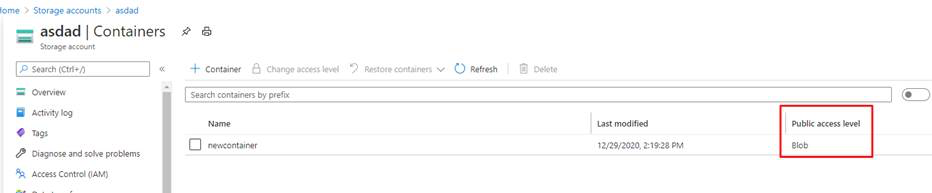
We would have a storage account (For example named “asdad”).
-
Create a container (named ”newcontainer” in my example) whose access level could be “Blob”.
-
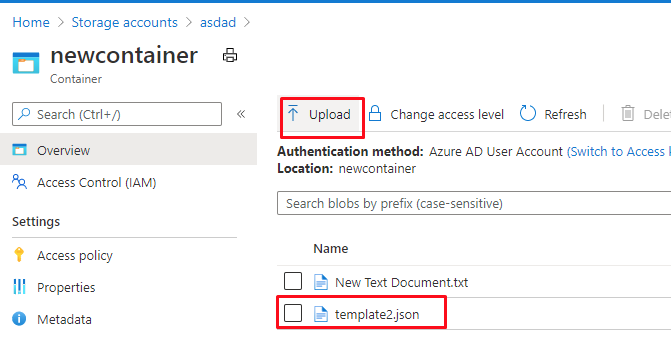
Upload the template2.json to the container.
-
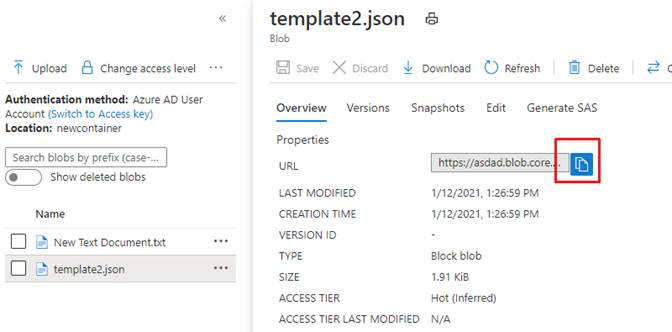
Click the template2.json and find the URL of it.
-
Use the following PowerShell command to assign the template.
Here is the PowerShell command:
#####################################################################################################
#This command means we could enter a location (such as centralus) and assign it to a variable
$location = Read-Host -Prompt "Enter a location (i.e. centralus)"
#We could upload the template2.json to a storage account and use the URL to visit the storage account
$templateUri = "https://asdad.blob.core.windows.net/newcontainer/template2.json"
#The powershell command to assign the ARM template
New-AzDeployment -Location $location -TemplateUri $templateUri

#####################################################################################################
-
-
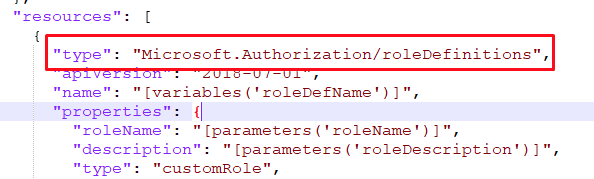
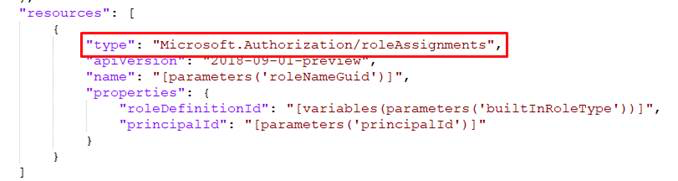
For the template2.json I attached, this ARM template is used to create a role definition. If you compare it with the template1.json I shared with you before, you could find the “resource” of the two template are different. The template1.json is “Microsoft.Authorization/roleAssignments” but template2.json is “Microsoft.Authorization/roleDefinitions”. Therefore the role first needs a definition and we can assign it to a user or service principle (The existing built-in role by default has a definition and we do not need to create it).
-
According to our discussion, you mentioned you are new to the ARM template. There is a document that describe the structure and syntax of ARM templates which might be helpful to understand the two templates I attached in the email.
https://docs.microsoft.com/en-us/azure/azure-resource-manager/templates/template-syntax
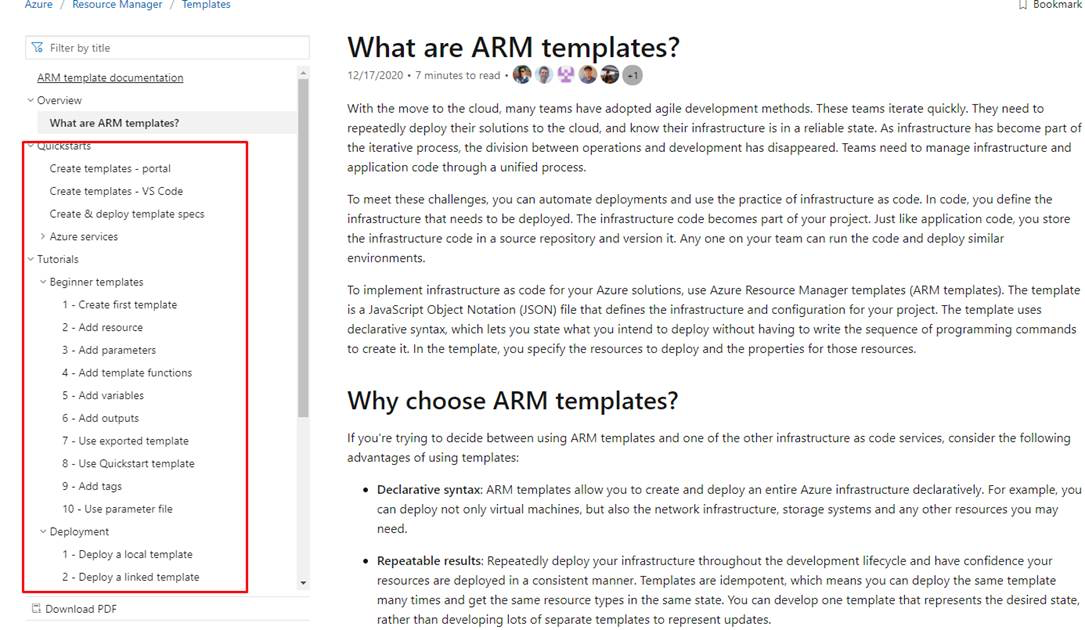
Besides, if we would like to start learning ARM template from beginning, there is a document that introduce the ARM templates. In addition, we could check the document index on the left. It might be helpful to get started.
https://docs.microsoft.com/en-us/azure/azure-resource-manager/templates/overview