Basic Concepts - boxgaming/gx GitHub Wiki
The World
The world is an imaginary two-dimensional space that expands out forever in every direction (north, south, east and west). Positions in this flat expanse are identified by X and Y pixel coordinates. Negative coordinates indicate positions north or west of the universe center (0, 0).
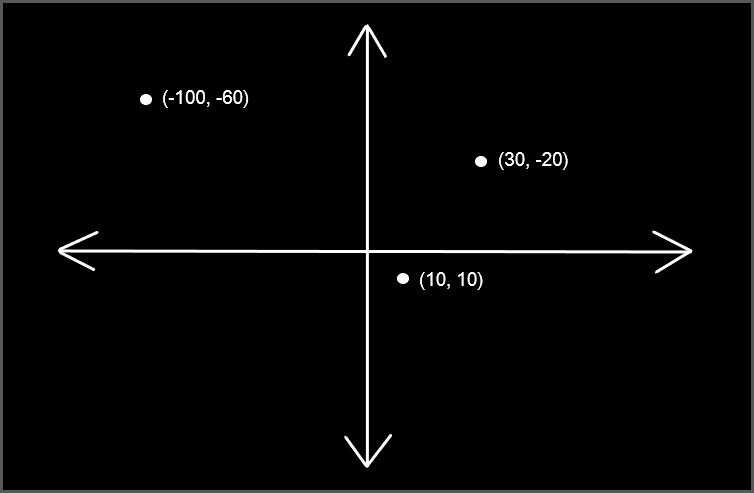
Yes, I know this drawing is not to scale. Let's press on anyway.
Entities
An entity is any object that can be placed in the world. An entity could be a spaceship, an enemy monster, a tree, a little plumber... any thing that needs to be in a certain place in the world. Entities have X and Y positions that indicate their location in the world. Movement can be indicated by setting an entity's X and/or Y velocity. Entities can be visible or hidden and can be rendered programmatically or have their appearance automatically rendered from a sprite sheet image. Let's look a bit more at how GX expects sprite sheets to be constructed...
As you can see from the image above, this spritesheet contains four different animation sequences with each distinct sequence placed on a separate row in the spritesheet image. Each animation sequence has four frames of animation.
The Scene
The scene is the viewport into the world at large. While the world is virtually infinite, the view into this world is a fixed size and defines the part of the world we see on the screen. So, for example, if we create a new scene that is 320 pixels x 200 pixels in size we would initially see any content in the world that is between position (0,0) and (320, 200):
The scene itself has an X and Y position and can be "moved" around the world. Only the portion of the world within the boundaries of the scene will be rendered.
Maps
GX has robust support for tile-based maps. What are tile-based maps? Well, they are used in many 2D games to be able to construct large worlds from a relatively small set of reusable image tiles called a tileset. A tileset is defined by a tileset image like this one:
This tileset image is made up of 16x16 image tiles. Each tile in the set is assigned a number based on its position:
A map, then, is made up of a collection of these tiles arranged in a grid. If we want to create a map based on this tileset that fills the screen we can determine the dimensions of the map by dividing the screen dimensions by the tileset size. For example, if our screen size is 256 pixes by 144 pixels, dividing this by the tileset size 16x16 we get a map that has 16 columns x 9 rows of tiles.
For many games the map size will greatly exceed the screen in size. GX provides the ability to display the only the portion of the map that should be on screen at any time based on the scene position (as shown above in the Scene overview).
Maps can be created programmatically using the GX API. Additionally, in order to make creating and maintaining maps a bit easier, GX includes a Map Maker application. Originally, this was built with InForm and the source is included in the GX github project. Going forward, there is a web-based version.