Basic Configuration Steps - bartoszWesolowski/aem-tips GitHub Wiki
AEM has all configurations needed to run OOTB right away but there are many options to customize the instance. Here you could find a list of selected services that might need some attention when setting up the instances. Full list available with Adobe documentation
Primary Configuration Considerations
Primary areas that are commonly configured for most starting projects.
Classic/Touch UI choice
AEM comes with two UI options and can be configured to use one of them by default. This can be done with Day CQ Root Mapping.
Version Purging
In a standard installation AEM creates a new version of a page or node whenever you activate a page (after updating the content). You can also create additional versions on request using the Versioning tab of the sidekick. All these versions are stored in the repository and can be restored if required. These versions are never purged, so the repository size will grow over time and therefore need to be managed.
Version manager
- Service (PID):
com.day.cq.wcm.core.impl.VersionManagerImpl - can remove old versions when new version is created
Service has many settings that allows to customize the mechanism of version clean up:
versionmanager.createVersionOnActivation(default: true). A version is created unless the replication agent is configured to suppress creation of versions, which is honoured by the Version Manager. A version is only created if the activation happens on a paths that is contained inversionmanager.ivPaths(see below).versionmanager.ivPaths(default: {"/"}) - paths on which versions are implicitly created on activation if versionmanager.createVersionOnActivation is true.- versionmanager.purgingEnabled (default: false) - whether to enable purging when new versions are created
versionmanager.purgePaths(default: {"/content"}) - on which paths to purge versions when new versions are created.versionmanager.maxAgeDays(default: 30) on purge, any version older than this value will be removed. If this value is less than 1, purging is not performed based on the age of the versionversionmanager.maxNumberVersions(default 5) - on purge, any version older than the n-th newest version will be removed. If this value is less than 1, purging is not performed based on the number of versionsversionmanager.minNumberVersions(default 0) - The minimum number of versions to keep regardless of the age. If this value is set to a value less than 1 no minimum number of versions is retained.
Purge Versions Tool
The Purge Versions tool is intended for purging the versions of a node or a hierarchy of nodes in your repository. Its primary purpose is to help you reduce the size of your repository by removing old versions of your nodes.
- Available in the Tools console under Versioning or directly at:
/etc/versioning/purge.html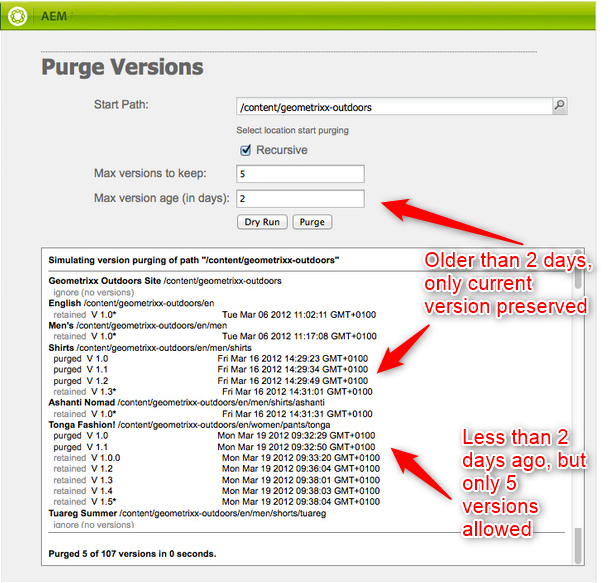
Version Purge Maintenance task
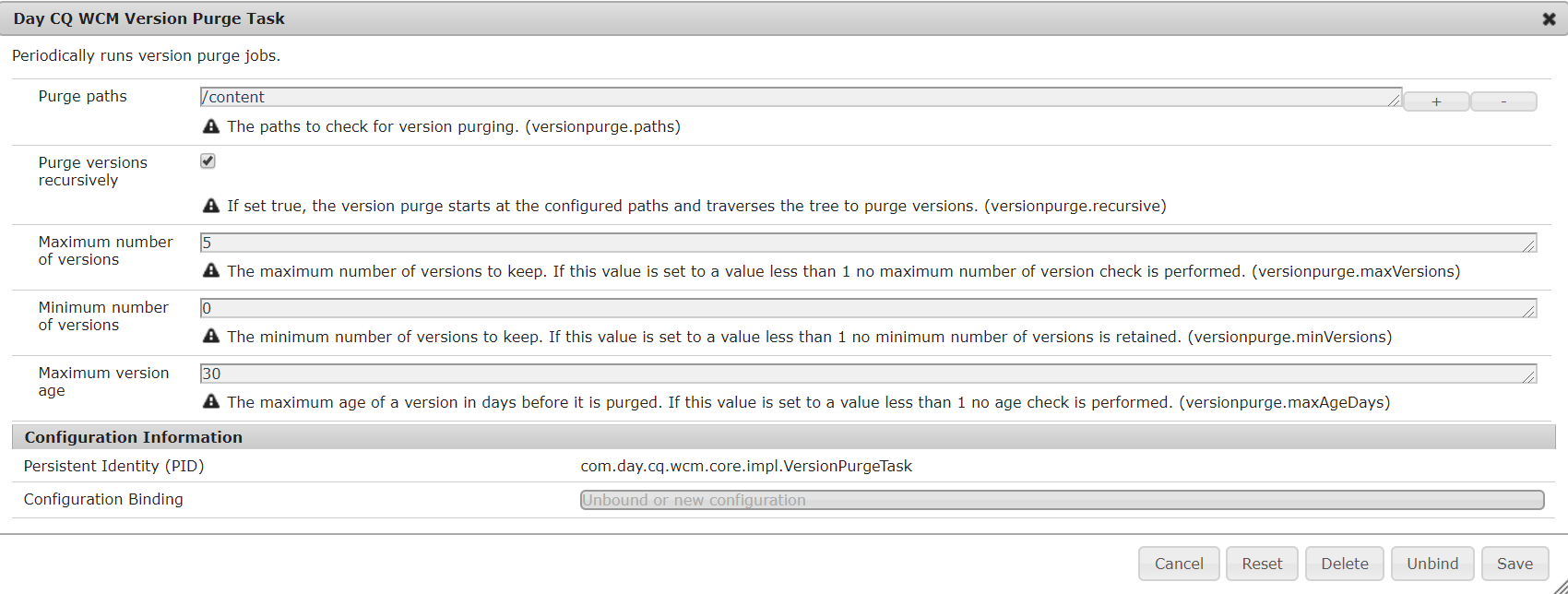
Version purging can be scheduled as a weekly maintenance task to minimizes need for manual clean up. To add this task go to Tools > Operations > Maintenance > Weekly Maintenance Window click add and select Version Purge from the drop-down menu.
Version Maintenence task configuration is a simple OSGI config for PID com.day.cq.wcm.core.impl.VersionPurgeTask, see the config options below:
Single sign on
Single Sign On (SSO) allows a user to access multiple systems after providing authentication credentials (such as a user name and password) once. A separate system (known as the trusted authenticator) performs the authentication and provides Experience Manager with the user credentials. Experience Manager checks and enforces the access permissions for the user (i.e. determines which resources the user is allowed to access).