Usage ‐ Fleet Carrier Tracking - aussig/BGS-Tally GitHub Wiki
Reviewing Fleet Carrier Buy and Sell Orders
If you own a Fleet Carrier, BGS-Tally can automatically track your carrier status, commodities, materials, location, shipyard, and can plot and track Spansh fleet carrier routes. These are tracked in a separate window - access this from the main EDMC window:
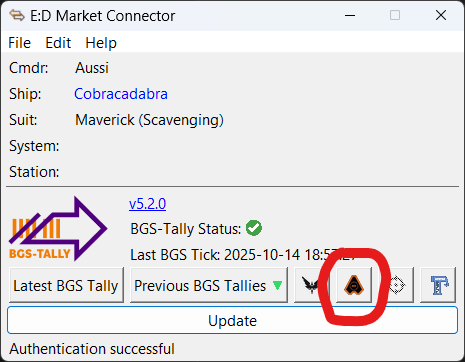
To enable this button, ensure 'Enable Fleetcarrier CAPI Queries' is ticked in the 'Configuration' tab of the EDMC Settings panel, ensure you have authenticated EDMC with your Frontier account, and visit your Fleet Carrier management screen in-game.
Fleet Carrier Window
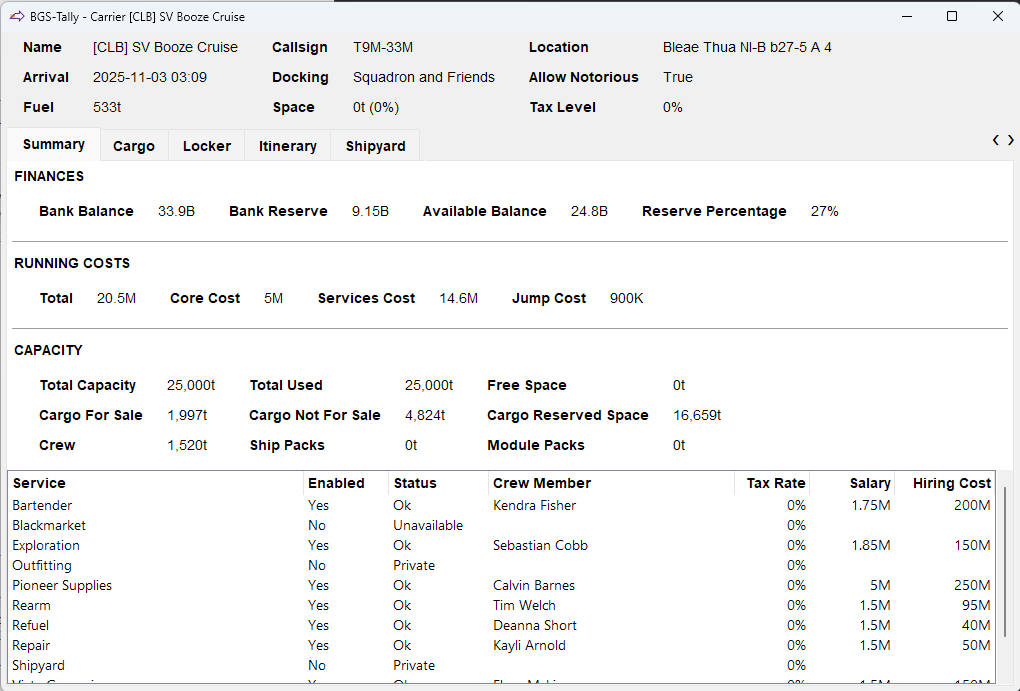
The fleet carrier window has a overview of your carrier's current status and five tabs for different aspects of the carrier's operation.
Summary
The summary tab shows finances, running costs, storage capacity, and the state of the carrier's services.
Cargo
The cargo tab has a summary of the the carrier's cargo including capacity and values. It also has a complete list of all commodities on board including buy orders, sell orders and prices. The commodity list can be sorted by each of the available columns both ascending and descending.
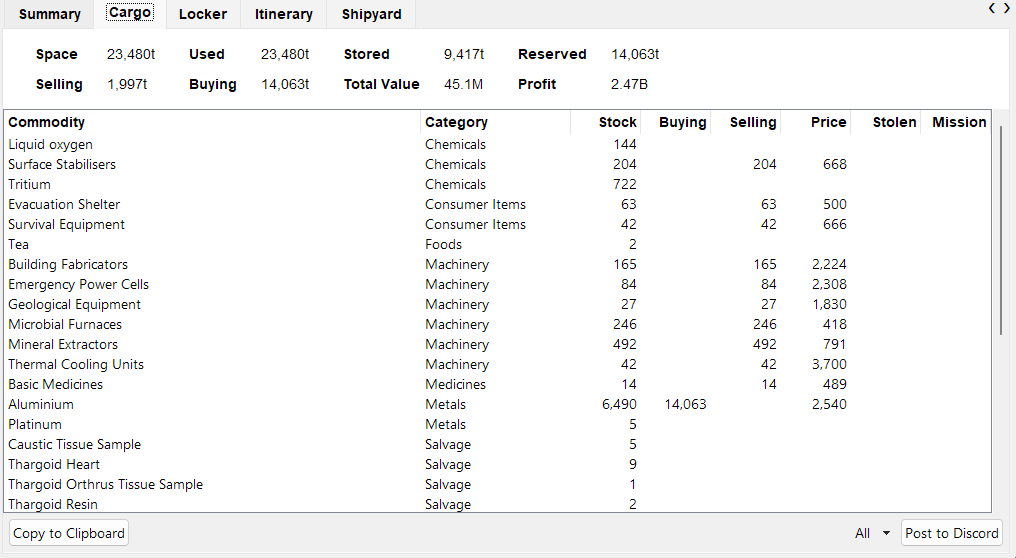
The Post to Discord button automatically posts information to the Discord channel associated with the Fleet Carrier webhook in the settings. This button will not appear if you have not set up the webhook. More information on setting up the Discord webhook is available here →. The adjacent dropdown enables selection of which commodities will be posted - Buying, Selling, Both, or All.
The Copy to Clipboard button will copy the commodity list into the past buffer in a discord friendly format.
Locker
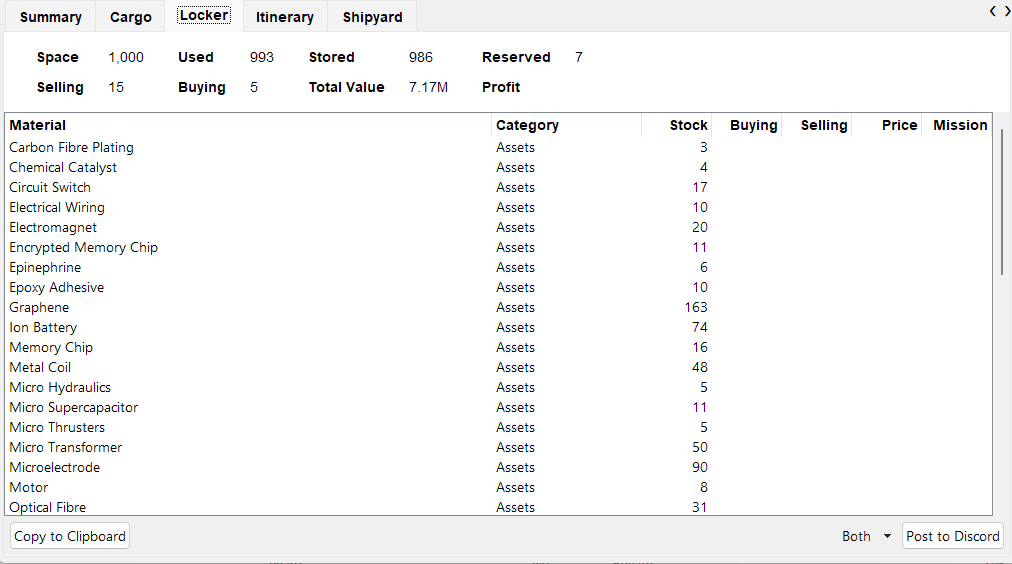
The locker tab works just like Cargo but for the carrier's on foot materials locker and bartender with the same overview and details.
Itinerary
The itinerary tab shows the carrier's past and future jumps.
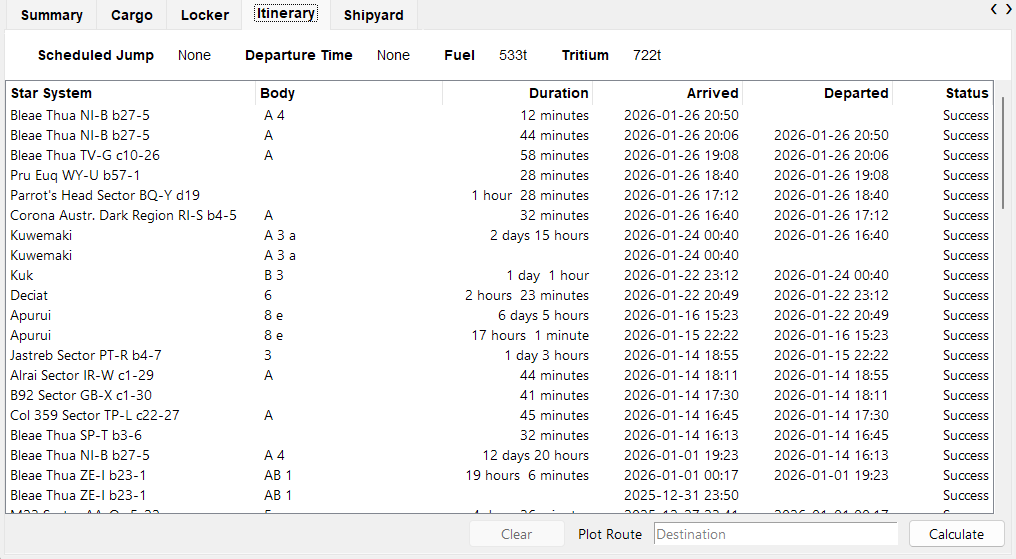
The itinerary tab also enables plotting a fleet carrier route to a distant system using the Spansh Fleet Carrier Router. Enter the destination system in the Destination field and click Calculate. The route will be calculated and shown. After each jump the name of the next system in the route will be put into the paste buffer.
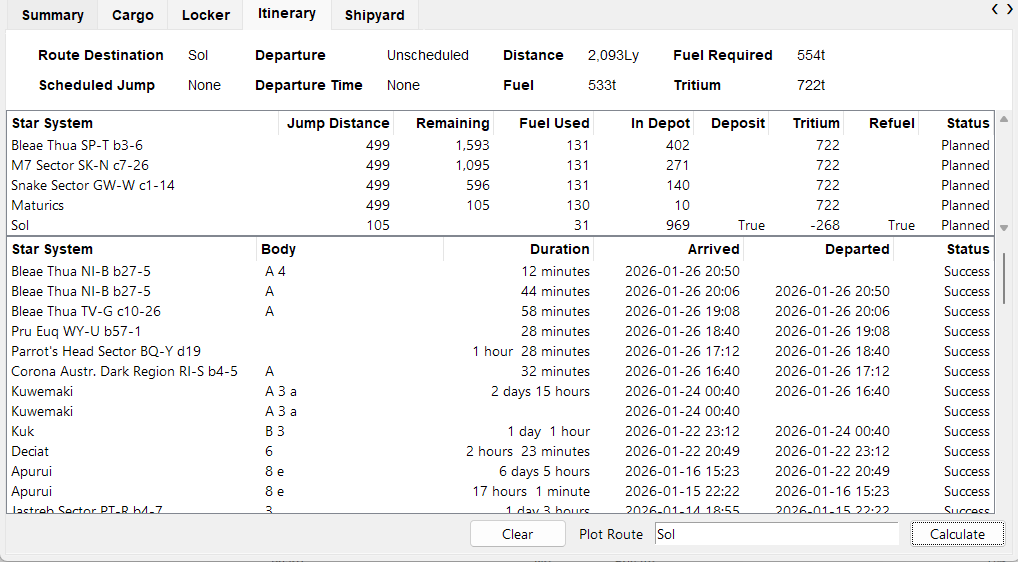
Clicking on any star system in the itinerary (on a route or previously visited) will put that system's name into the paste buffer.
Shipyard
The shipyard tab lists all the ships in your carrier's shipyard including their name, type, and value. If you are docked away from your carrier it also indicates the time and cost to transfer each ship to your current location.