API Setup - aussig/BGS-Tally GitHub Wiki
API Setup
If your squadron or group has a central server that is used to track BGS and/or Thargoid War activity across CMDRs, and the central server is integrated with BGS-Tally, then you can configure BGS-Tally to connect to it.
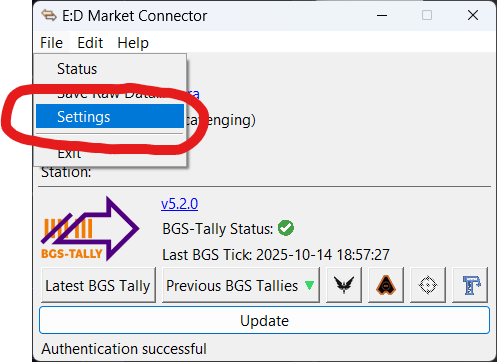
Step 1 - Open the EDMC Settings Screen (again)
Open the EDMC settings screen again:
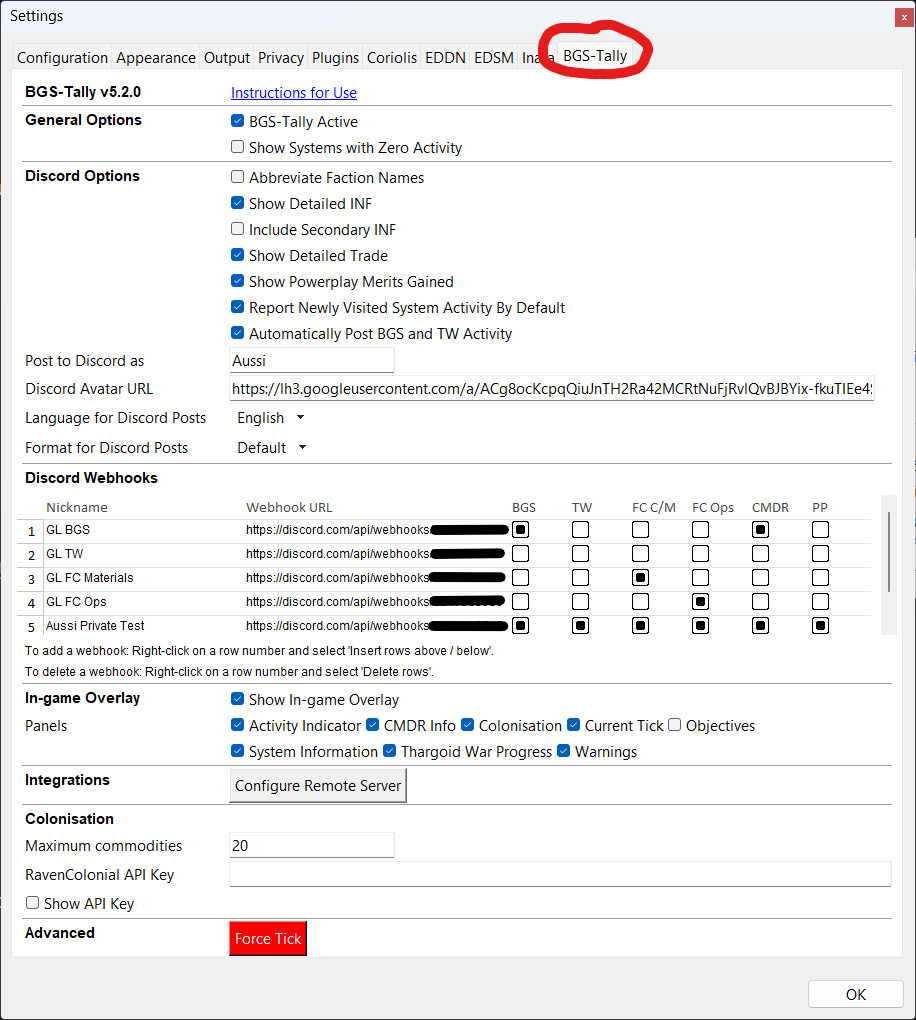
Step 2 - Open the BGS Tally Settings Panel
Open the BGS Tally settings tab:
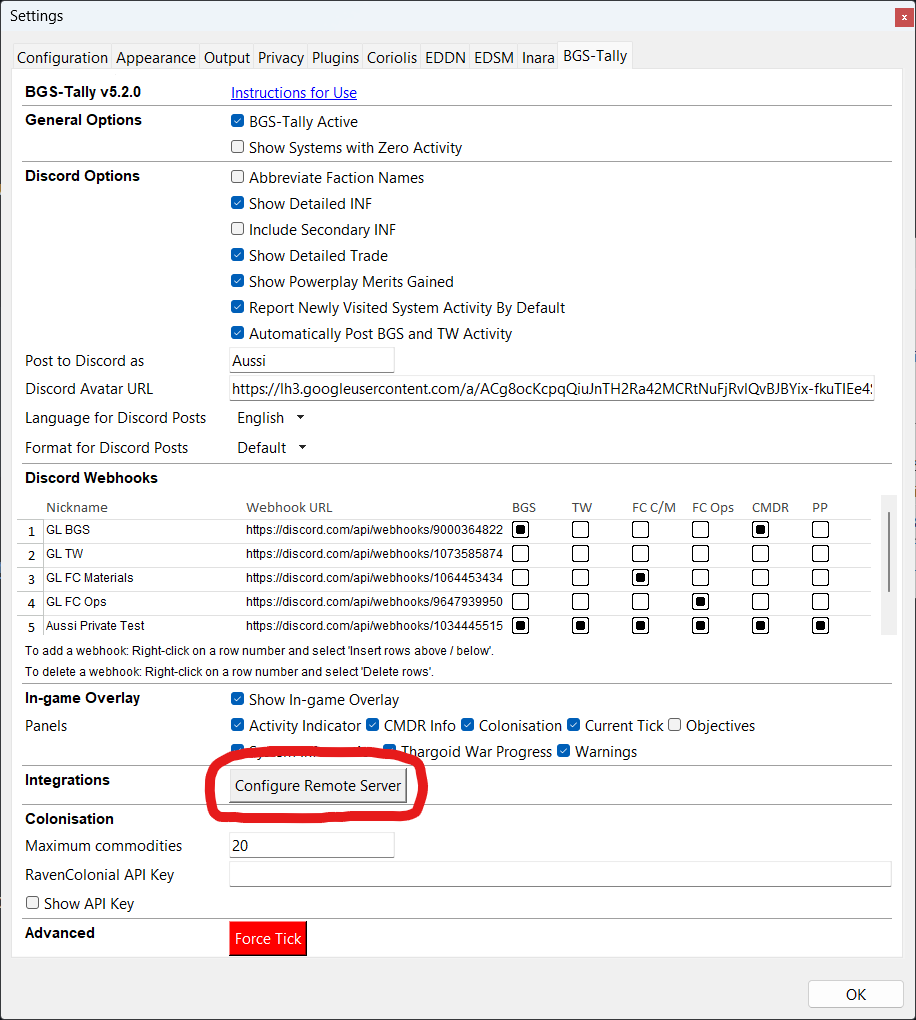
Step 3 - Open the Remote Server Configuration Window
Click Configure Remote Server in the Integrations section:
Step 4 - Enter the Server Details
Enter the four required items, ask your group's administrator for this information:
- Server URL
- API Key
- Enable Activities
- Enable Events
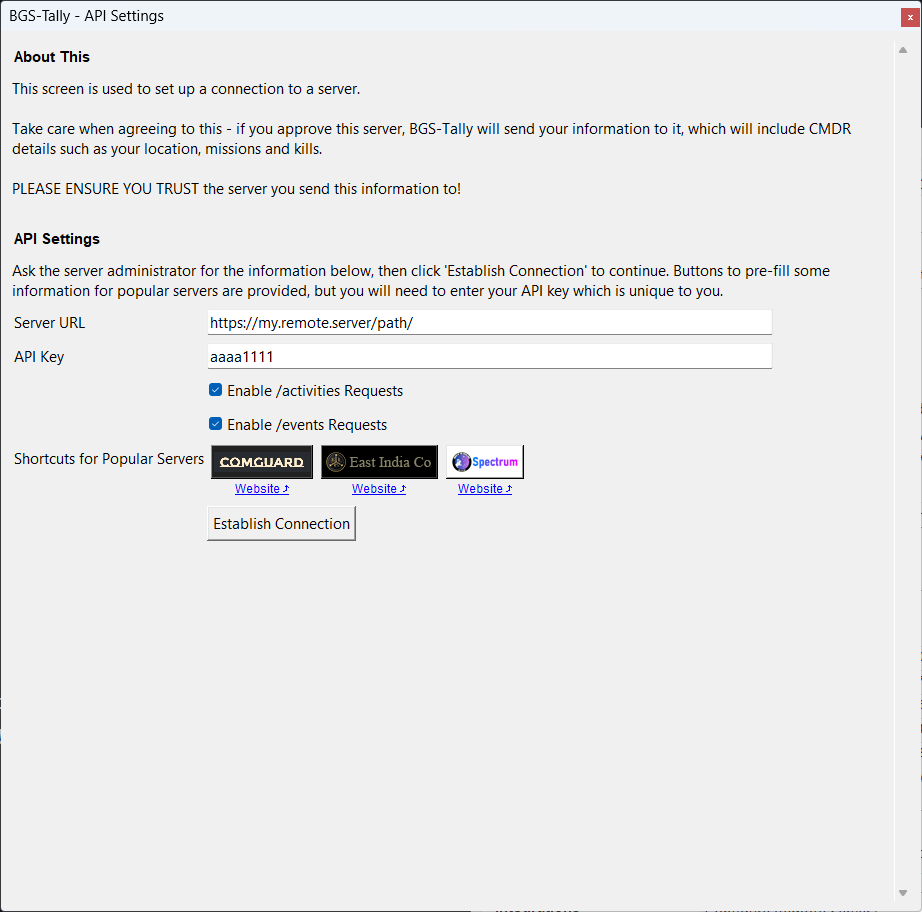
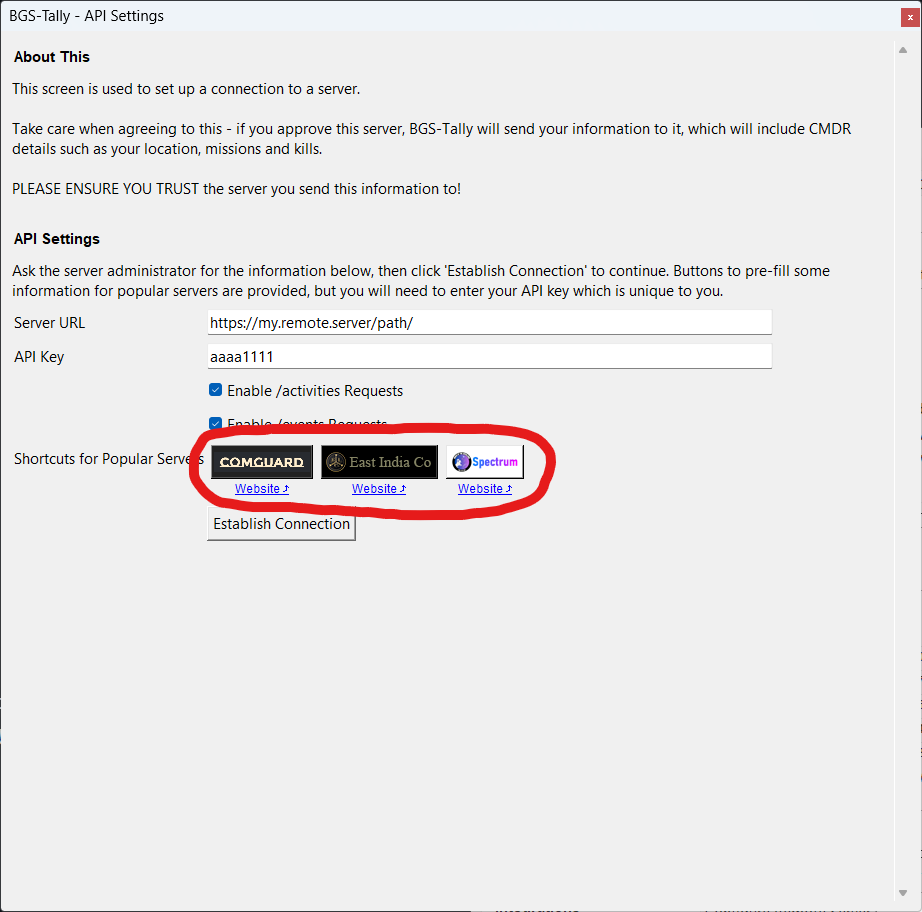
If you are connecting to Comguard, EICo or Spectrum, click the appropriate quick access button for fast setup - this automatically sets the URL, Enable Activities and Enable Events checkboxes, so you only need to enter your API key which will be provided by the website you're connecting to:
Step 5 - Establish Connection
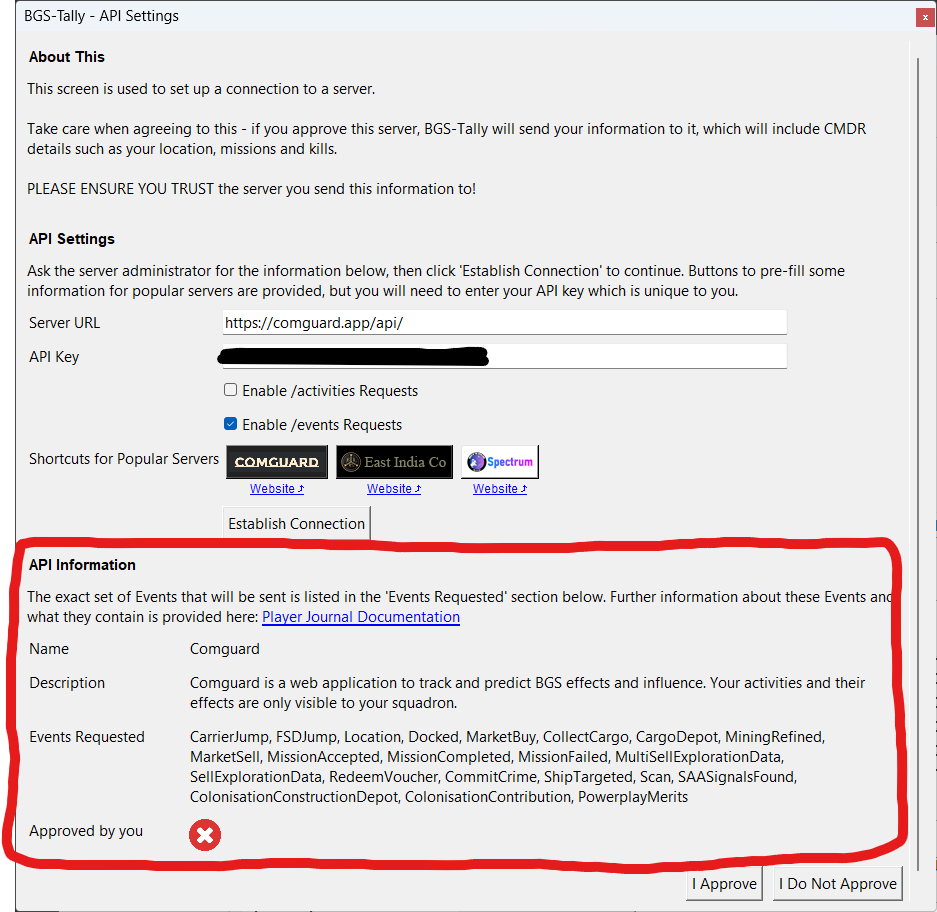
Click Establish Connection and BGS-Tally will try to connect to the server. If this succeeds, information will be shown in the bottom panel describing the remote server and listing any game events this server is requesting.
[!WARNING] Review this information to ensure you are happy sending it to the server. Specifically note that activity sent via the API is not affected by the same filters applied to Discord posts. i.e. Even if you disable a particular system from posting to Discord, work you do in that system will still be sent over the API.
Also If you want to find out more about each game journal event and what it contains, documentation is provided here.
Step 6 - Approve the Connection
If you are happy, click the I Approve button and BGS-Tally will start sending information to your server.
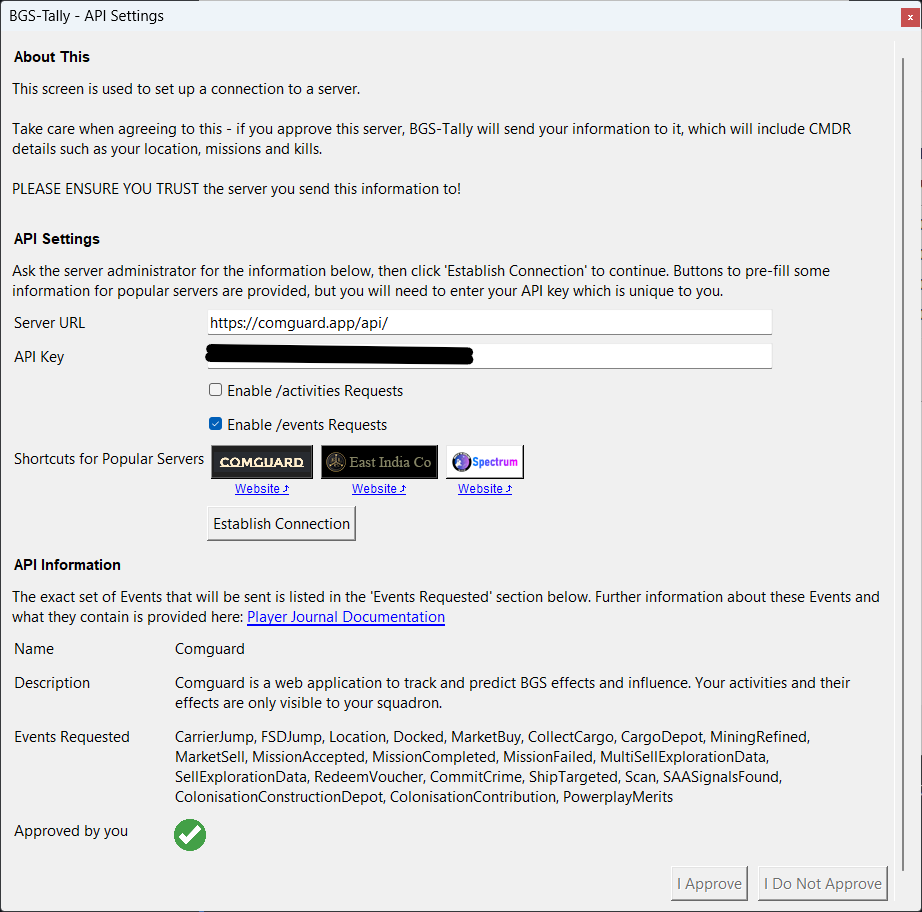
If at any time you want to stop sending data, return to this screen, click the Establish Connection button and then click I Do Not Approve.
[!NOTE] If the server is later changed so it starts requesting different data, a warning is shown in the main BGS-Tally window, the connection is immediately stopped and you will need to re-approve it before any data is sent. This is to protect you from a server changing the data is is asking you to send, which you didn't initially review and approve.