Setup Coupons - anujtenani/goaffpro GitHub Wiki
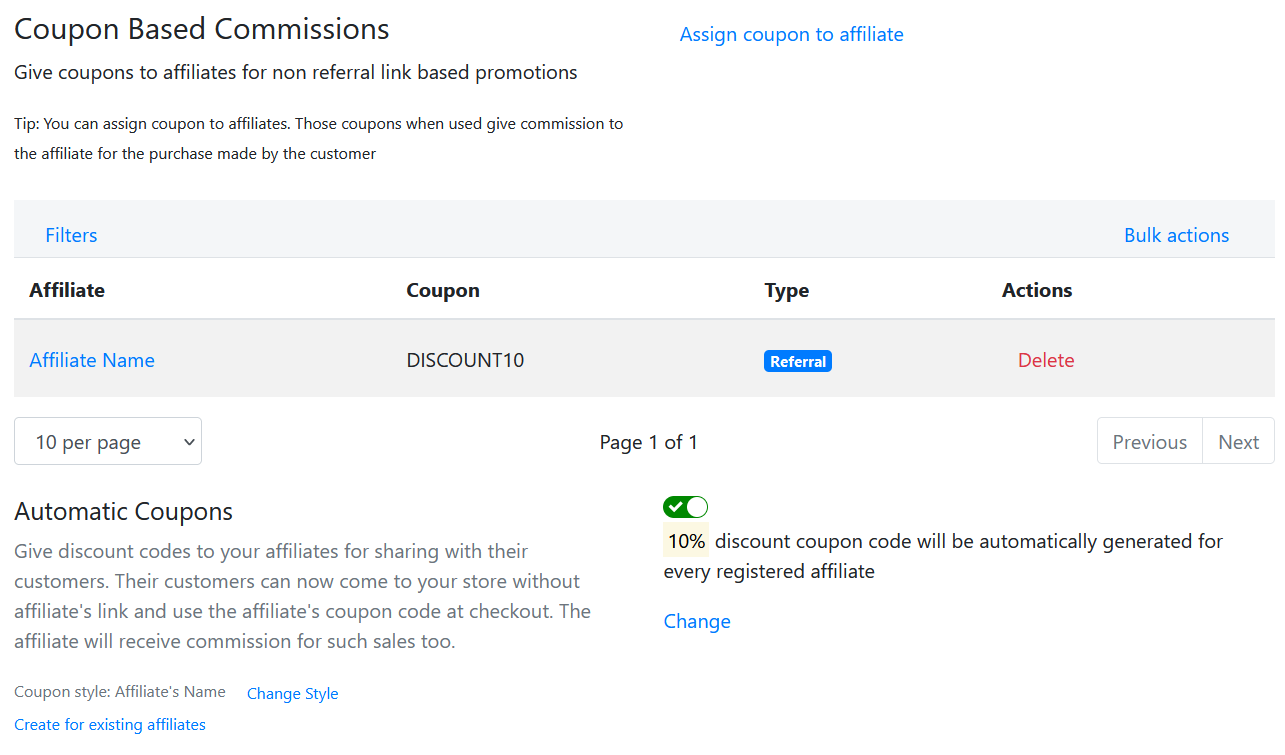
GoAffPro provides you with the option to automatically create coupons for affiliates. This can be enabled from the Coupons > Automatic Coupons section
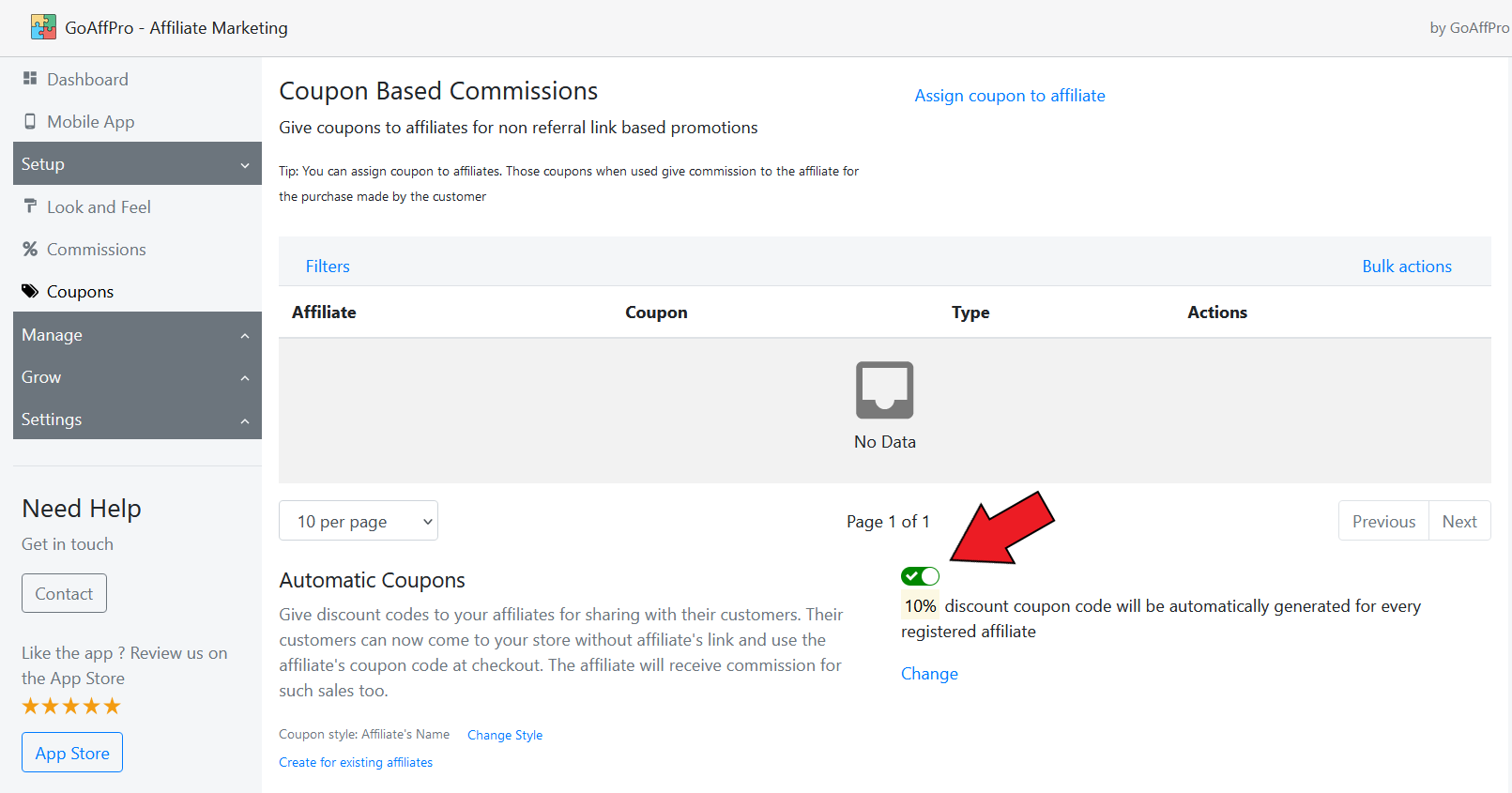
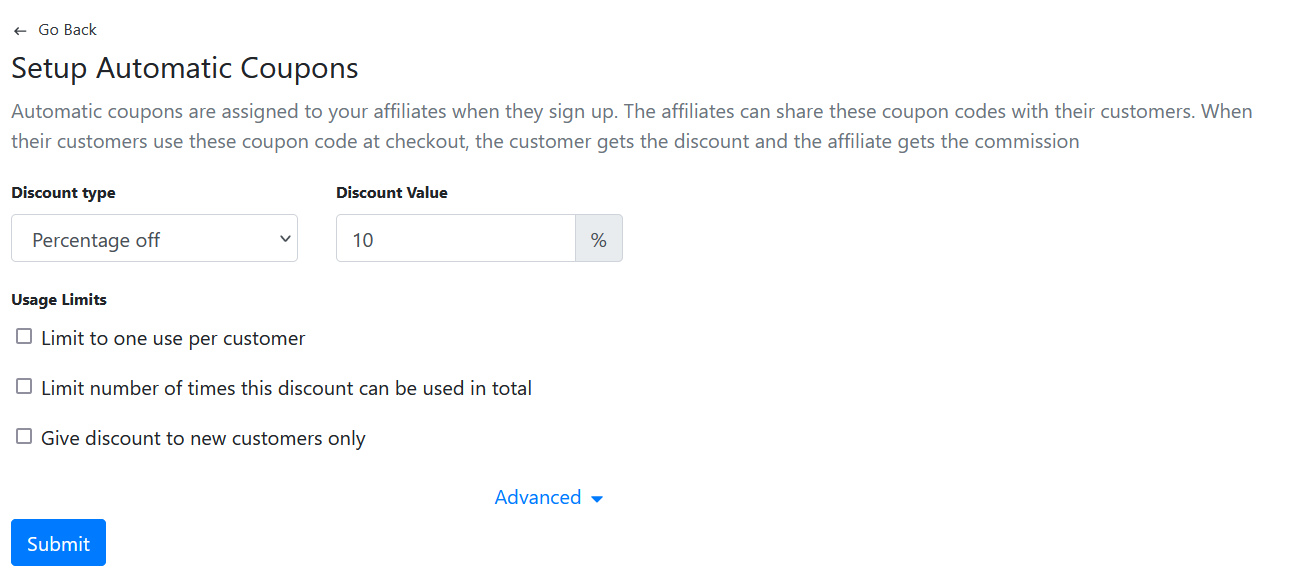
You can click on Change and set up the discount value and other coupon code options such as usage limits, etc.
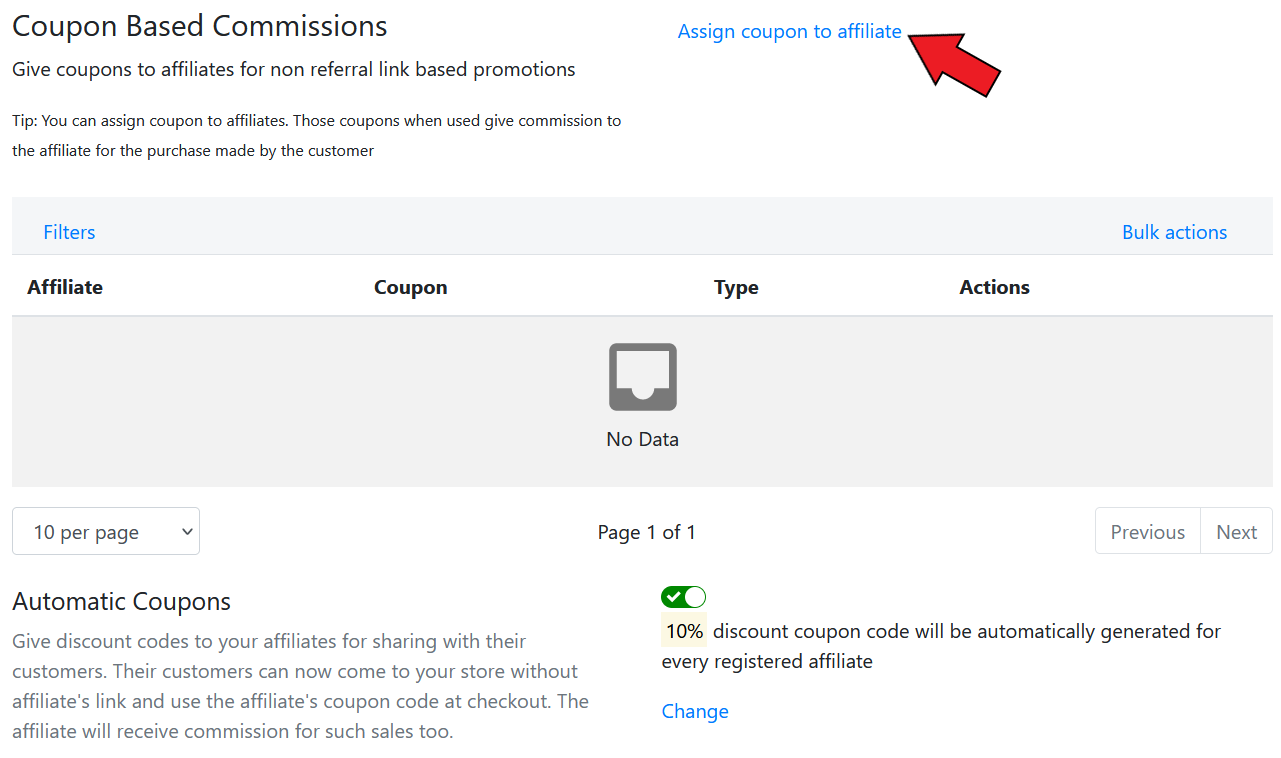
Assign Coupons to Affiliates
If you want to assign a coupon to an affiliate manually, you can do that too. Click on Assign coupon to affiliate
Now, select the affiliate > set the coupon code > click on Submit
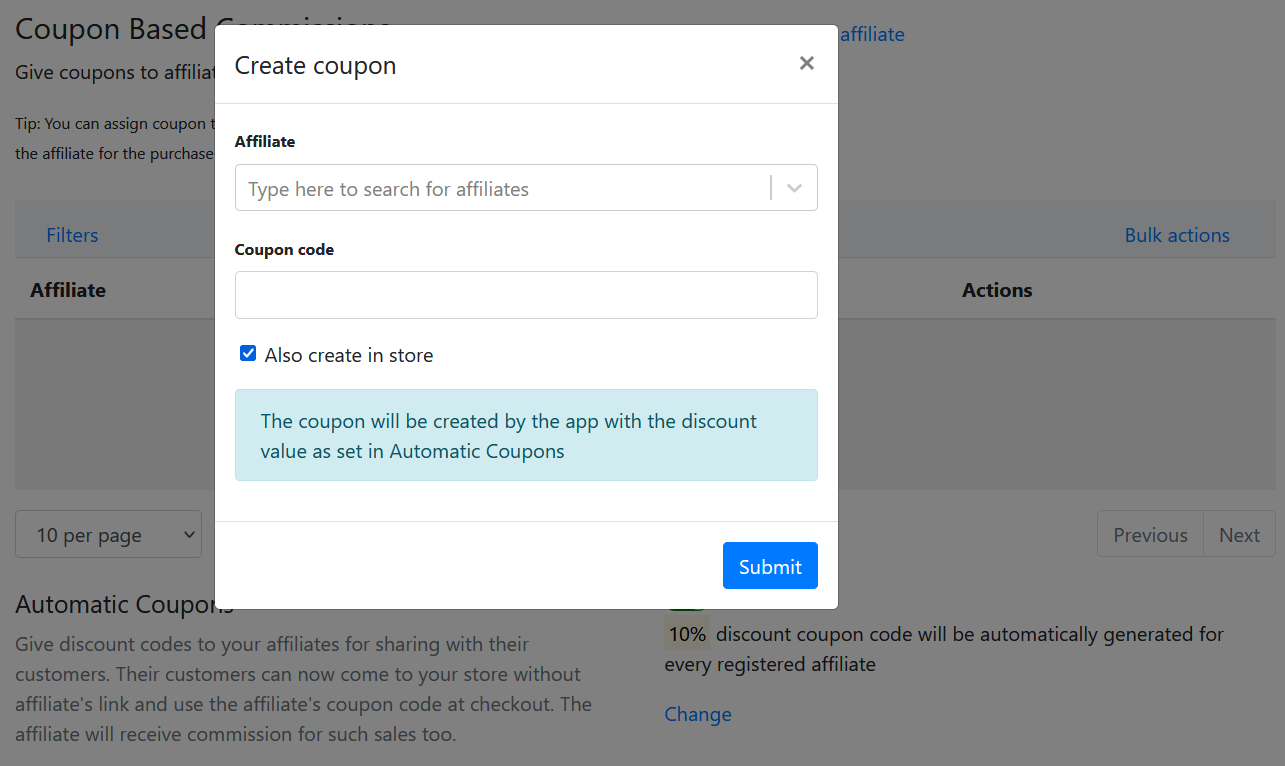
The newly assigned coupon code will appear in the coupons table
Create Custom Coupons for Affiliates
If you want to create custom coupons for affiliates (with different discount values), you can create the discount code in the discounts section of your store and then assign that code to the affiliate within our app.
To assign such a code to the affiliate, click on Assign coupon to affiliate
Select the affiliate > Set the coupon code > Uncheck the "Also create in store" option > Set the discount value of the code > Click on Submit