Setup Commissions - anujtenani/goaffpro GitHub Wiki
GoAffPro provides you with the option to set up different kinds of commissions:
Default Commission
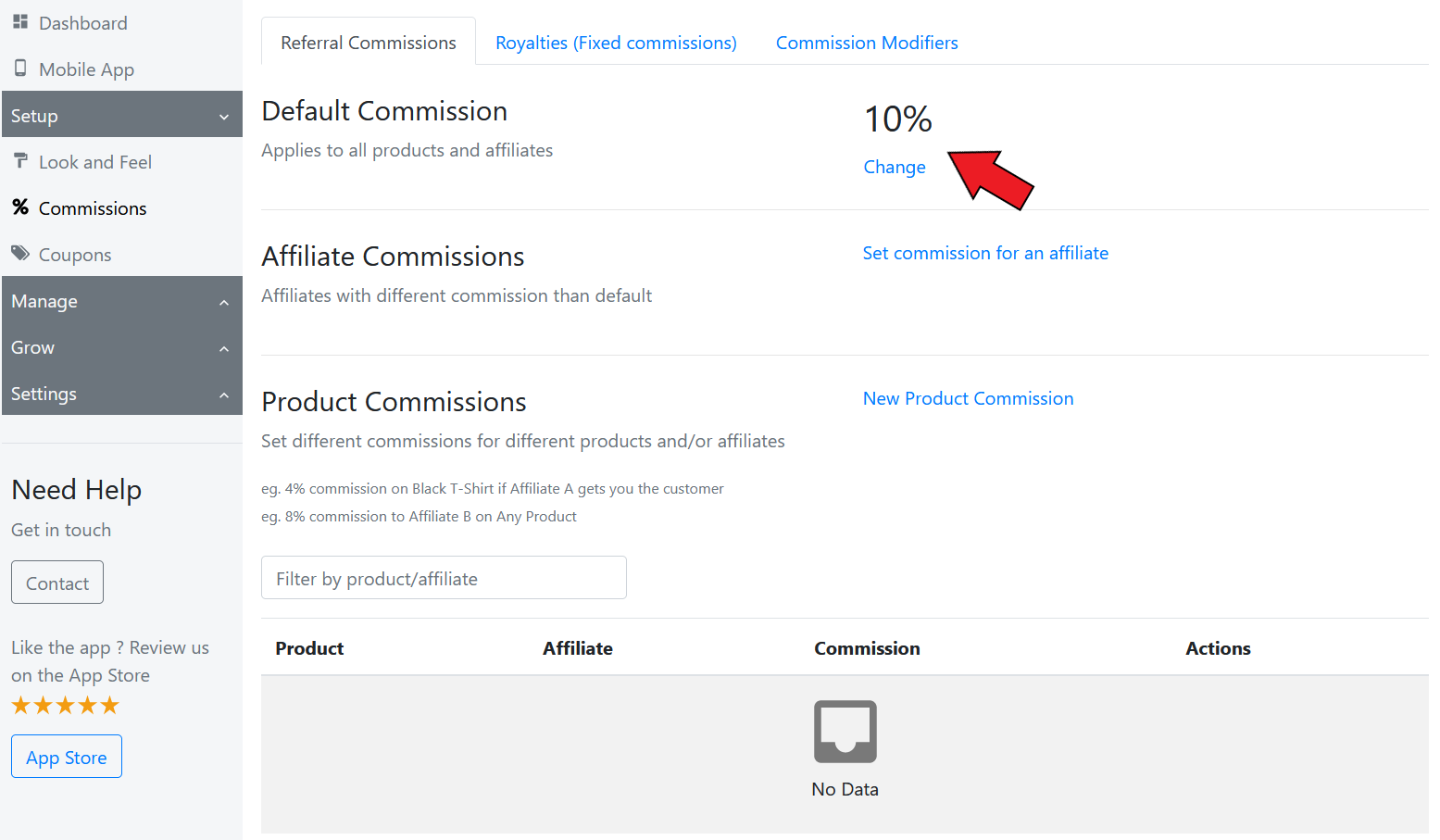
The default commission applies to all the affiliates and products. You can set this up from the Commissions > Default Commissions section.
Click on Change and set the commission rate. You can also set a flat rate commission (and apply it on the entire order or each item)
Product Commission
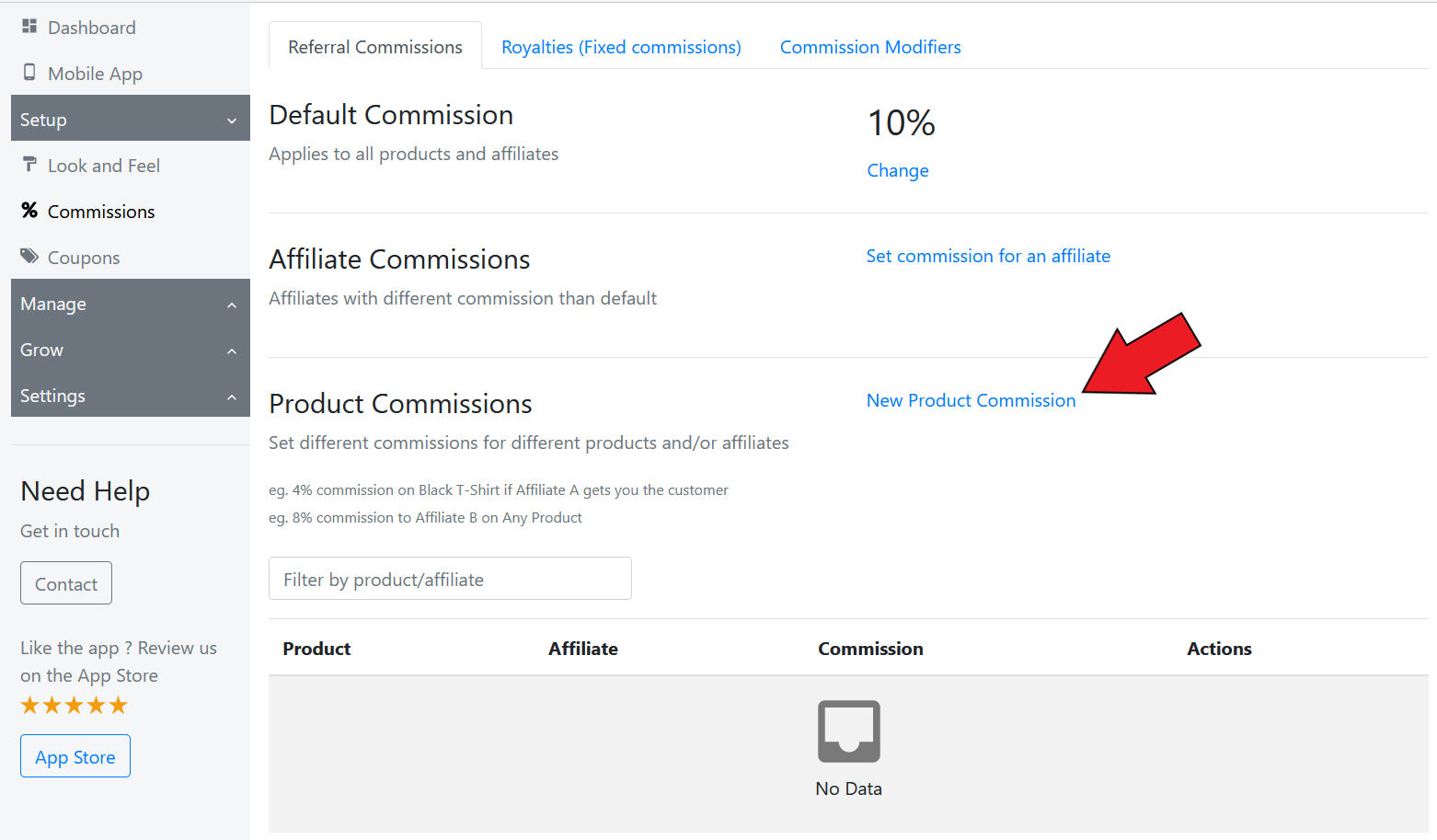
The product commission option allows you to set up different commission rates for different products. You can click on New Product Commission to set up commission rates for products.
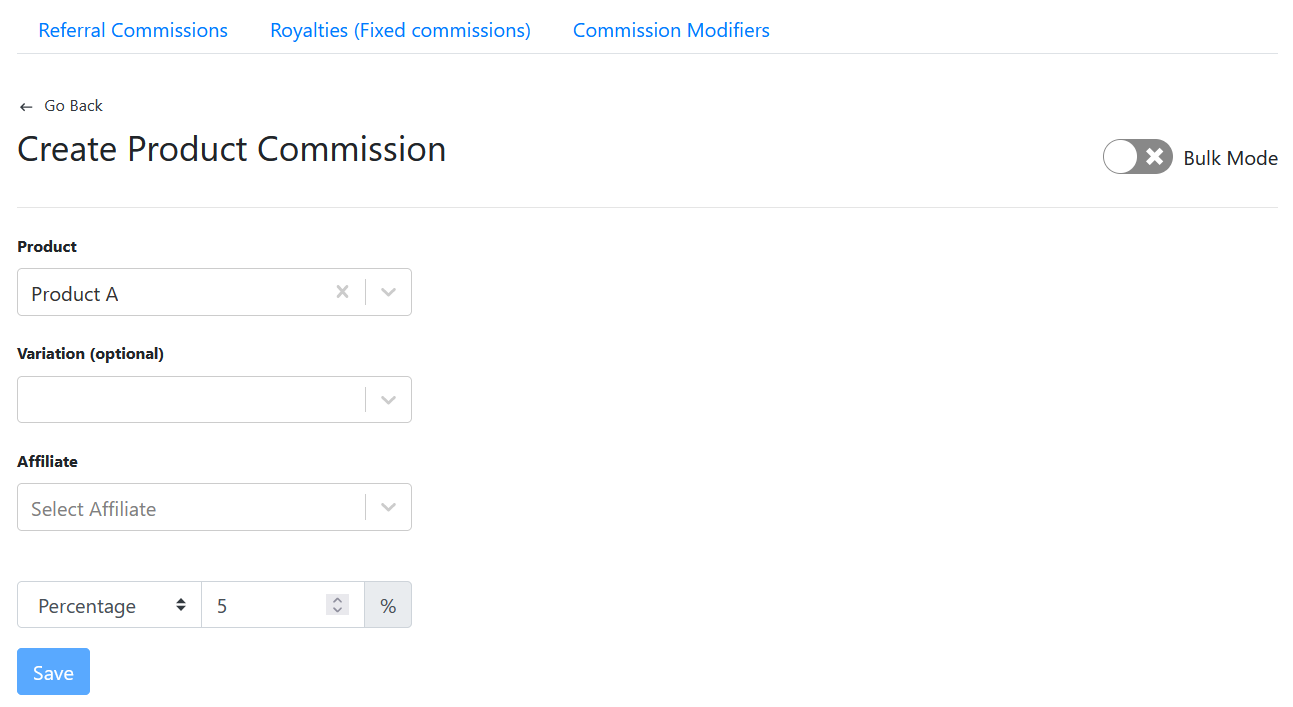
You can also set a specific product commission for an affiliate (by selecting an affiliate's name). There is also an option to select variants and set up rates for them.
Collection Commission
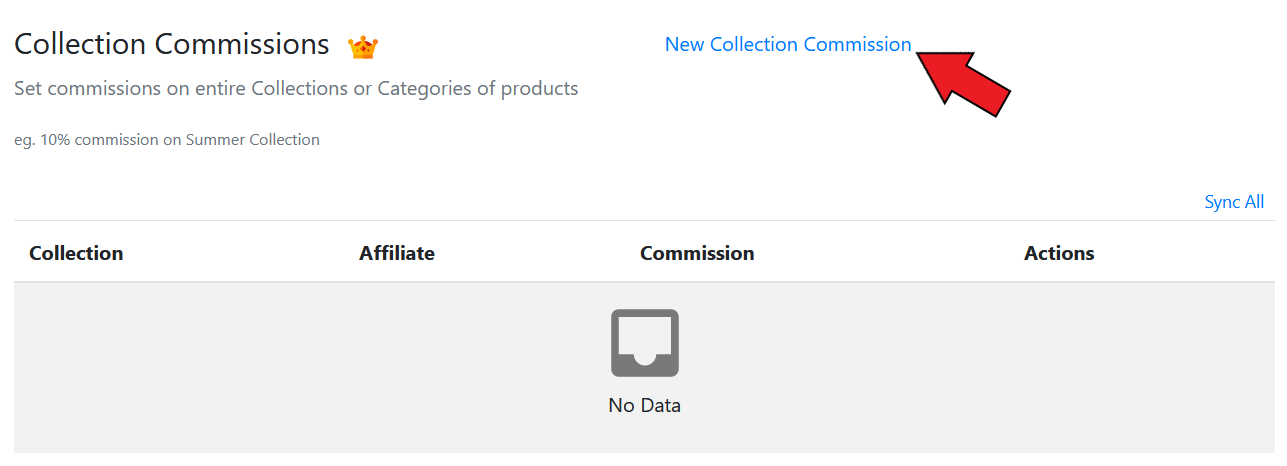
The collection commission option allows you to set up different commission rates for collections or categories of products. You can click on New Collection Commission to set up commission rates for collections.
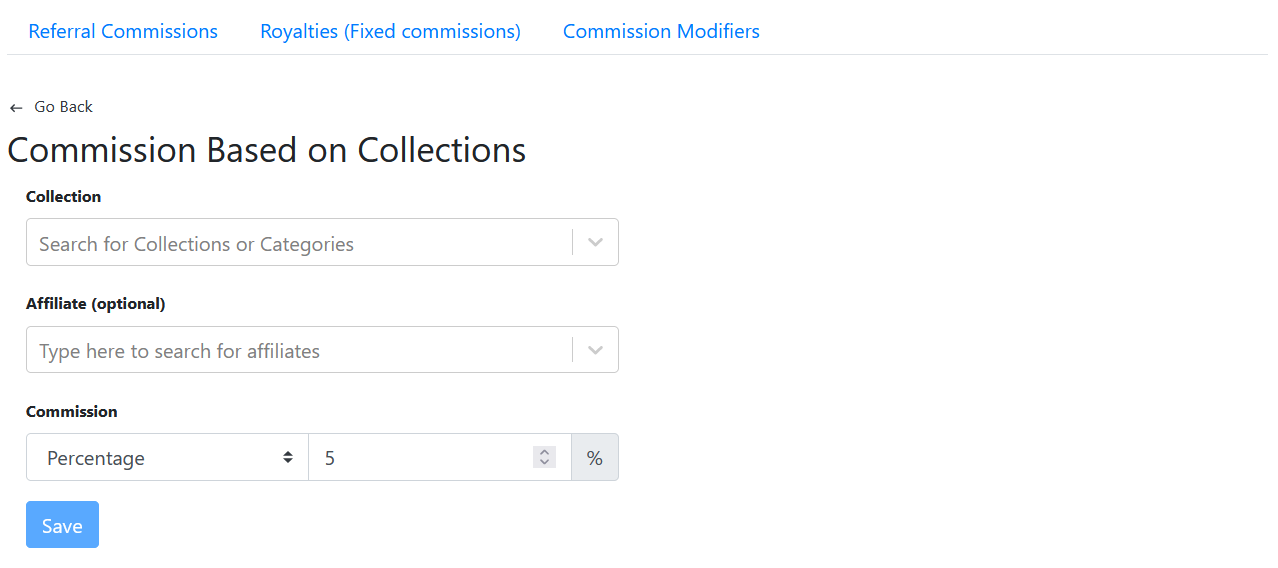
Here, you can select the collection, and set the commission rate for it. (You can also select the affiliate if you want to set a specific collection commission rate for an affiliate)
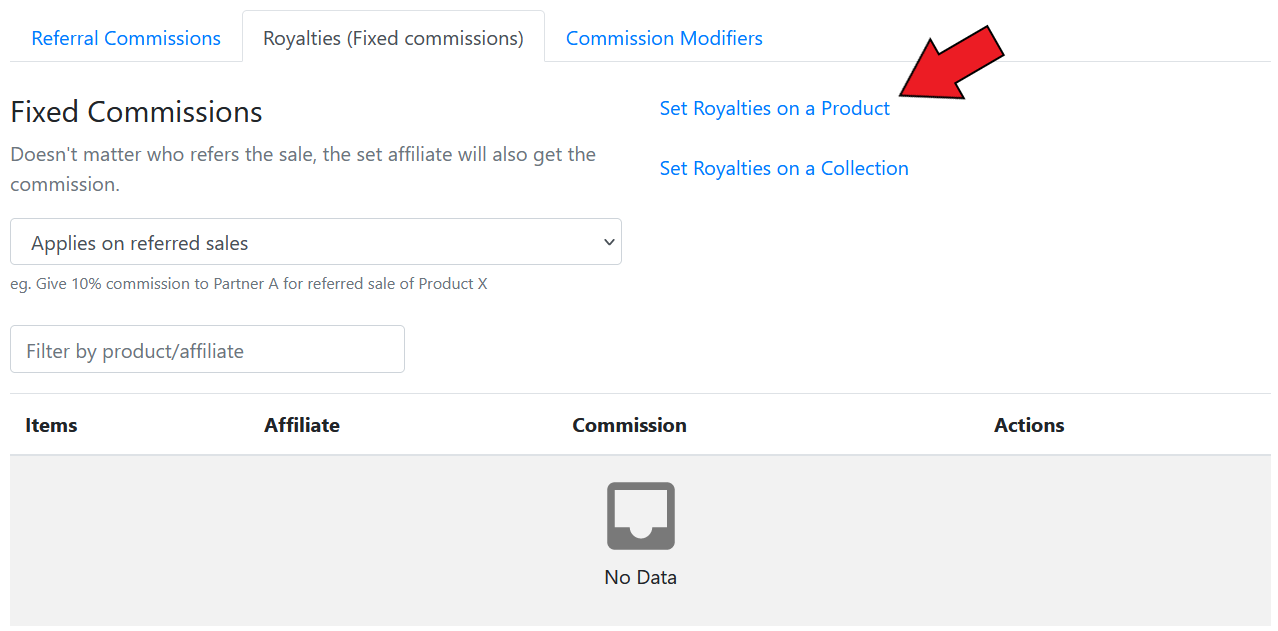
Fixed Commission (Royalties)
You can set up fixed commissions (royalties) for affiliates. This will allow the affiliate to earn the commission, regardless of who refers the sale. (You also have the option to set this to apply on all sales, referred sales, or non referred sales)