How to Allocate More RAM Per Instance - antibang/BaerCraft GitHub Wiki
On this page, I will teach you how to allocate more RAM per-instance in MultiMC.
For BaerCraft, I typically recommend at absolute minimum 5GB - 6GB of RAM (5120MB - 6144MB), at least with OptiFine. If you have more RAM to spare, please allocate 7GB - 12GB (7168MB - 12288MB).
DO NOT allocate more than 12GB unless you are running some extreme 2K resourcepacks/shaders. Otherwise, more is NOT better.
You do not have to allocate the precise numbers above. It can be between 5120MB and 12288MB, so allocate what you feel like you can without maxing your RAM out.
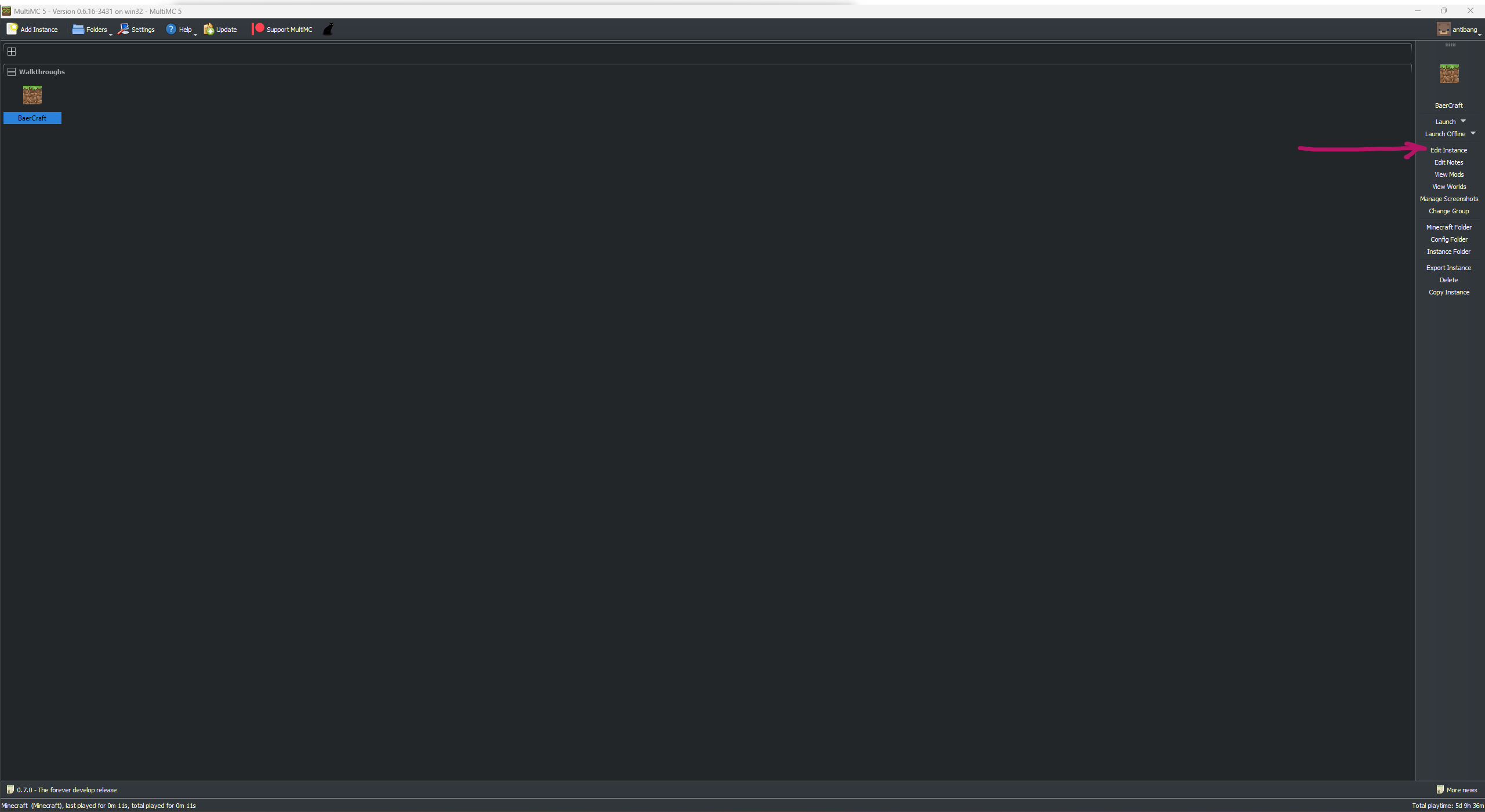
First Step:
Click on your profile and on the right-hand side, select "Edit Instance"
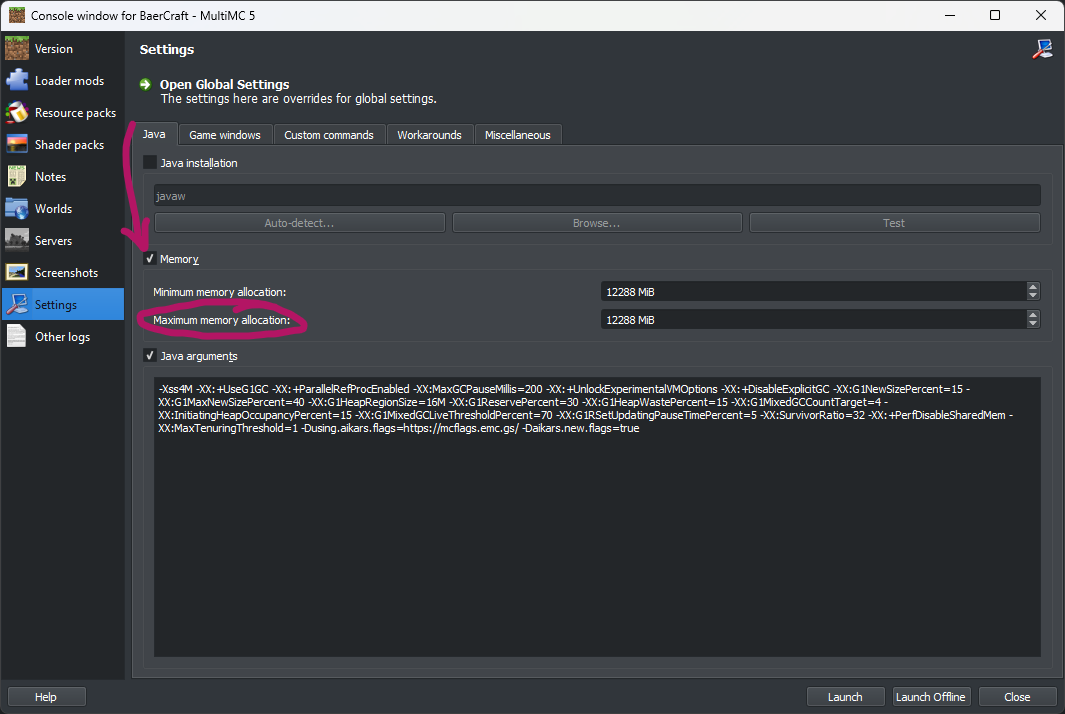
Second Step:
From that menu, locate the tab on the left-hand side called "Settings". In that menu, tick the box next to "Memory". Then, either by clicking on the arrow pointing upwards next to the amount, or by inputting the amount manually, adjust the "Maximum memory allocation" amount to whatever you feel like you can allocate! (Reminder that I listed the amounts right at the top of this tutorial).
You do not need to match both numbers unless you are using special flags (probably don't use the flags that I have in the screenshot because those are for testing)
After that, you're all done! You can press "Launch" and the instance should start without issues.