Reverting a deploy - alphagov/notifications-manuals GitHub Wiki
This document is intended for engineers who have deployed something in the staging or production envs that has broken either a component of the pipeline (e.g. Terraform apply failure), or introduced a new bug, post-deploy. This document will run you through how to revert your deploy for a number of scenarios.
It assumes familiarity with Concourse, the pack-bag resource and that deploys can be queued. In most cases changes will be deployed one merge at a time.
Some methods of reveting are mentioned here. This page aims to expand upon them.
WARNING: This page does not offer advice on how to revert if your original PR involved database or API changes and the steps set out here should not be followed 'as-is' if your revert refers to either of these scenarios. API changes here refers to endpoints that service users or other Notify microservices may use.
These are some common examples, but this list is not exhaustive.
-
Terraform apply failure. Often Terraform errors are not known until
terraform applyruns. Occasionally a re run may fix the issue, but not always. -
Something has broken in the
productionpipeline, but not thestagingpipeline. -
Users are reporting new errors following a deploy.
These are some common examples, but this list is not exhaustive.
-
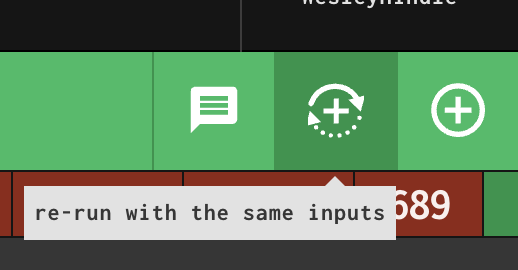
If one of the types of tests fail. These are known to be flakey do you should initially re-run these using the same inputs. It has taken up to 5 retries for the functional tests (FTs).
-
If Terraform apply fails on the first run.
Most reverts start out with the same steps, listed below. The steps after this vary depending on whether other deploys are queued behind the failing deploy.
- Generate a revert PR from the PR you have merged in using this button on the PR page of the original merge.

Which will generate a revert PR in this format.

-
You should tell others in the #govuk-notify-tech channel that you are doing a revert, and nothing should be merged until the revert completes. Then, once complete, update the channel saying that the revert is complete and it is safe to deploy again.
-
In most cases you will need to force unlock the pipeline, else any reverts will not start deploying, by clicking the
force-unlock-pipelinebutton under theoperatortab. You must not unlock the pack bag has the desired inputs you want to deploy, else a queued deploy will start.

- Merge your revert PR and let the changes be rolled out.
NOTE: The tag contains the commit SHA, the digest relates the the image digest. Only the SHA will be discussed in this document.
Assume here the failed deploy was for api 3a8425. admin 74801 was queued behind it. We want to revert the api change and allow the admin change to deploy.
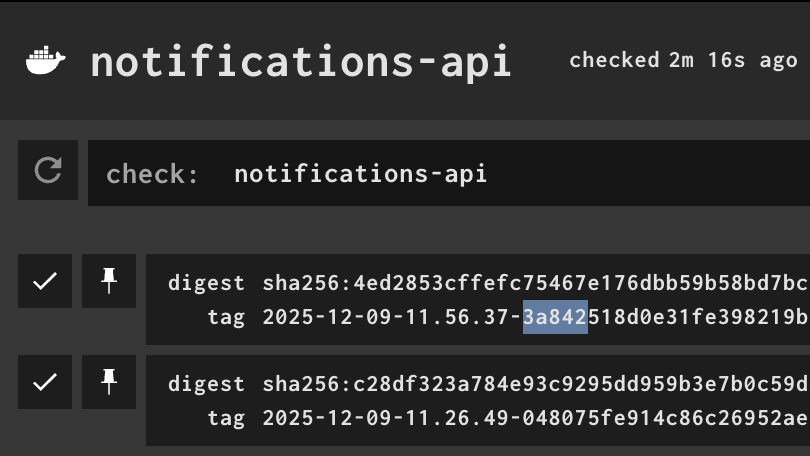
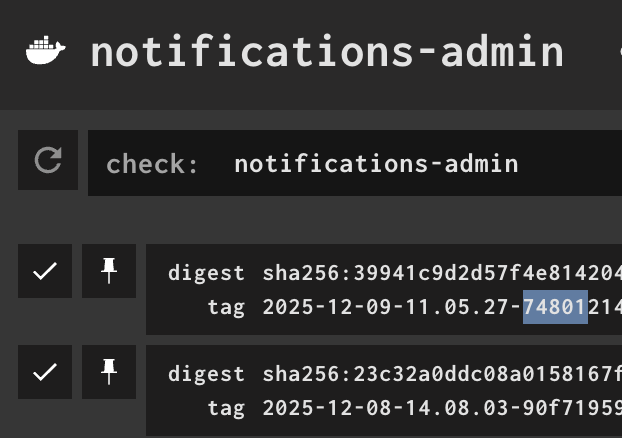
- You must pin all pack bag inputs which have changed and are queded for deployment to their value set during the failed deploy. In this case, only
apiandadminhave changed, so only they need changing. Manually click on each packbag input and select thepin resourcebutton for the latest version of that input.

-
You must cancel the queued deploy.
-
You must change the pin on the queued deploy to the input that was present during the failed deploy. In our example, we will need to pin the
admininput to90f71as this was theadminversion used before the breakingapimerge.
api input to 04807, as this is the last working version of the api input.
-
You must unpin the input that you are going to amend in your revert PR. In this case,
api. -
Merge in your revert PR.
-
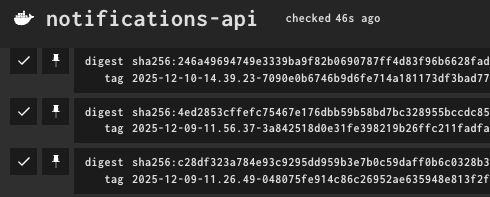
You will see a new version of the
apiinput available,7090ethe SHA will match the commit SHA on the your revert PR's merge commit.
-
Once the new input version is available you can trigger a new build on the packbag job. The only change which will be deployed is the revert PR (
api7090e). -
Let the revert PR complete deploying.
-
Unpin all packbag inputs and trigger a new build on the packbag job. The queued
admin74801input will now be deployed.
The pack-bag job is continually polled and any new updates are commited to the pack bag and this new version of the pack bag is used as an input in the start-deploy job. The start-deploy job will only trigger an actual deploy if it can claim the pipeline-lock which it cannot do (in most cases), if there is another deploy happening. While waiting to claim the pipeline-lock, a newer version of the pack bag input may become available; writing on top of the previous packbag. Meaning that both inputs to the packbag will be deployed together.
-
Find the packbag commit of the failed deploy.
-
Find latest packbag commit

- Compare on the two on github using the first 7 characters of the commit SHA in this format:
https://github.com/path/compare/failed..current e.g.
https://github.com/alphagov/notifications-deployment-bag-live/compare/eff3121..916617b
- Identify which inputs have changed that are not the input that caused the fail deploy and note their SHA.
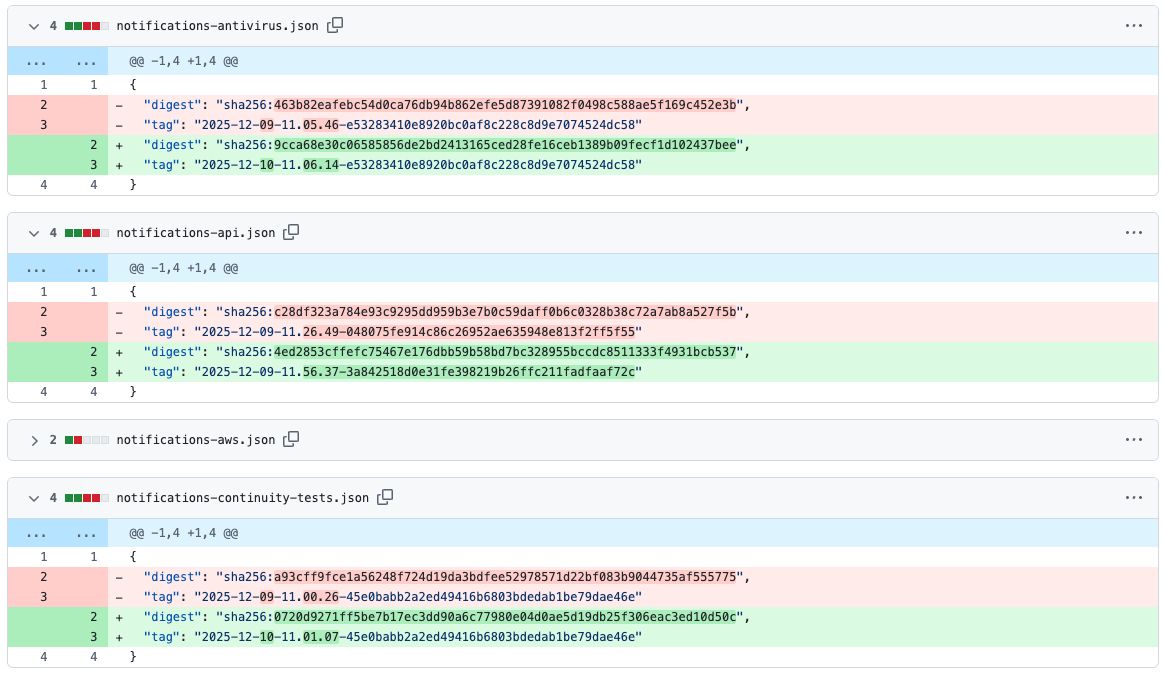
Assume here we're wanting to revert our api change. We know that antivirus, continuity-tests and template-preview have also changed. So we need to pin those 3 inputs to their value in red (e.g. template-preview would be 6541d7).
- Go to the
pack-bagjob and find the 3 inputs and the SHA value from the previous step and pin the input to that SHA value. For example.

-
Pause the
start-deployjob. -
Merge your revert PR in and let the
pack-bagjob update with your new revert PR commit. -
Unpause the
start-deployjob and your revert PR will be deployed. -
If your revert PR is successful then unpin the packbag inputs your previously pinned.