03. Using Profiles to configure output resolutions - alex-pakalniskis/obs-studio-101 GitHub Wiki
I use separate OBS profiles to simplify recording desktop and mobile-first content
Desktop
YouTube videos and Discord calls
- Settings > Video
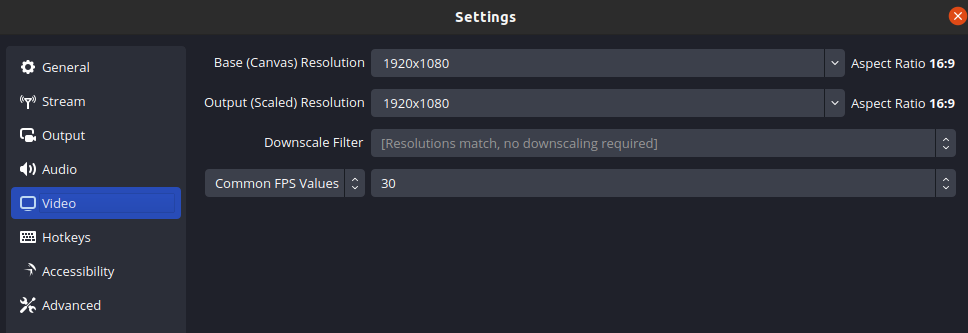
- Base (Canvas) Resolution: 1920 x 1080 (16:9)
- Output (Scaled) Resolution: 1920 x 1080 (16:9)
Mobile
YouTube Shorts and TikTok videos
- Settings > Video
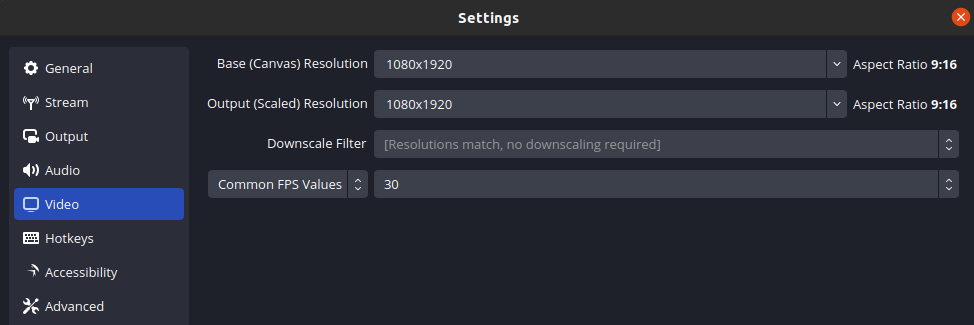
- Base (Canvas) Resolution: 1080 x 1920 (9:16)
- Output (Scaled) Resolution: 1080 x 1920 (9:16)