msa pub db import date format - ajtruckle/meeting-schedule-assistant-support GitHub Wiki
Using the right Date Format
CLM Explorer exports dates using your operating system's short date format. The importer currently supports the following date formats, so you may need to temporarily change your Windows short date format before exporting your data.
- dd/MM/yyyy (example: 01/02/2022)
- d/MM/yyyy (example: 1/02/2022)
How to Change the Date Format
Here are some brief instructions showing how to perform this important step using Windows 11. Other supported operating systems should be similar.
Step 1
Right-click the date and time on the taskbar (normally in the bottom-right corner). Then select Adjust date and time.
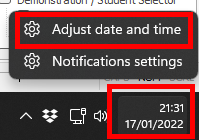
Figure 56. Open Date & time settings
Step 2
The Time & language section should already be selected. Scroll down and click Language and region.
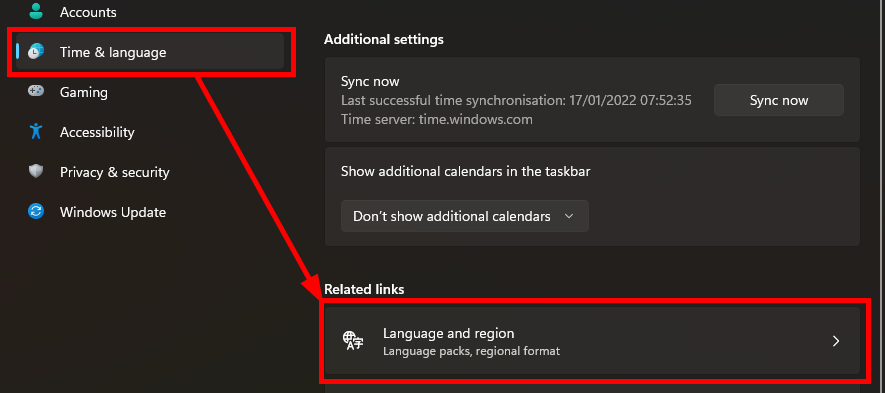
Figure 57. Open Language & region
Step 3
Scroll down and click Administrative language settings.
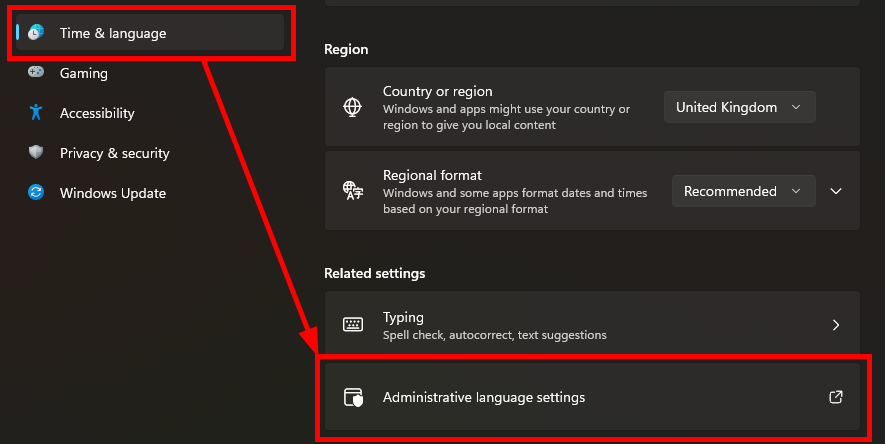
Figure 58. Open Administrative language settings
Step 4
In the Region dialog, click the Formats tab. Then select one of the supported short date formats, such as dd/MM/yyyy.
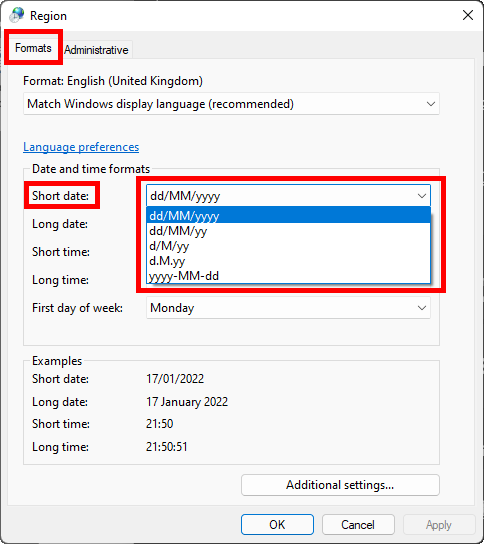
Figure 59. Select a supported short date format
ℹ️ Note: Can't see the required short date format? Continue to the next step to create it manually.
Step 5
Click the Additional settings... button.
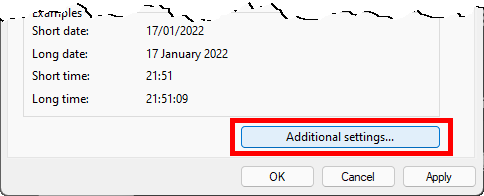
Figure 60. Open Additional settings
This will display a pop-up window where you need to click on the Date tab. Type one of the supported short date formats into the Short date field.
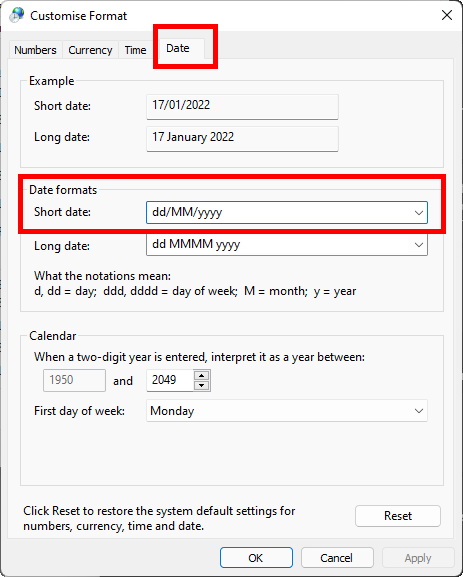
Figure 61. Enter a custom short date format
💡 Tip: After exporting the Calendar database from CLM Explorer, you can restore your original Windows short date format if you changed it for the export.
After exporting the Calendar database from CLM Explorer, you can restore your original Windows short date format if you changed it for the export.
Navigation
- Parent topic: Importing Data from CLM Explorer