msa congdb congregation links - ajtruckle/meeting-schedule-assistant-support GitHub Wiki
Hyperlinks
The Hyperlink Settings window allows you to add or edit the hyperlink associated with the selected congregation or speaker. Hyperlinks can point to files, websites, or email addresses. Use OK to save changes or Cancel to close without saving.
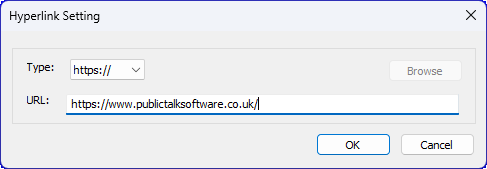
Figure 42. Hyperlink settings window.
How to Access
You can open the Hyperlink Settings window by clicking one of the hyperlink buttons:
- Congregation Link — available on the Congregation Manager window.
- Location Map — available on the Congregation Manager window.
- Speaker Hyperlink — available on the Speaker window.
Clicking any of these buttons opens the Hyperlinks window for the selected congregation or speaker.
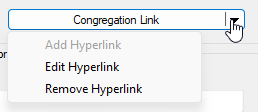
Figure 43. Example of a hyperlink menu button.
Type
The following hyperlink types are supported:
| Prefix | Purpose |
|---|---|
| file:// | Links to a file on your computer or network (e.g., directions document). |
| http:// | Opens a standard website using an unsecured connection. |
| https:// | Opens a secure website (recommended for most modern web links). |
| mailto: | Opens your default email client to send an email to the specified address. |
Choose the appropriate type depending on the destination you want to link to.
URL
Enter the full URL or file path for the hyperlink.
Browse
Use the Browse button to navigate to a file on your computer and automatically insert its full path into the URL field.
[!TIP] Available only when
file://is selected.
How Hyperlinks Can Be Useful
Hyperlinks provide quick access to useful information for each congregation or speaker.
Depending on which hyperlink button you are using (Congregation Link, Location Map, or Speaker), you might link to:
| Purpose | Example | Why it’s useful |
|---|---|---|
| Directions to a Kingdom Hall | https://www.google.co.uk/maps | Quickly open a map when preparing for a visit. |
| Email address for a coordinator or speaker | mailto:[email protected] | Contact them directly from the database. |
| Local files with directions or notes | file://path_to_file.doc | Store travel details or background information you already have. |
Navigation
- Parent topic: Congregation Manager
- Previous topic: Speaker
- Next topic: Time Changes Manager