Keys from other Wallets - aionnetwork/aion GitHub Wiki
Aion Desktop Wallet
If you use the Aion Desktop Wallet, you can export your keystore to stake using the staking desktop application.
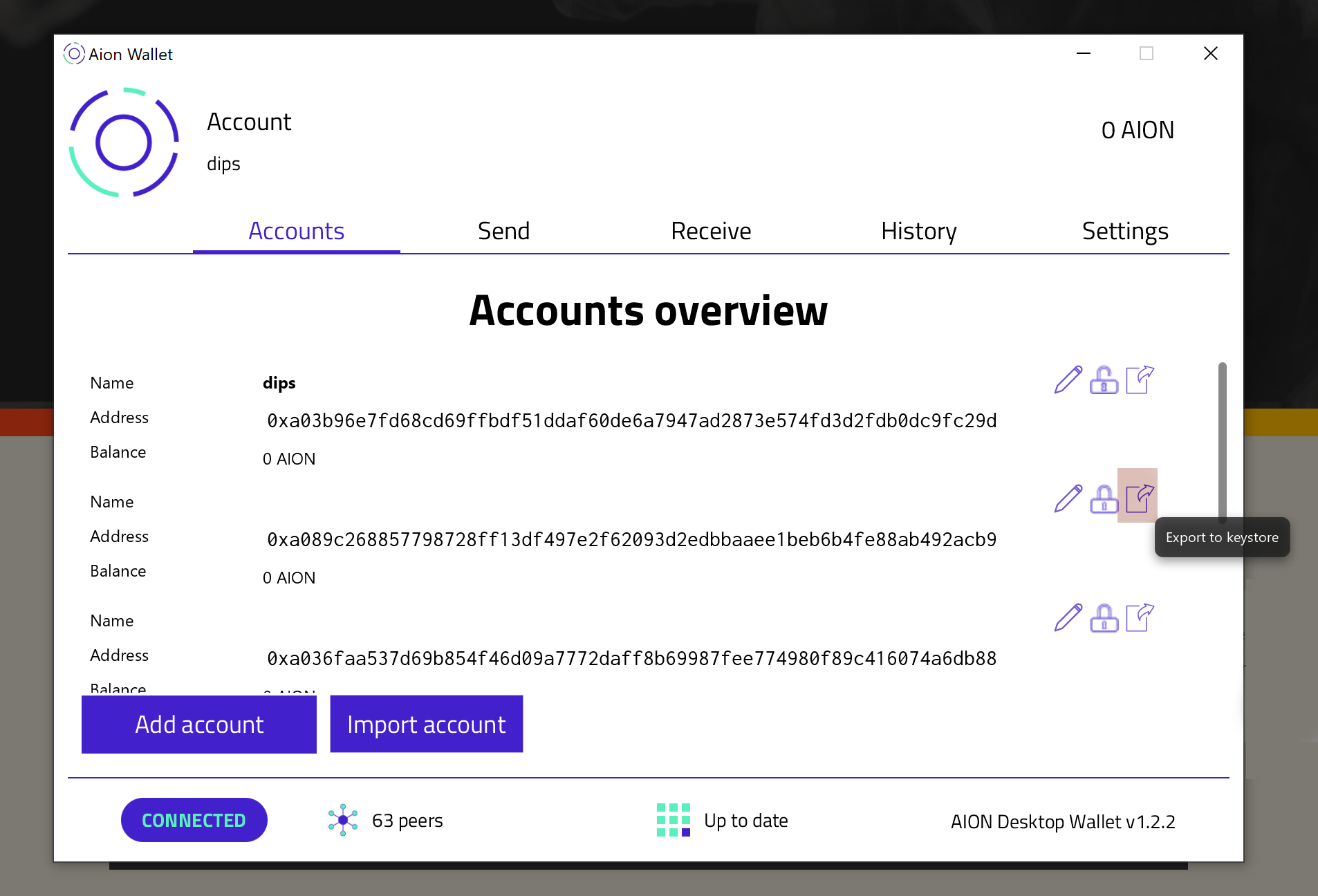
To Export Key
- Launch the Desktop Wallet.
- Click on the Export to Keystore.
- Select a secure folder to store the keystore file.
- Enter a password; you will need this password to stake.
- Click on Save.
To Stake
Please note: All keys are on your computer, and you should take adequate safety measures when using software keys.
- Launch the application.
- Click on Keystore File under Other Options.
- Click on
Drag and drop upload your file here. - Select your keystore file from its location.
- Click on Continue.
- Click Sign In.
Other Wallets
Coming soon