WhatsApp Setup - affiliatesolutionhelp/tutorial GitHub Wiki
This guide provides step-by-step instructions on how to log into WhatsApp on Affiliate Solution. It explains how to generate a QR code, scan it using the WhatsApp application, and access WhatsApp groups to post deal messages. By following these steps, users can easily log into WhatsApp and start posting their affiliate deals.
1. Navigate to https://www.affiliatesolution.in/dashboard/
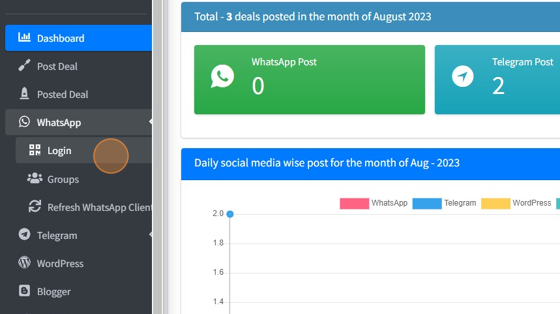
2. Click "WhatsApp"

3. Click "Login" Wait for few seconds to generate QR code
4. Now scan QR code from your WhatsApp application

5. After scanning QR code, wait for 10-20 seconds to complete your login process
6. Please refresh the page. Once you've successfully logged in, you'll observe a message similar to the one below.

7. Click "Groups" Please wait for sometime, you will see all the WhatsApp group name

8. Enable those WhatsApp groups, in which you want to post deal message

Tip: Great job! You've successfully set up a WhatsApp on your Affiliate Solution portal.