Telegram Auto Forwarder Setup - affiliatesolutionhelp/tutorial GitHub Wiki
1. Click "TG Auto Forwarder"

2. Click "Settings"

3. Follow steps which are mentioned below on the page

4. Select bot name to copy it

5. Copy the common bot name or you can click below link https://telegram.me/AffiliateSolutionCommonBot

6. Go to Telegram Application and paste bot name

7. Click on Start button

8. Type Affiliate Solution registered email address

9. Enter Password

10. Now you have successfully logged in Affiliate Solution Common bot

11. Follow Step - 2 as mentioned below
IMPORTANT STEP Unpin all Telegram channel & bot from your Telegram Application, else pinned channel and bot will not display in the list.

12. Unpin all channels and bot from Telegram Application

13. Follow Step - 3 Go to this bot https://telegram.me/affiliatesolutionaf_bot

14. Paste bot name in search bar https://telegram.me/affiliatesolutionaf_bot

15. Select bot

16. Click on Start button

17. Click on Menu

18. Select /login menu
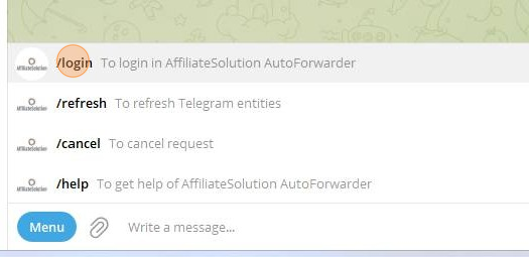
19. Type your Telegram registered mobile number For example: +9194XXXXXXXX

20. If entered register number is correct, please enter "y", else type "n" NOTE: Do not send capital "Y" or "N"

21. After sending "y", you will receive Login code as below in your Telegram application

22. Enter Login code with space For Example: I have received Login code: 68817 So I need to enter like below, Once space between each number 6 8 8 1 7

23. You are have successfully logged-in into https://telegram.me/affiliatesolutionaf_bot bot

24. Go to Affiliate Solution website and Click "Reload"

25. Now You can view all the channels and bot list

26. Select channel in Source Table from which you want to copy deals Select your Private or Express bot in Destination table where you want to forward deal

27. Click "Start Auto Forwarder" button

28. Auto forward has been started
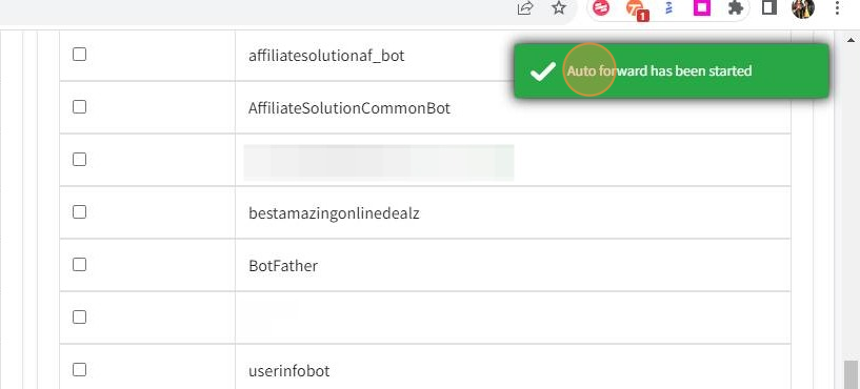
29. Click "Reload" to refresh page

30. You can see Forwarder status is Running
