Rewrite Message using AI - affiliatesolutionhelp/tutorial GitHub Wiki
How to Rewrite Message using AI?
This guide offers a straightforward method for utilizing AI to enhance your messaging, making it easier to create polished and appealing content. It emphasizes the importance of reviewing AI-generated messages for accuracy, ensuring quality communication. By following the outlined steps, users can seamlessly integrate AI tools like ChatGPT or Gemini into their workflow for improved message presentation. Viewing this guide will help you effectively leverage AI for better messaging outcomes.
1. Very Important: AI can make mistakes, so please review the message yourself first.
2. Log in to the Affiliate Solution website.

3. Click on the Settings menu, then select the Post Settings submenu.

4. Select your preferred AI model: ChatGPT or Gemini.

5. Select the "Send AI Rewritten Message" checkbox to enable this feature.

6. Click the Save button.

7. Send the restart command in the Express bot.
Note: This feature works only in the Express bot, not in the Private bot.
8. The bot has now restarted.
9. Let's post a deal into the Express bot and see how the AI generates the rewritten message.
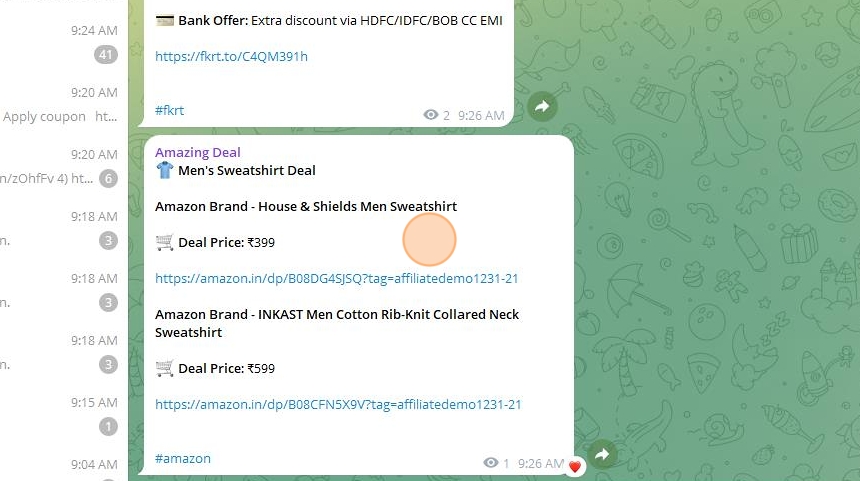
10. You can see that the AI has rewritten the message in a beautiful template.

11. Let's try one more message.
12. See the AI's re-written message in the reply output.
13. You can see that the AI has rewritten the message in a beautiful template.