How to use Duplicate Message ‐ Content based check - affiliatesolutionhelp/tutorial GitHub Wiki
This guide provides step-by-step instructions on how to detect duplicate messages using content-based checks. It includes details on how to set up the necessary settings and provides examples of possible duplicate input messages. The guide also mentions that the feature is in beta version and offers a solution if it is not working. Viewing this guide would be helpful for anyone looking to implement a duplicate message detection system.
1. Login into Affiliate Solution Website

2. Click On settings menu

3. Click "Post Settings" Menu

4. Add number "Duplicate deal time interval (Message content based check) in minutes (enter value in numbers only) e.g. 15 *" in text box
For example: 50
It mean system will examine the most recent deals posted within the last 50 minutes.

5. Click "Save" button

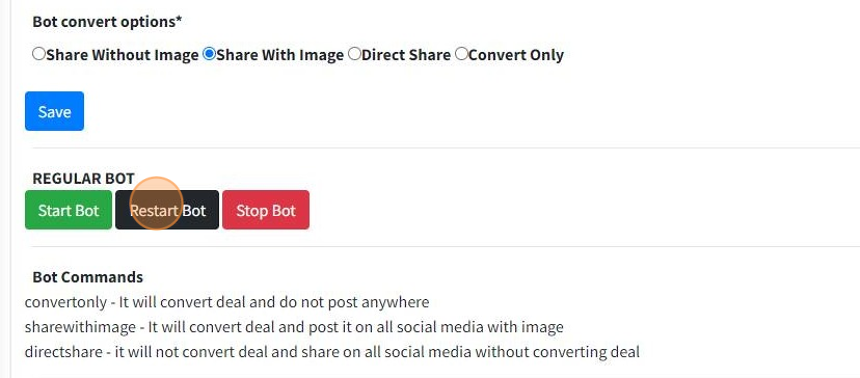
6. Restart your private bot (If you are using)
7. Go to your Telegram Application
Send restart command to restart Express Bot (If you are using)

8. To confirm the effectiveness of the duplicate deal check, let's input a message that has already been posted. Possible duplicate input messages could include:
- Myntra: Men's Winterwear Starts @349.
- Men's Winterwear Starts Rs. 349.
- Myntra - Men's Winterwear Starting from @349.
- Myntra: Men's Winterwear Starts ₹ 349.

9. Let's check another message
Men's Winterwear Starts Rs. 349.

10. Let's check another message
Myntra - Men's Winterwear Starting from @349.

11. Let's check another message
Myntra : Men's Winterwear Starts ₹ 349

Alert: This feature is in beta version, if it is not working for you, please copy paste your messages in our help bot