How to set up AI message template - affiliatesolutionhelp/tutorial GitHub Wiki
This guide provides step-by-step instructions on how to set up an AI message template.
1. Go to Affiliate Solution website

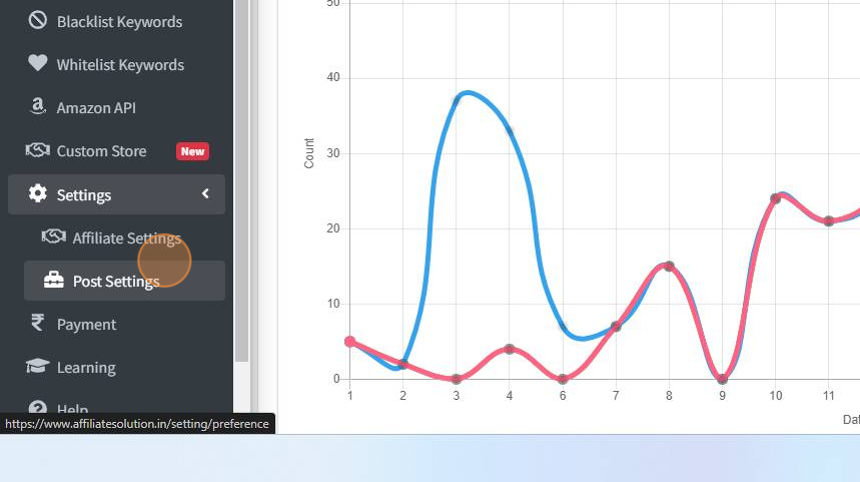
2. Click on Settings menu

3. Click on Post Settings sub menu
4. Go to AI Clean message section and select "Send AI generated message template" check box as shown in below image

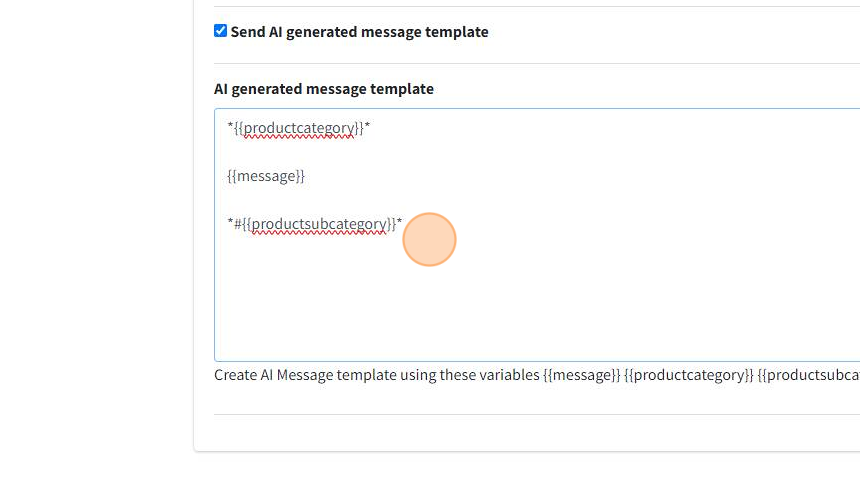
5. You can create design your AI message as per your creativity by using variables & emojis

6. For this example, I have created AI message template as shown in below image.
Tip: I have put variable inside ** to mark them bold in my Telegram channel
7. Click "Save" button to save your changes

8. Click "Bot" menu

9. Click "Private Bot" menu

10. Click "Restart Bot" button

11. Go to Telegram Application and post on deal message

12. Let's go to Telegram Channel and check the posted message by bot
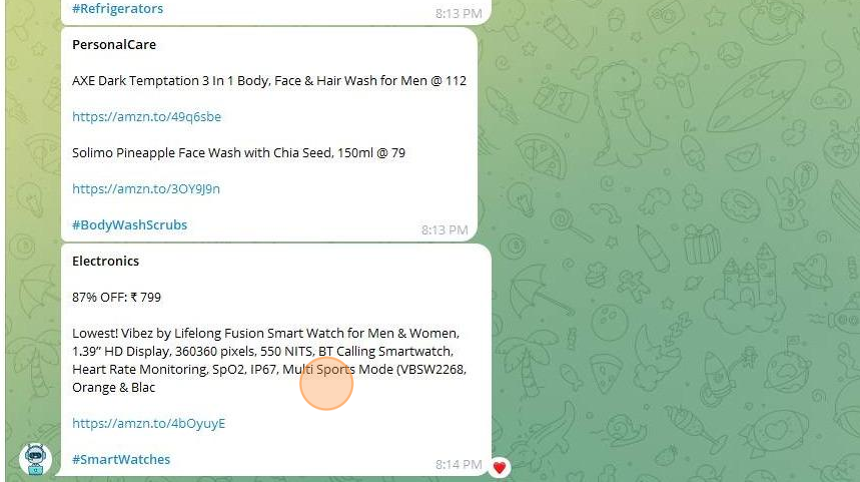
The product falls under the main category "Home" and the sub-category "HomeDecorSofaCovers", both generated by AI.
This format offers a cleaner and easier way for subscribers to identify the deal by product category and sub-category, without having to read the entire message

13. Why this feature helpful?
Here are a few more examples for you to consider:
Your subscribers can simply click on the #Refrigerators hashtag to instantly view all deals related to refrigerators.

14. Few more examples

15. Few more examples
16. Please contact us on help bot, if you are facing any issue or have any suggestions/feedback for us