How to post a message with a product image on Telegram - affiliatesolutionhelp/tutorial GitHub Wiki
How to post message with product image on Telegram?
This guide provides step-by-step instructions on how to post message with product image on Telegram.
1. IMPORTANT: This feature will only work if you have the WordPress or Blogger add-on plan.
2. Visit Affiliate Solution website

3. Click "Bot" menu

4. Click "Post settings for Bot" menu
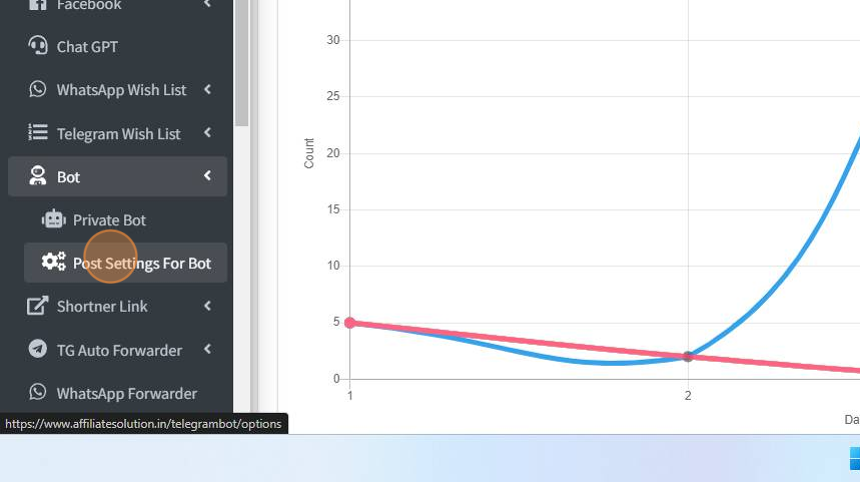
5. Click "Post on WordPress" option
IMPORTANT STEPS - WITHOUT ENABLE WORDPRESS OPTION, YOU WILL NOT ABLE TO POST MESSAGE WITH PRODUCT IMAGE

6. Click "Save" button

7. Add Amazon API key. Click on Amazon API menu
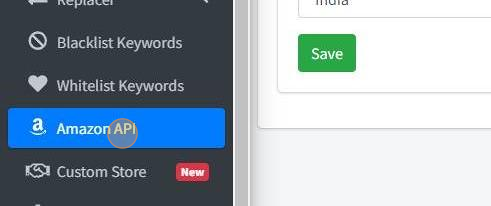
8. Add your Amazon API key and click on Save button

9. Click "Settings" menu

10. Click "Post Settings" menu

11. Click "Send message with product image" check-box

12. Optional Step: You can add your channel name to print watermark text on product image

13. Click "Save" button

14. Click "Bot" menu

15. Click "Private Bot" menu

16. Click "Restart Bot" button

17. Go to your private bot and post the deal.

18. The bot will reply to you with the converted deal message.

19. Visit your channel. You will see that a message has been posted with a product image and the watermark text of your channel.

20. Let's try without watermark text. Click on the settings menu.

21. Click "Post settings" menu
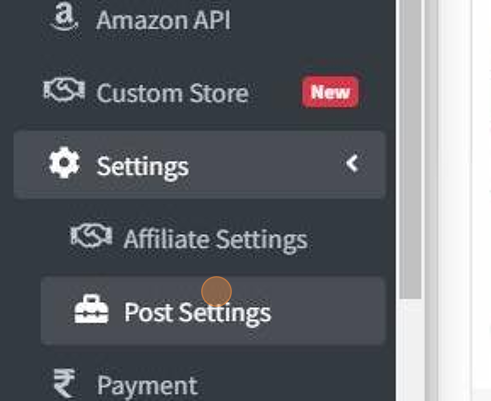
22. Remove channel name

23. Click "Save" button

24. Let's restart bot. Click "Bot" menu

25. Click "Private Bot" menu
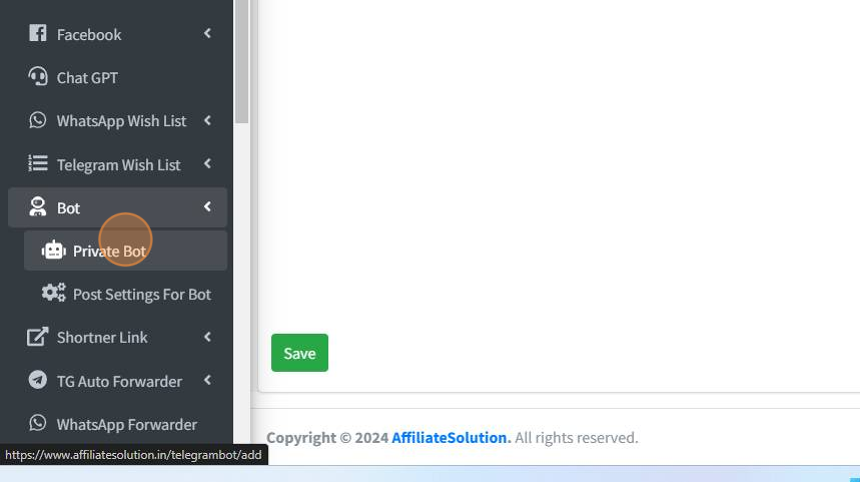
26. Click "Restart Bot" menu

27. Go to your private bot and post the deal message. The bot will reply with the converted message.

28. Now go to your channel. You will see that a message has been posted with a product image without a watermark.

29. If you have any question please feel free to reach us on help bot https://telegram.me/affiliatesolutionhelp_bot