How to connect Wishlink account - affiliatesolutionhelp/tutorial GitHub Wiki
How to Connect Wishlink to Affiliate account?
This guide provides step-by-step instructions on how to connect Wishlink to an affiliate account. By following these steps, users can easily link their Wishlink account to their affiliate solution, allowing them to seamlessly manage and track their affiliate marketing efforts.
1. Go to https://creator.wishlink.com/ and log in.

2. Once logged in, you'll be greeted with a screen similar to the one below.

3. Log in to the Affiliate Solution website.

4. Navigate to the "Settings" menu.
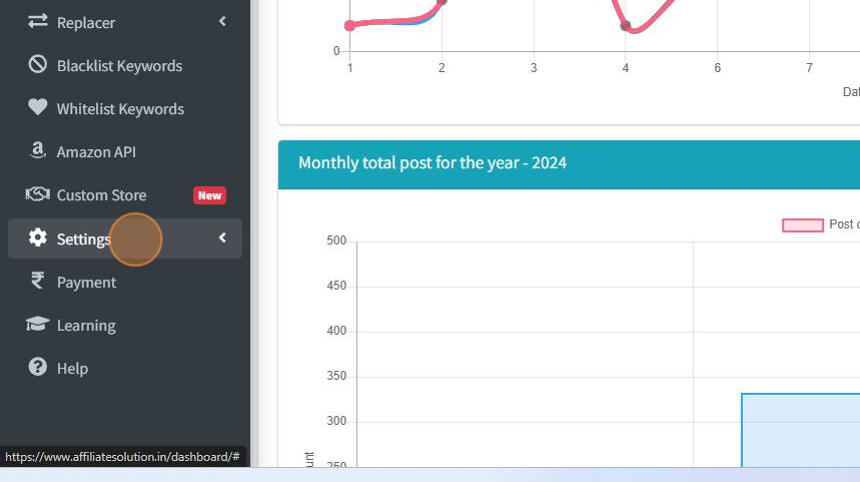
5. Select the "Affiliate Settings" option from the menu.

6. Look for the "Login With Wishlink" button and click on it.
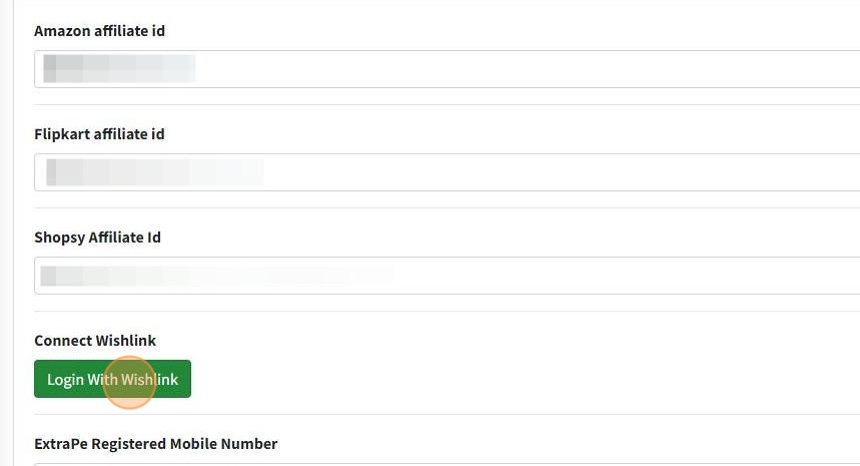
7. You'll be redirected to the Wishlink page. Click on the "Agree" button.

8. Congratulations! Your Wishlink account is now successfully connected with the Affiliate Solution.
