Express Bot Setup - affiliatesolutionhelp/tutorial GitHub Wiki
This guide provides step-by-step instructions on how to setup an express bot.
1. Click on "Bot" Menu in Affiliate Solution website

2. Click on "Private Bot"

3. You can view a list of Express bots that are available.

4. Copy any bot link
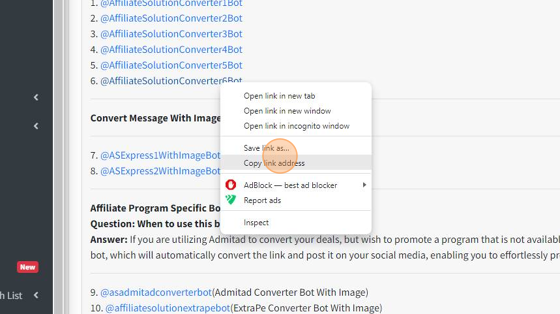
5. Open the Telegram app and tap on the search bar.

6. Paste Express Bot name

7. Select Bot
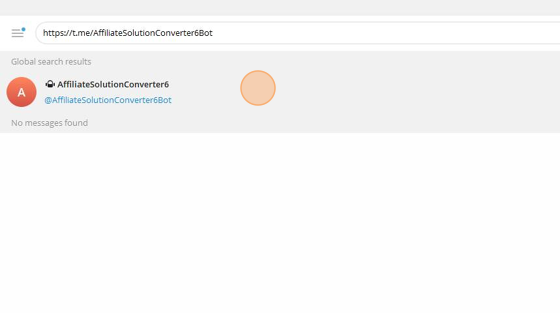
8. Click on Start button

9. send login command like "/login [email protected]:yourpassowrd"
NOTE: You have to add : after your registered email address and before password
For Example: "/login [email protected]:MyPassoword"

10. Once you type in the correct login command along with your email address and password, you will successfully log in to the Express bot.

11. Click "Post Settings For Bot"

12. Choose the social media platform where you want to share the deal using the Express bot by clicking on the corresponding checkbox.
Click Save button

13. Your settings have been successfully saved.

14. IMPORTANT NOTE: Whenever you update anything on the affiliate solution website, remember to restart your Express bot. This ensures that the changes take effect. Without restarting the bot, your updates won't be visible.

15. Send /restart command

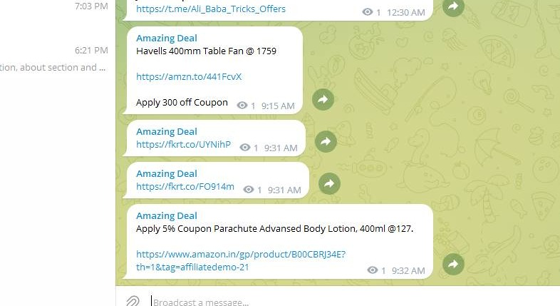
16. Share any deal within the Express bot, and it will automatically convert the deal using your affiliate tag before posting it on your social media.
See example below

17. Confirm that the deal has been posted on your Telegram channel.
18. Congratulations, you've successfully set up the Express Bot!