Contributing - adventures-in/chat_app GitHub Wiki
- currently PRs should be on to
test, with thebuild&deploybranches used via a GitHub app - everyone is a collaborator on the project so can create branches and push to any branch (except
test,build&deploy) - we are using the Gitflow Workflow
- Select or create an issue and assign yourself.
- Branch off
testwith a relevant name, push your changes to the branch until you're ready to merge. - Create a PR onto
testand (if not already present) addfixes #<issue_num>to the PR comment - Request a review
- When a reviewer approves your PR
- Update your branch if needed, using the Update button in GitHub or merging
testinto your branch and resolving any conflicts then pushing it up. - Merge your PR and delete the branch.
- Update your branch if needed, using the Update button in GitHub or merging
- please suggest changes in the form of a request rather than a command
- also please be nice, see Code Review Etiquette - Medium
- when you approve, leave the PR author to merge
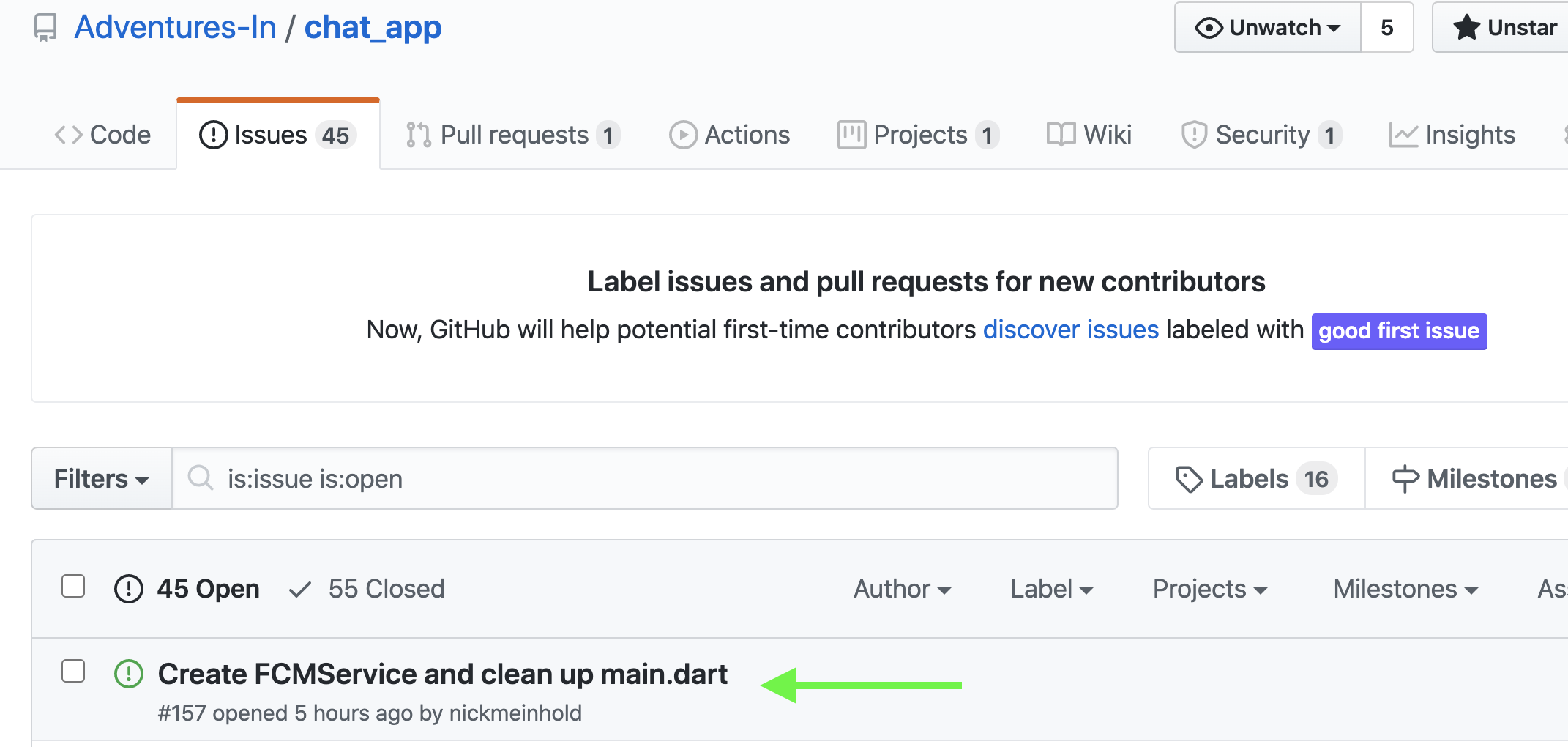
- Go to the Issues page and click on an issue you want to work on:
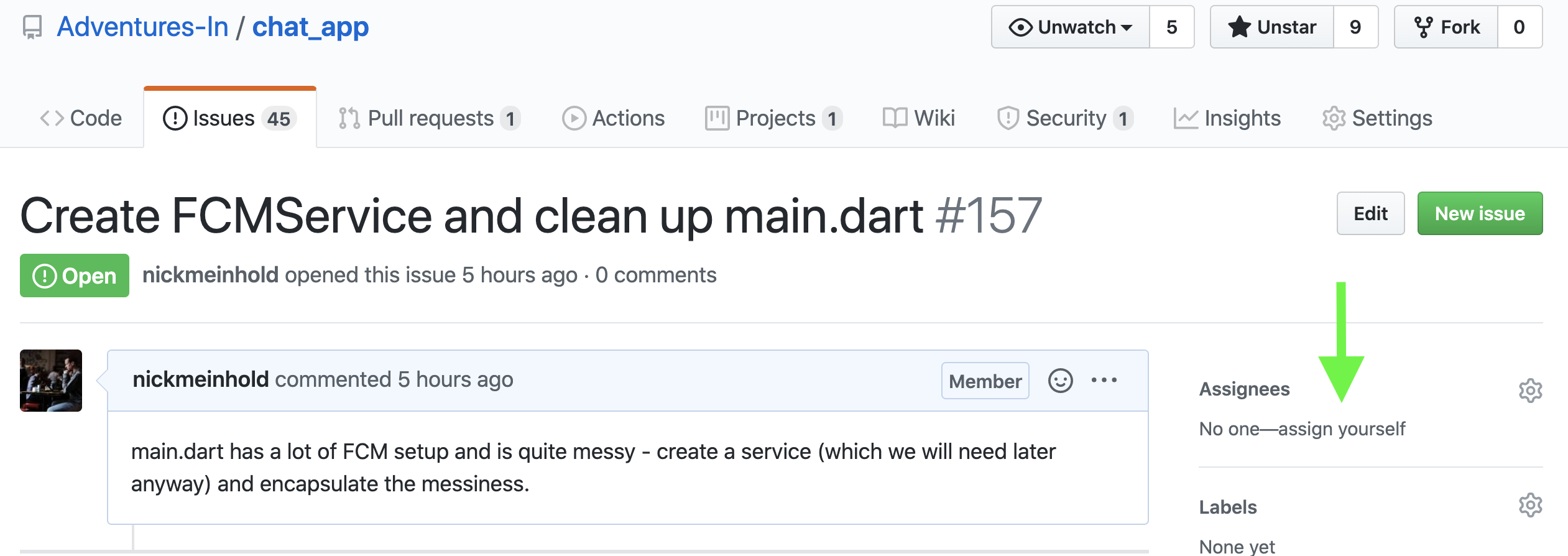
- Click "assign yourself"
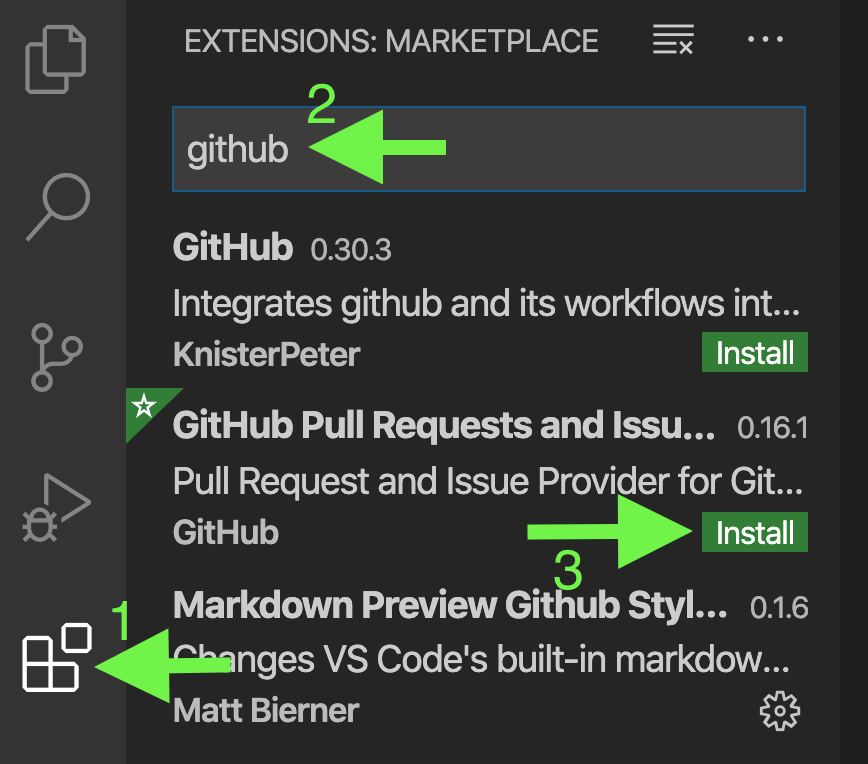
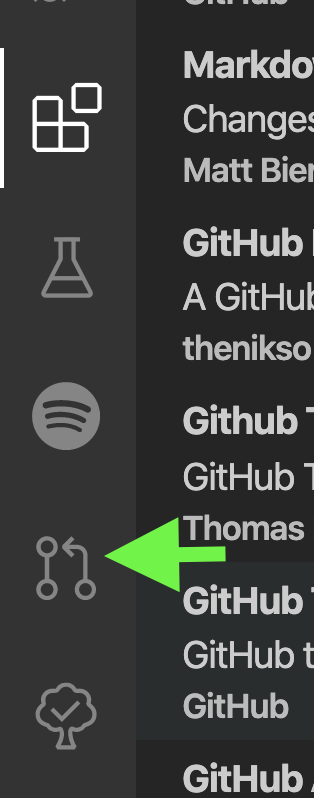
- If you haven't already, install the Github extension
- Click on the Github extension
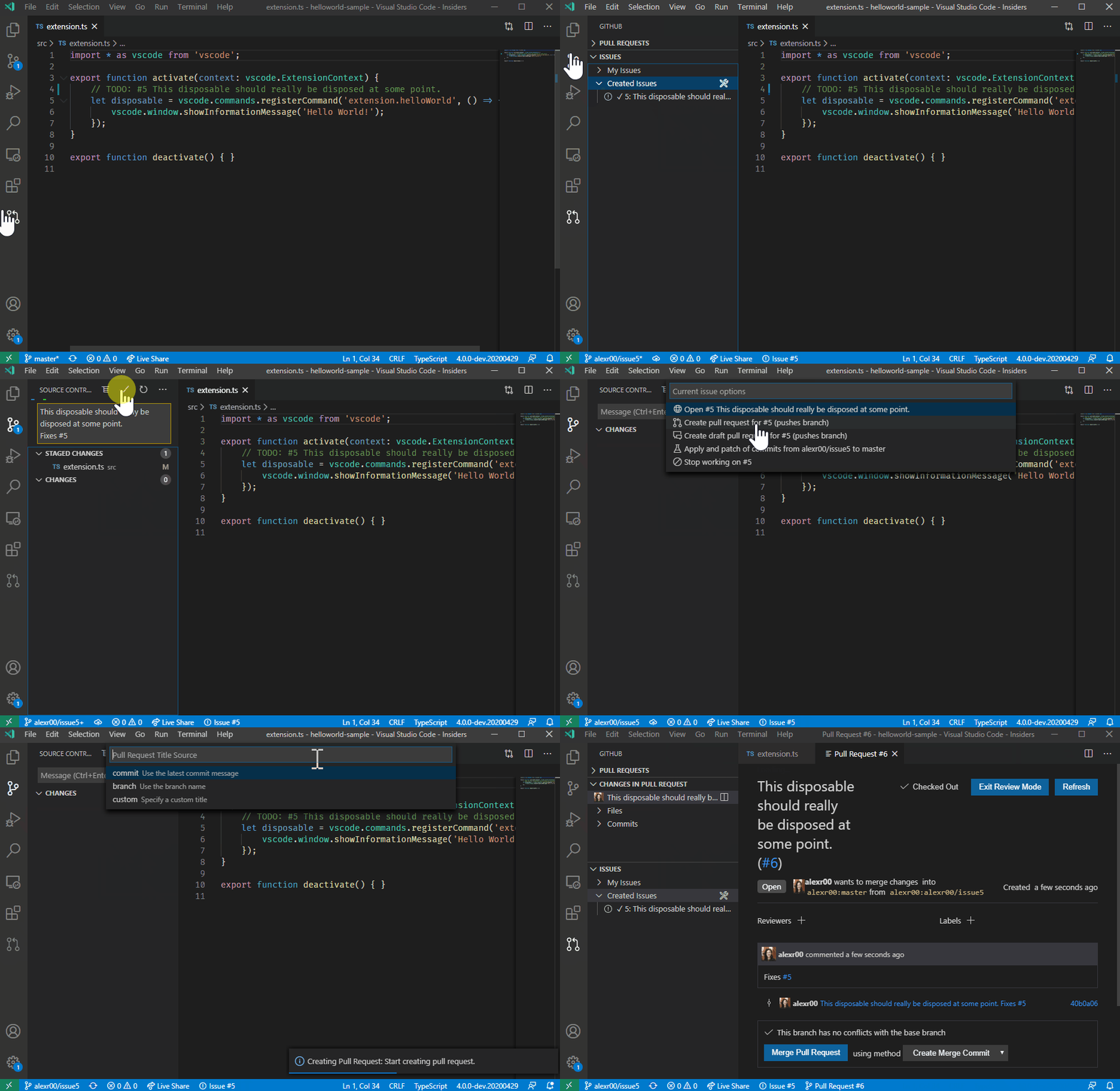
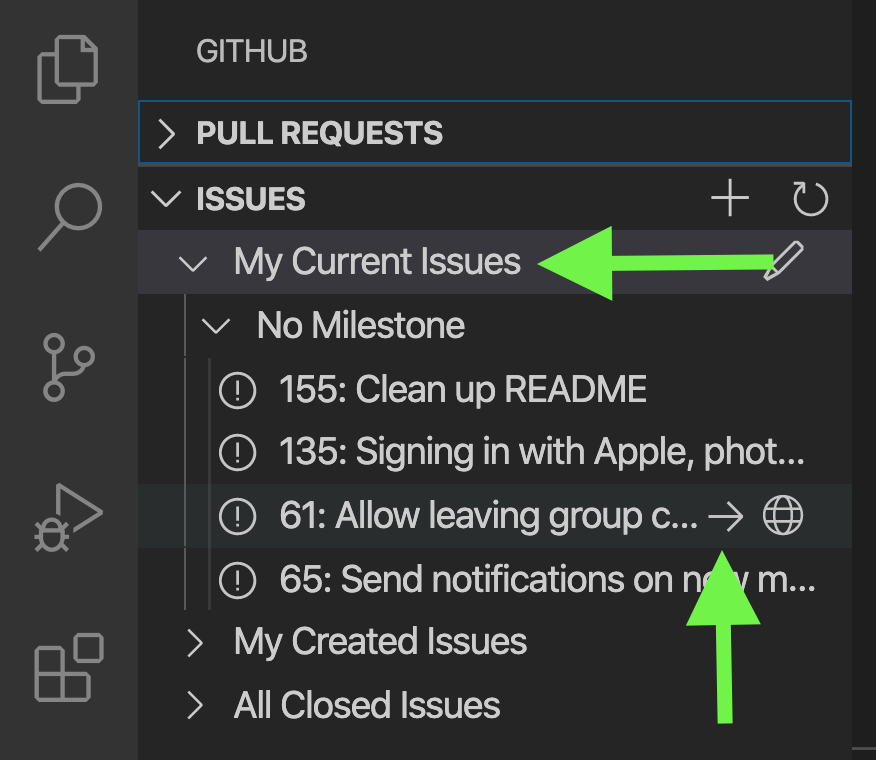
- Click My Issues, find the issue just assigned yourself and hit the right arrow to create a branch
There are a lot of other things the VSCode Github extension can do, see Working with GitHub Issues in Visual Studio Code.
Some other ways to work on issues: