Making a Basic Game - ZackWilde27/Z3dPy GitHub Wiki
I'll be showing how to make a Flappy Bird clone. The models and the finished script can be found in the examples folder included in the zip or in the repo.
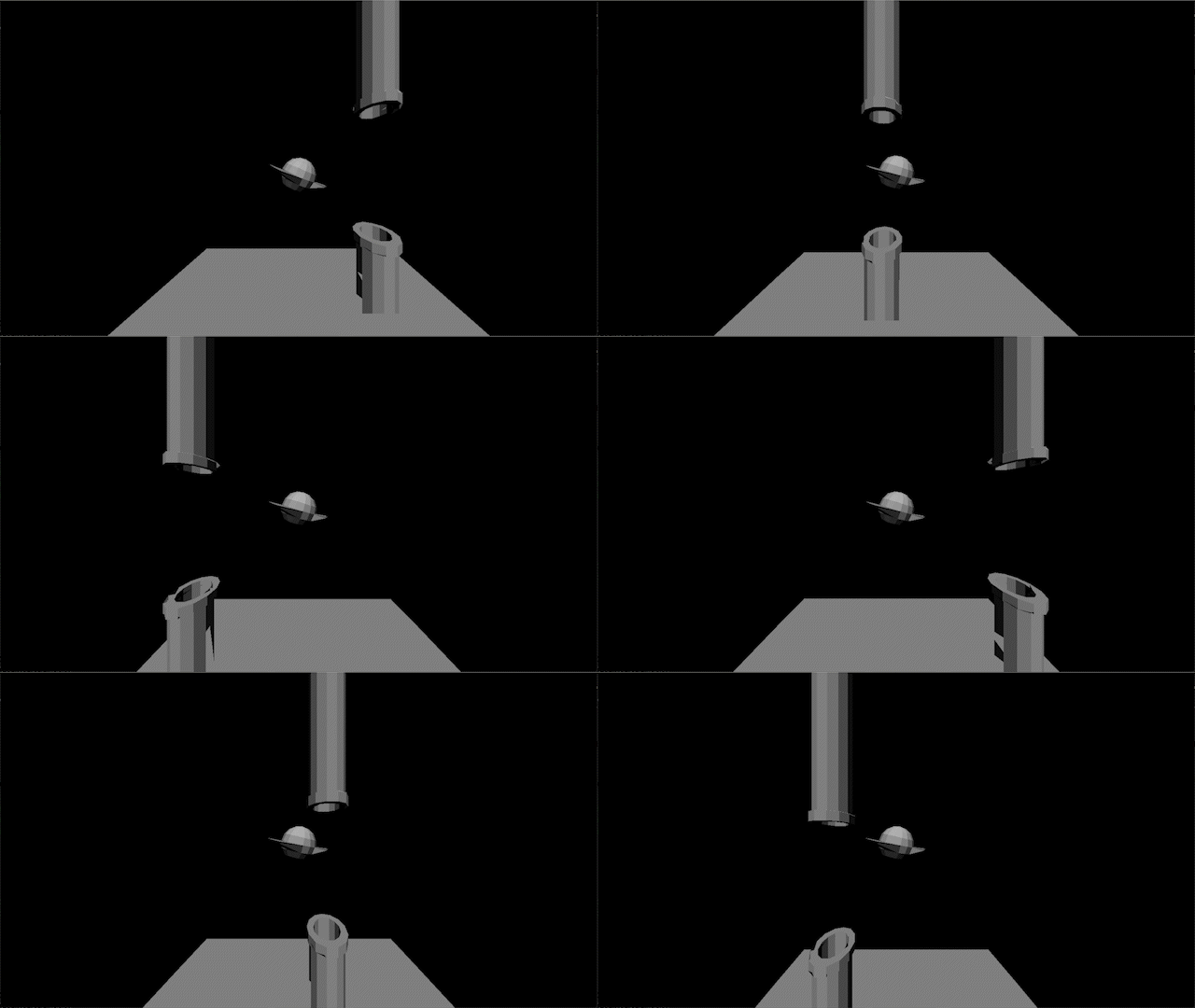
(This was recorded before I added coloured shading to the engine.)
So, set up a project like normal, except we'll need random.
import z3dpy as zp
import random as rand

myCamera = zp.Cam([0.0, 0.0, 3.0], 1280, 720)
Next we create all the Things.
"Things" are objects in the game world, they can hold multiple meshes, support the built-in physics/collisions, and more.
To make objects with multiple colours, split up the mesh into pieces, colour them separately, then combine them into a Thing.
# Use the LoadMesh function to load an OBJ file
birdBody = zp.LoadMesh("mesh/bird.obj")
birdBeak = zp.LoadMesh("mesh/beak.obj")

# Set the colour of each part
birdBody.SetColour([255, 214, 91])
birdBeak.SetColour([255, 10, 18])

# Group them into one Thing
bird = zp.Thing([birdBody, birdBeak], [0.0, 0.0, 5.0])
To enable physics for our bird, give it a physics body with:
bird.physics = zp.PhysicsBody()
Now for the pipes, I'll just use the same pipeMesh and make 2 different Things out of it.
# Pipe

pipeMesh = zp.LoadMesh("pipe.obj")

# Setting colour
pipeMesh.SetColour([0, 255, 0])

pipe = zp.Thing([pipeMesh], [10.0, 0.0, 5.0])
otherPipe = zp.Thing([pipeMesh], [10.0, -9.0, 5.0])
otherPipe.rotation = [0.0, 0.0, 180.0]

# Pipe Pair
def ResetPipePair(z):
    pipe.position = [10.0, z, 5.0]
    otherPipe.position = [10.0, z - 9, 5.0]

ResetPipePair(-1)
Lastly, a ground plane
# Ground

planeMesh = zp.LoadMesh("plane.obj")

plane = zp.Thing([planeMesh], [0.0, 5.0, 0.0])
To get some lighting, create a sun light and angle it towards the ground
theSun = zp.Light(zp.LIGHT_SUN, [-45.0, 15.0, 0.0], 0.8, None, (244, 255, 193))

zp.lights.append(theSun)
The ground and pipes can have their lighting baked and they will still look the same, so after creating our light, call BakeLighting()
zp.BakeLighting([plane, pipe, otherPipe])
Of course, the materials are all set to unlit right now, so go back to all the meshes and change all the baked meshes to MATERIAL_STATIC, and the rest to MATERIAL_DYNAMIC.
birdBody.material = birdBeak.material = zp.MATERIAL_DYNAMIC

planeMesh.material = pipeMesh.material = zp.MATERIAL_STATIC
Now for the draw loop, using the RenderThings() function, making sure to include HandlePhysicsFloor() for our bird.
# Raster Loop

while True:

    # HandlePhysicsFloor(thingList, floorHeight)
    zp.HandlePhysicsFloor([bird], 5.0)

    # If the camera is going to move (it will later) the view matrix needs to be updated per-frame
    zp.SetInternalCam(myCamera)

    # Clear
    screen.fill("#88E5FF")

    # Draw
    for tri in zp.RenderThings([bird, plane, pipe, otherPipe]):
        pygame.draw.polygon(screen, zp.TriGetColour(tri), ((tri[0][0], tri[0][1]), (tri[1][0], tri[1][1]), (tri[2][0], tri[2][1]))))

    # Update
    pygame.display.flip()
Inside this loop, before rendering the screen, we need to add game logic.
First of course, a jump button for the bird.
# Input
keys = pygame.key.get_pressed()

# Jumping
if keys[pygame.K_e]:
    bird.physics.velocity[1] = -12.0

zp.HandlePhysicsFloor([bird], 5.0)
After the bird has moved, follow it with the camera.
# Chase(TargetLocation, speed)
myCamera.Chase(zp.VectorSub(bird.position, [0.0, 0.0, 5.0]), 5.0)

# Make sure the camera continues looking forward when it moves
myCamera.SetTargetDir([0.0, 0.0, 1.0])

# Update the internal camera to the new location
zp.SetInternalCam(myCamera)
Probably should have included this before the camera move, but next is tilting the bird by it's velocity to make it feel more animated.
# Tilting Bird
bird.rotation = [0, 0, min(bird.physics.velocity[1] * 2, 40)])
Lastly, move the pipes across the screen, and reset them if they leave the edge of the screen.
# Moving Pipe Pairs
pipe.position[0] -= 0.2
if pipe.position[0] <= -8.0:
    SpawnPipePair(rand.random() * 3 + 1)
Final Script:
import pygame
import z3dpy as zp
import random as rand

# PyGame Stuff
pygame.init()
screen = pygame.display.set_mode((1280, 720))

myCamera = zp.Cam([0.0, 0.0, 3.0], 1280, 720)

# Use the LoadMesh function to load an OBJ file
birdBody = zp.LoadMesh("mesh/bird.obj")
birdBeak = zp.LoadMesh("mesh/beak.obj")

birdBody.material = birdBeak.material = zp.MATERIAL_DYNAMIC

# Set the colour of each part
birdBody.SetColour([255, 214, 91])
birdBeak.SetColour([255, 10, 18])

# Group them into one Thing
bird = zp.Thing([birdBody, birdBeak], [0.0, 0.0, 5.0])

bird.physics = zp.PhysicsBody()

# Ground

planeMesh = zp.LoadMesh("plane.obj")

plane = zp.Thing([planeMesh], [0.0, 5.0, 0.0])

# Pipe

pipeMesh = zp.LoadMesh("pipe.obj")

pipeMesh.SetColour([0, 255, 0])

pipe = zp.Thing([pipeMesh], [10.0, 0, 5.0])
otherPipe = zp.Thing([pipeMesh], [10.0, -9.0, 5.0])
otherPipe.rotation = [0.0, 0.0, 180.0]

pipeMesh.material = planeMesh.material = zp.MATERIAL_STATIC

# Pipe Pair
def ResetPipePair(z):
    pipe.position = [10.0, z, 5.0]

ResetPipePair(-1)

theSun = zp.Light(zp.LIGHT_SUN, [-45.0, 15.0, 0.0], 0.8, None, (244, 255, 193))

zp.lights.append(theSun)

zp.BakeLighting([plane, pipe, otherPipe])

# Draw loop
while True:
    # PyGame Stuff to prevent freezing
    for event in pygame.event.get():
        if event.type == pygame.QUIT:
            pygame.quit()

    # limiting the frame-rate for consistency
    clock.tick(30)

    # Input
    keys = pygame.key.get_pressed()

    if keys[pygame.K_e]:
        bird.physics.velocity[1] = -12.0

    zp.HandlePhysics([bird], 5.0)

    # Follow the bird
    myCamera.Chase(zp.VectorSub(bird.position, [0.0, 0.0, 5.0]))

    myCamera.SetTargetDir([0.0, 0.0, 1.0])

    zp.SetInternalCam(myCamera)


    # Tilting Bird
    bird.rotation = [0, 0, min(bird.physics.velocity[1] * 2, 40)]

    # Moving Pipe Pair
    pipe.position[0] -= 0.2
    otherPipe.position[0] -= 0.2
    if pipe.position[0] <= -8.0:
        SpawnPipePair(rand.random() * 3 + 1)

    # Clear
    screen.fill("#88E5FF")

    # Draw
    for tri in zp.RenderThings([bird, plane, pipe, otherPipe]):
        pygame.draw.polygon(screen, zp.TriGetColour(tri), ((tri[0][0], tri[0][1]), (tri[1][0], tri[1][1]), (tri[2][0], tri[2][1]))))

    # Update
    pygame.display.flip()