Getting Started 1 - ZackWilde27/Z3dPy GitHub Wiki
This page will be going over how to make this basic scene in Z3dPy.
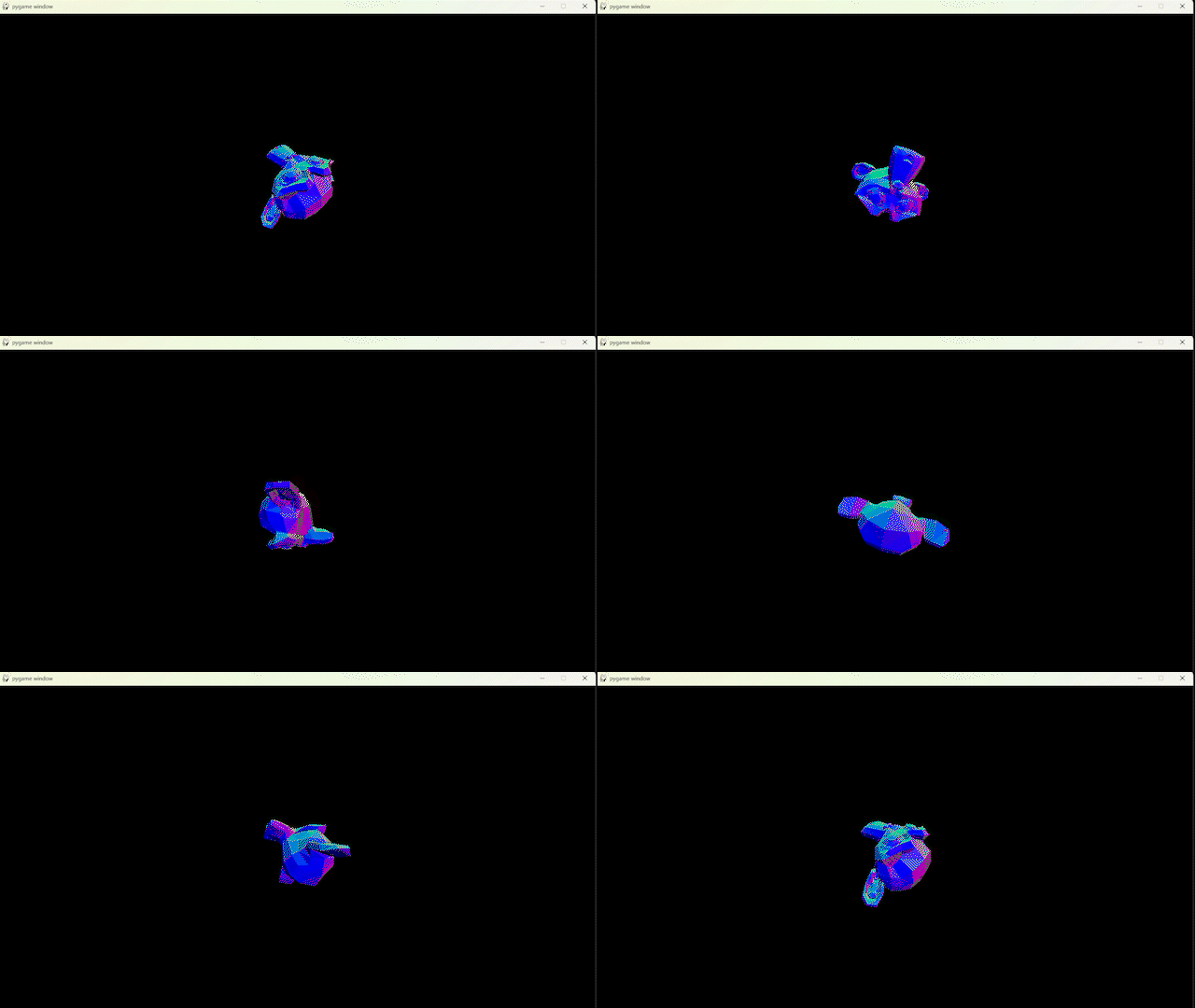
(Don't mind the dithering, just a low quality GIF)
First, import the module with:
import z3dpy as zp
shorten it to zp because you'll need a lot of it's functions.
Then you'll need something to handle the screen. I'll use PyGame as it's quite fast.
import pygame

pygame.init()
mySurface = pygame.display.set_mode((1280, 720))
Next create a camera to view from, and set the screenSize to match the previously set-up screen.
# Vectors are lists [x, y, z]
myCamera = zp.Cam([0, 0, 0])

zp.screenSize = (1280, 720)
Now load a mesh to draw, I'll use the built-in suzanne monkey.
# Use the LoadMesh function to load an OBJ file
# LoadMesh(filename, *vPos, *VScale)
myMesh = zp.LoadMesh("z3dpy/mesh/suzanne.obj", [0, 0, 2])
# Z is forward in this case, so it's placed in front of the camera
For games I'd recommend turning these Meshes into Things, but I'll be going over that in Making a Basic Game
Rendering in Z3dPy is done in 3 steps:
- Set the internal camera
- Rastering
- Drawing
# Set the internal camera
zp.SetInternalCam(myCamera)

# Rastering
for tri in zp.RasterMeshList([myMesh]):
    # Drawing (This method will depend on how the screen is handled)
    pygame.draw.polygon(mySurface, (255, 255, 255), (tri[0][0], tri[0][1]), (tri[1][0], tri[1][1]), (tri[2][0], tri[2][1]))
In this case, I want the colour of the triangle to represent it's normal value:
normal = zp.TriGetNormal(tri)

# The normal needs to be flipped
# Modules like Pyglet will also need a VectorFloor() to keep things integer-only
colour = zp.VectorMax(zp.VectorMulF(normal, -255), 0)

pygame.draw.polygon(mySurface, colour, (tri[0][0], tri[0][1]), (tri[1][0], tri[1][1]), (tri[2][0], tri[2][1]))
Lastly, chuck it in a loop.
# This only needs to be inside the loop if the camera's going to move.
zp.SetInternalCam(myCamera)

while True:

    # Clear the screen before drawing
    screen.fill("black")

    for tri in zp.RasterMeshList([myMesh]):
        colour = zp.VectorMax(zp.VectorMulF(zp.TriGetNormal(tri), -255), 0)
        pygame.draw.polygon(mySurface, colour, (tri[0][0], tri[0][1]), (tri[1][0], tri[1][1]), (tri[2][0], tri[2][1]))

    pygame.display.flip()

    # Rotate mesh
    # MeshAddRot(mesh, vector)
    zp.MeshAddRot(myMesh, [2, 2, 2])
Final Script:
import z3dpy as zp
import pygame

# Just some PyGame stuff
pygame.init()
screen = pygame.display.set_mode((1280, 720))

# Create a camera
myCamera = zp.Cam([0, 0, 0])

# Use the LoadMesh function to load an OBJ file
myMesh = zp.LoadMesh("z3dpy/mesh/suzanne.obj", [0, 0, 2])

zp.SetInternalCam(myCamera)

while True:
    # more PyGame stuff to prevent freezing
    for event in pygame.event.get():
        if event.type == pygame.QUIT:
            pygame.quit()

    screen.fill("black")

    for tri in zp.RasterMeshList([myMesh]):
        colour = zp.VectorMax(zp.VectorMulF(zp.TriGetNormal(tri), -255), 0)
        pygame.draw.polygon(mySurface, colour, (tri[0][0], tri[0][1]), (tri[1][0], tri[1][1]), (tri[2][0], tri[2][1]))

    pygame.display.flip()

    zp.MeshAddRot(myMesh, [1, 4, 3])