Basic Scene 0.4 - ZackWilde27/Z3dPy GitHub Wiki
Getting Started
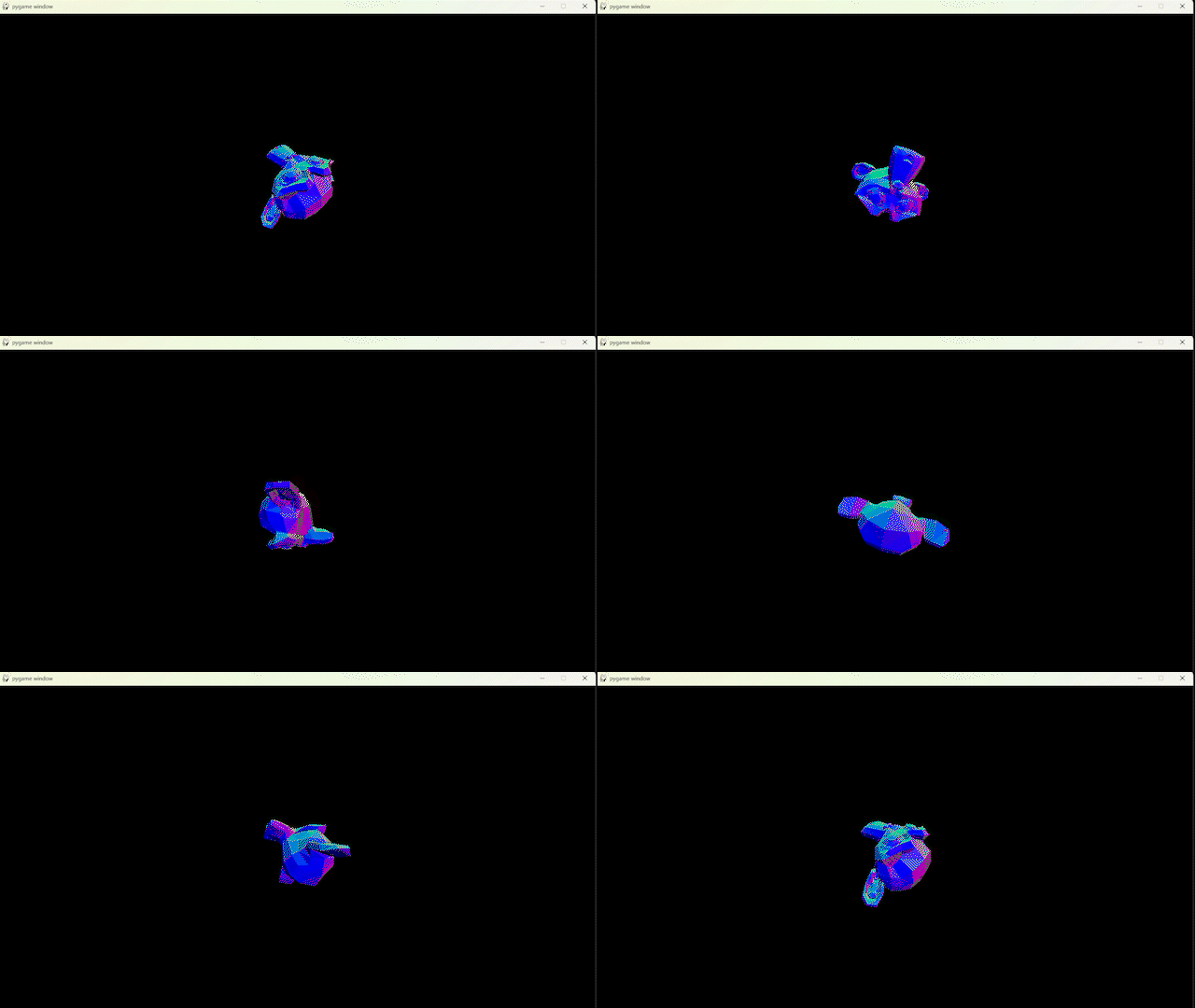
(Don't mind the dithering, just a low quality GIF)
First, import the module with:
import z3dpy as zp
Then you'll need something to handle the screen. I'll use PyGame as it's quite fast.
import pygame

pygame.init()
mySurface = pygame.display.set_mode((1280, 720))
Next create a camera to view from, and give it the same dimensions as the previously set-up screen.
# Cam(vPos, *screenWidth, *screenHeight)
myCamera = zp.Cam([0, 0, 0], 1280, 720)
# Vectors are lists [x, y, z]
Now load a mesh to draw, I'll use the built-in suzanne monkey.
# Use the LoadMesh function to load an OBJ, DAE, or X3D file
# LoadMesh(filename, *vPos, *VScale)
myMesh = zp.LoadMesh("z3dpy/mesh/suzanne.obj", [0, 0, 2])
# Z is forward in this case, so it's placed in front of the camera
For games I'd recommend turning these Meshes into Things, but I'll be going over that later
Rendering can be broken down into 3 main parts:
- Set the internal camera
- Rendering
- Drawing
# Set the internal camera
zp.SetInternalCam(myCamera)

# Rendering
for tri in zp.RenderMeshList([myMesh]):
    # Drawing (This method will depend on how the screen is handled)
    pygame.draw.polygon(mySurface, zp.TriGetColour(tri), (tri[0][0], tri[0][1]), (tri[1][0], tri[1][1]), (tri[2][0], tri[2][1]))
Right now the mesh is using the default MATERIAL_UNLIT, which just passes the colour through with no changes.
In this case, I want the colour of the triangle to represent it's normal value:
def MyShader(tri)
    normal = zp.TriGetNormal(tri)
    # The normal needs to be flipped and converted to 0-255
    # Some modules like Pyglet will need a VectorFloor() to keep things integer only
    return zp.VectorMax(zp.VectorMulF(normal, -255), 0)

# switching out world with local or view will give very different results.
myMesh.material = z3dpy.Material(world = MyShader)
If your drawing method only supports pixels or lines, there's TriToLines(), TriToPixels(), and TriToTexels()
def LineDraw(x1, y1, x2, y2):
    # The current triangle in the for loop can be accessed from here
    pygame.draw.line(screen, zp.TriGetColour(tri), (x1, y1), (x2, y2))

def PixelDraw(x, y):
    pygame.draw.line(screen, zp.TriGetColour(tri), (x, y), (x + 1, y))

# For now, The only way to load textures from an image is to utilize Pygame.
myTexture = zp.PgLoadTexture("path/to/texture.img", pygame)

def TexelDraw(x, y, u, v):
    # UVs are normalized so you'll need to multiply by the size of the texture
    scaleX = len(myTexture[0])
    scaleY = len(myTexture)
    u2 = u * scaleX
    v2 = v * scaleY
    # You'll also have to account for UVs going outside the texture, either through mirroring or wrapping.
    # Wrapping
    while u2 < 0: u2 += scaleX
    while v2 < 0: v2 += scaleY
    u2 %= scaleX
    v2 %= scaleY

    # Mirroring
    u2 = abs(u2)
    v2 = abs(v2)
    while u2 >= scaleX: u2 = abs((scaleX - u2) + scaleX)
    while v2 >= scaleY: v2 = abs((scaleY - v2) + scaleY)


for tri in zp.RenderMeshList([myMesh]):
    zp.TriToLines(tri, PixelDraw)
    # or
    zp.TriToPixels(tri, PixelDraw)
    # or
    zp.TriToTexels(tri, TexelDraw)
Lastly, chuck it in a loop.
# This only needs to be inside the loop if the camera's going to move.
zp.SetInternalCam(myCamera)

while True:

    screen.fill("black")

    for tri in zp.RenderMeshList([myMesh]):
        pygame.draw.polygon(mySurface, zp.TriGetColour(tri), (tri[0][0], tri[0][1]), (tri[1][0], tri[1][1]), (tri[2][0], tri[2][1]))

    pygame.display.flip()

    # Rotate mesh
    myMesh.rotation = zp.VectorAdd(myMesh.rotation, [2, 2, 2])
Final Script:
import z3dpy as zp
import pygame

pygame.init()
screen = pygame.display.set_mode((1280, 720))

# Create a camera, the screenSize can be set at the same time.
myCamera = zp.Cam([0, 0, 0], 1280, 720)

# Use the LoadMesh function to load an OBJ, DAE, or X3D file
myMesh = zp.LoadMesh("z3dpy/mesh/suzanne.obj", [0, 0, 2])

def MyShader(tri)
    normal = zp.TriGetNormal(tri)
    # The normal needs to be flipped and converted to 0-255
    # Some modules like Pyglet will need a VectorFloor() to keep things integer only
    return zp.VectorMax(zp.VectorMulF(normal, -255), 0)

myMesh.material = z3dpy.Material(world = MyShader)

zp.SetInternalCam(myCamera)

while True:
    # PyGame stuff to prevent freezing
    for event in pygame.event.get():
        if event.type == pygame.QUIT:
            pygame.quit()

    screen.fill("black")

    for tri in zp.RasterMeshList([myMesh]):
        pygame.draw.polygon(mySurface, zp.TriGetColour(tri), (tri[0][0], tri[0][1]), (tri[1][0], tri[1][1]), (tri[2][0], tri[2][1]))

    pygame.display.flip()

    myMesh.rotation = zp.VectorAdd(myMesh.rotation, [2, 2, 2])