Basic Configuring - Yozzaxia1311/MegaManLove GitHub Wiki
So you've gone through the menus and the demo stage, and now you're wanting to make some changes...
Engine globals
Going into conf.lua and changing some key stuff is a good place to start, for example: changing t.identity is important if you want no one else's Mega Man Love game save files to mess with yours. Other than Love2D's config, there's a few core globals at the top.
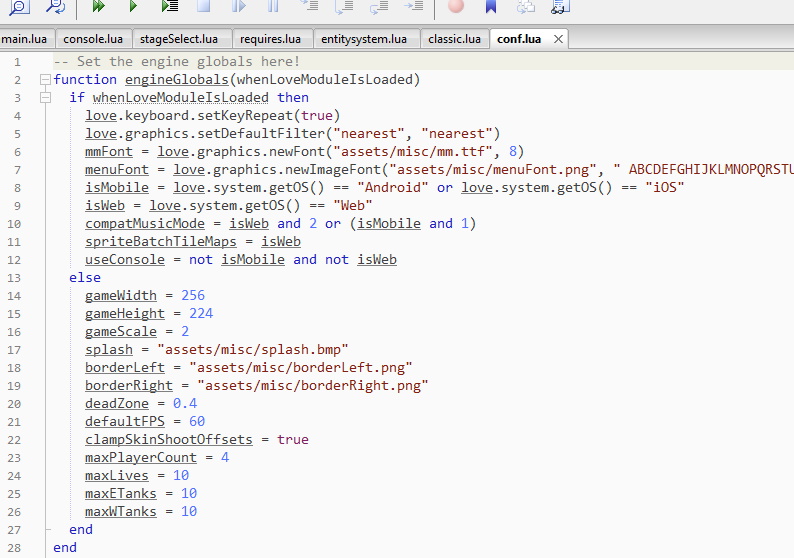
Most of them are self-explanatory, but there are exceptions:
deadZoneis the gamepad dead zone. The default0.8means an axis must be 80% or more nudged before it's considered pressed.clampSkinShootOffsetsis an anti-cheat measure that'strueby default. Player skins can offset weapon shots... while this can make skins more immersive, it can also be used to shoot bullets out of thin air that are clearly away from the player's buster.clampSkinShootOffsetsclamps how far shots can be offset from the player skin.maxPlayerCountis the max number of players in multiplayer, it's not related to the player's life count.
These engine globals should not be changed during gameplay; treat them like C++ "static" variables.
Game globals
At main.lua, initEngine(), there are more variables inside globals.
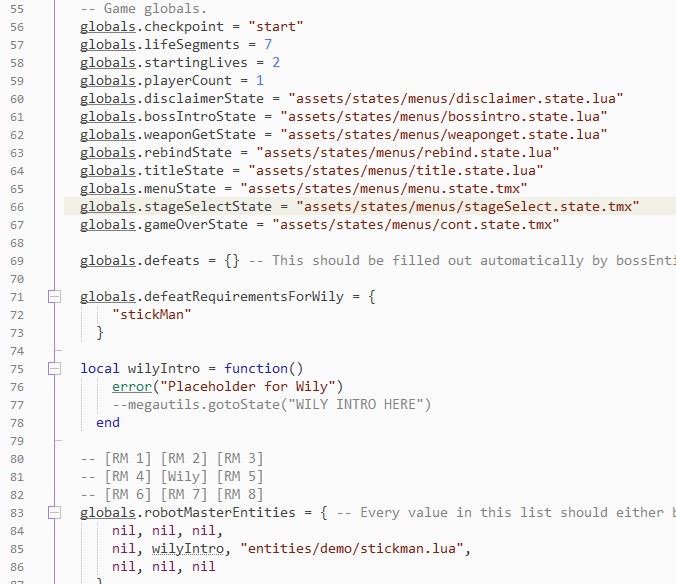
Some notes:
globals.checkpointis changed within the game's internals. If you want to override it, setglobals.overrideCheckpoint.globals.lifeSegmentsdetermines the player's health when spawning in. One segment is 4 health.globals.playerCountis the number of players that are playing. Again, not related to lives.
Console globals
But where's all the really important stuff? They're inside the console. Why? So they can be manipulated easily in-game for debugging. Check out Using the Console for more information.