HTTP Request Response - Yash-777/SteamingServlet GitHub Wiki
HTTP requests are sent by a client to the server. The server sends back a response. The response could be HTML, or JSON, or whatever the server decides to send.
The internal mechanism of this is such: a) The server is listening on a socket on a certain port b) The client connects to the port and tells the server that it's ready to communicate and the server acknowledges c) The server then serves the request and sends back the response.
HTTP server uses the File System, when you got a request, you immediately send an async request to the OS for the contents of the file, and hold the socket in memory. When the OS responds with the contents of the file, you simply dump the contents of the file into your socket. This is just a marshalling/unmarshalling layer.
Marshalling / Unmarshalling Java Objects: Serialization vs Externalization.
Object serialization is the process of saving an object's state to a sequence of bytes,
as well as the process of rebuilding those bytes into a live object at some future time.
Marshalling means producing a stream of byte which contain enough information to be able to re-build the object.
Unmarshalling resulting in creating another Object by usig the read-only steam. with the same hashCode() and be equals() == true and compareTo() == 0)
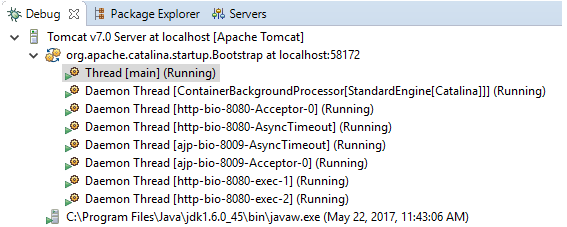
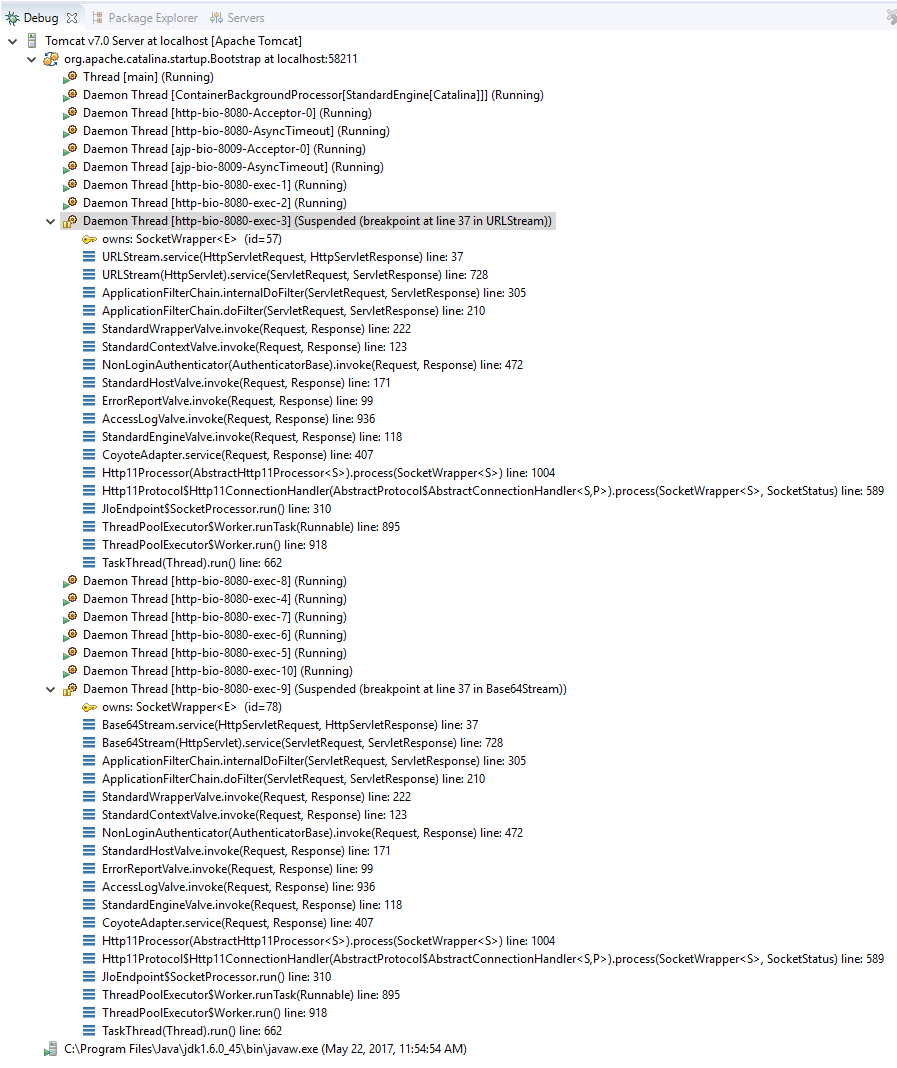
By default web-server creates only one instance per servlet, if multiple request is going to a servlet then each request will processed in a separate thread, and these threads are maintained by thread pool.

NOTE: when you receive the request more than the Thread Pool size then the data of the request get stored in File untill any one of the Thread from the pool is ready to serve the request. To overcome the performance issue we can use load balancer by putting multiple servers behind a load balancer.
A thread pool works on a producer/consumer pattern. You have a bunch of consumer threads sitting there sleeping. Another producer thread puts a request in the queue. As soon as a request is put in, a consumer wakes up takes the request and works on it and puts a response into an outbound queue. The web server works on this principle. The producer thread is the thread that is doing all the network IO for HTTP requests. As soon as it gets the request, it puts the entire request into a queue. A consumer thread wakes up, figures out which servlet and filter chain to call, calls it, and puts the response back in the outbound queue. The NIO thread picks the response and sends it back to the client.
The servlet container creates a ServletRequest & ServletResponse objects and passes both as an arguments to the servlet's service method.
- To send binary data in a MIME body response, use the ServletOutputStream returned by getOutputStream.
- To send character data, use the PrintWriter object returned by getWriter.
Filters are used for pre and post process requests. To manipulate a request or response, you must create a wrapper.
where the target resource is mapped to a chain of one or more filters, the servlet container calls the doFilter() method of each filter in the chain, in order according to web.xml filter configurations.
Methods of the Filter Interface
package filter;

import javax.servlet.*;

public class TimerFilter implements javax.servlet.Filter
{
    private FilterConfig filterConfig;

    public void doFilter(ServletRequest request, ServletResponse response,
           FilterChain chain)
           throws java.io.IOException, javax.servlet.ServletException
    {
        long start = System.currentTimeMillis();
        System.out.println("Milliseconds in: " + start);
        chain.doFilter(request, response);
        long end = System.currentTimeMillis();
        System.out.println("Milliseconds out: " + end);
    }

    public void init(final FilterConfig filterConfig)
    {
        this.filterConfig = filterConfig;
    }

    public void destroy()
    {
        filterConfig = null;
    }
}
Deployment Descriptor: web.xml
<web-app>
   <listener>
      <listener-class>SessionLifeCycleEventExample</listener-class>
   </listener>
   <listener>
		<listener-class>org.springframework.web.context.ContextLoaderListener</listener-class>
	</listener>

	<filter>
		<filter-name>timer</filter-name>
		<filter-class>filter.TimerFilter</filter-class>
		<init-param>
			<param-name>name</param-name>
			<param-value>value</param-value>
		<init-param>
	</filter>
	<filter-mapping>
		<filter-name>timer</filter-name>
		<url-pattern>*</url-pattern>
	</filter-mapping>
   <servlet>
      <servlet-name>sessioncreate</servlet-name>
      <servlet-class>SessionCreateServlet</servlet-class>
   </servlet>
   <servlet>
      <servlet-name>sessiondestroy</servlet-name>
      <servlet-class>SessionDestroyServlet</servlet-class>
   </servlet>
   <welcome-file-list>
      <welcome-file>index.jsp</welcome-file>
   </welcome-file-list>
</web-app>
Construction of the Filter Chain

Servlet Listener is used for listening to events in a web container, such as when you create a session or place an attribute in a session or if you passivate and activate in another container, to subscribe to these events you can configure listener in web.xml, for example, HttpSessionListener.
Listeners get triggered for an actual physical request that can be attached to events in your app server .With listeners, you can track application-level, session-level, life-cycle changes, attribute changes etc.
You can monitor and react to events in a servlet's life cycle by defining listener objects whose methods get invoked when lifecycle events occur.