Step 3: Creating A Package - WooMinecraft/WooMinecraft GitHub Wiki
Now we've finished the installation we can add products to our store!
Instructions
-
Open up your WordPress admin panel
-
Go to Products --> Add new product

-
Add the general information (name description etc) and tick the "Virtual" box (it doesn't need to be shipped does it?) And remember to tick the product as "Downloadable", or else the order won't process automatically.
Note, this may not be valid on the latest WC - test this for yourself.

-
Now under "Product Data" you'll see some tabs, select the General tab
-
In the general tab you'll see "Minecraft WooCommerce" Click on the add command button.
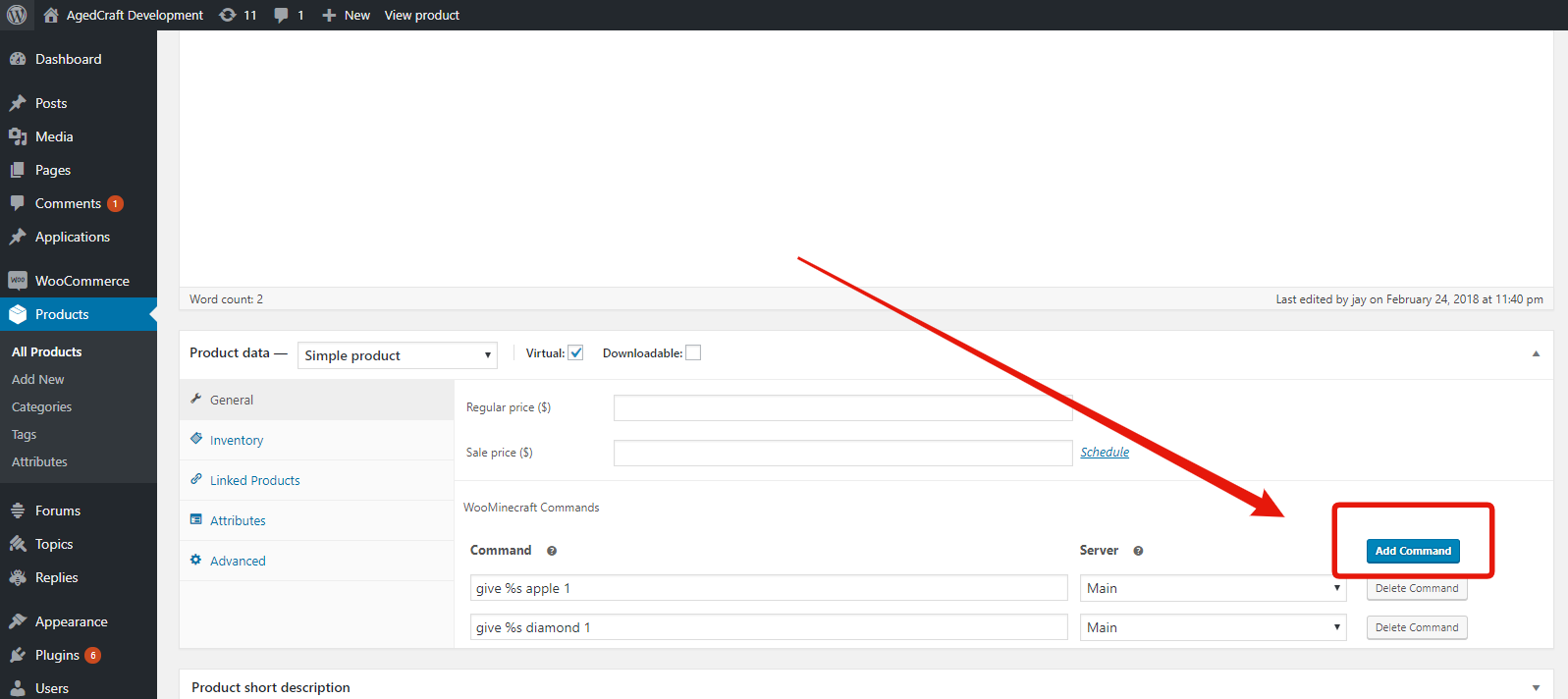
-
You now can enter your commands. You don't need to use a slash (/) before it.