External FileWorker(s) - UiharuKazari2008/sequenzia-compose GitHub Wiki

You can setup an external or remote FileWorker to upload files from another host or on a host with more power.
You will need to start your main server with external access enabled. This will expose the database and MQ ports, You are responsible for applying host firewall rules and or setting up a VPN/LANTIS Uplink
Start Sequenzia with External Access:
./sequenzia mode append external
./sequenzia start- If you want to enable a SMB share you can use
./sequenzia mode append "external samba"(Not available for Windows users) Ports:
- 3306 (MySQL)
- 5672 (MQ)
- Optional -
15672, this is the MQ Web Interface that can be used to configure shovels and debug
- Follow the "Prerequisites" and "Download the Compose Scripts" on the new host
- Modify the environment file in
common/config/user-config.env
- Replace
hostnamewith the IP, FQDN, or localhost if your running LANTIS locally - Add port numbers if they are not the default
-
SYSTEM_NAMEshould be unique -
Windows Users change
CHOKIDAR_USEPOLLINGto true Create a config file incommon/config/user-config.json
SYSTEM_NAME='DOCKER-B'
DATABASE_HOST='hostname'
MQ_HOST='hostname'
WAIT_HOSTS='hostname:3306, hostname:5672'
CHOKIDAR_USEPOLLING=false- Modify the user configuration in
common/config/user-config.json
{
  "PickupFolder": false
}./sequenzia mode fileworker
./sequenzia start
./sequenzia logs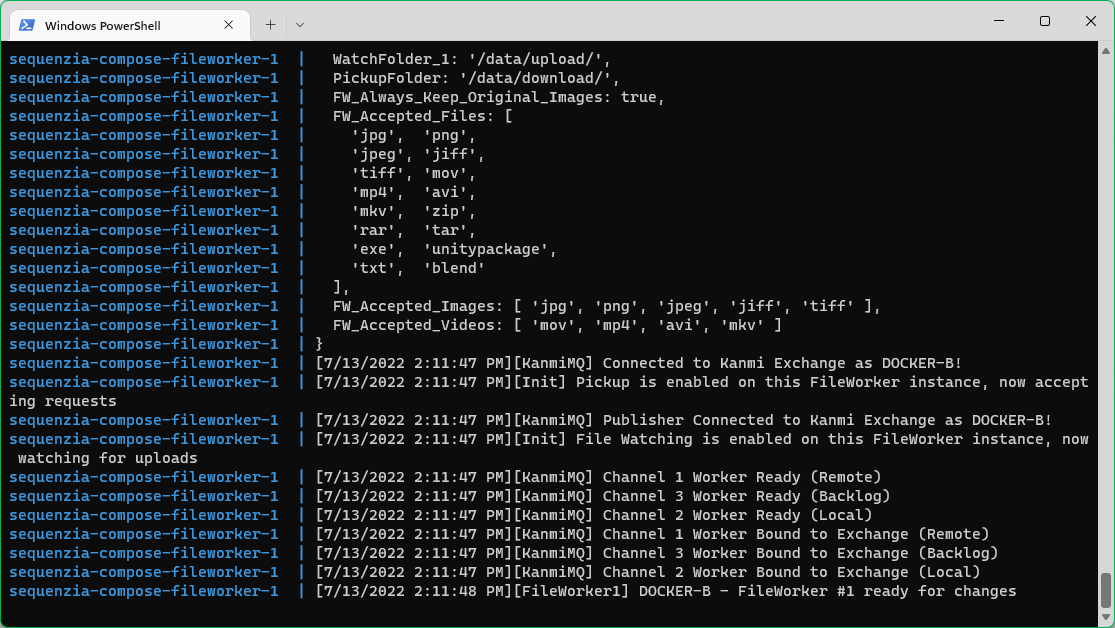
If the fileworker is operating, you should see the watch folders populate in common/data/upload and can start uploading files.

Sequenzia is a trademark of Digital Artifacts (Parent of Academy City Research)