Battle Tutorial Guidance UI - UQcsse3200/2026-studio-3 GitHub Wiki
Battle Tutorial Guidance UI
Version and purpose
This guide documents the current battle tutorial after PR #424 was merged into main at ff81a12a. These ten supplied gameplay screenshots show the latest main test build on 8 October 2026, replacing the historical PR #410 images as this page's visual reference.
Short prompts sit beside the relevant controls. Gold outlines and arrows identify each target; a dim layer reduces distractions. The tutorial reuses the existing battle system rather than calculating separate damage, Energy or turn rules.
Start through New Game → Enter Tutorial. Informational lessons can be dismissed to continue, while the Strike lesson requires a real card action. Exit Tutorial remains available at the top right and uses the same pixel-frame style as the battle menu controls.
Screenshot walkthrough
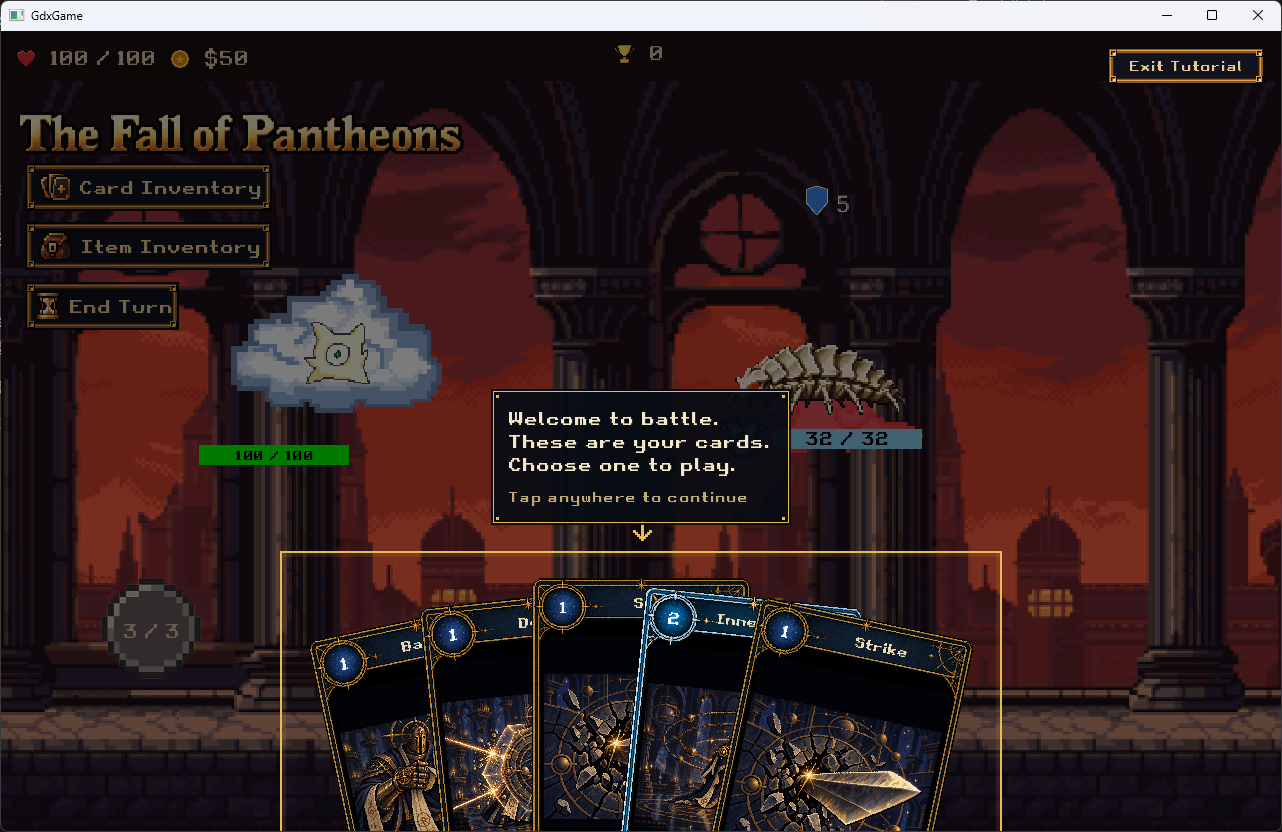
1. Welcome and hand
The opening prompt introduces the hand. A single gold outline surrounds the cards, with a downward arrow from the prompt. Welcome and hand guidance are combined. Tap anywhere to continue.
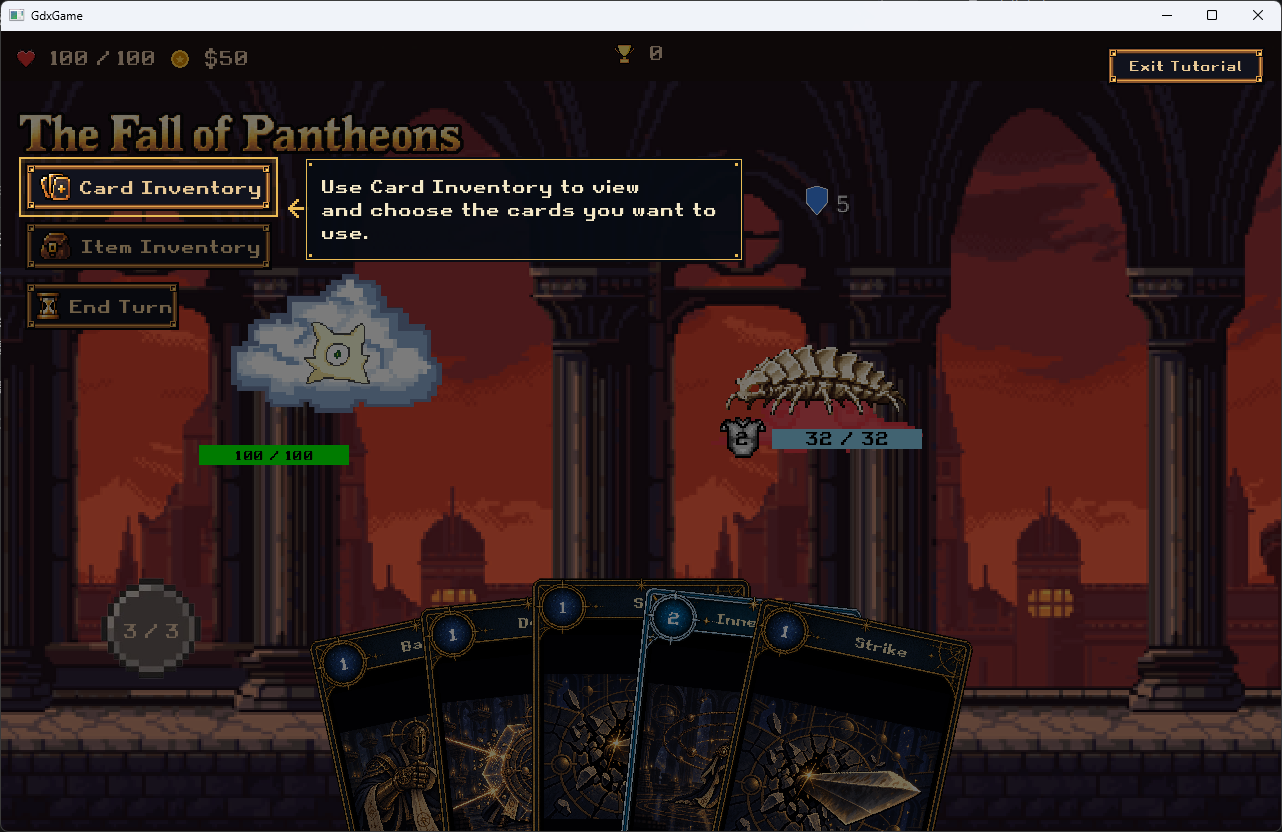
2. Card Inventory
The existing Card Inventory button is highlighted. Its prompt explains where to view and choose cards, positioned beside the button rather than over the battle title. The inventory system itself is unchanged.
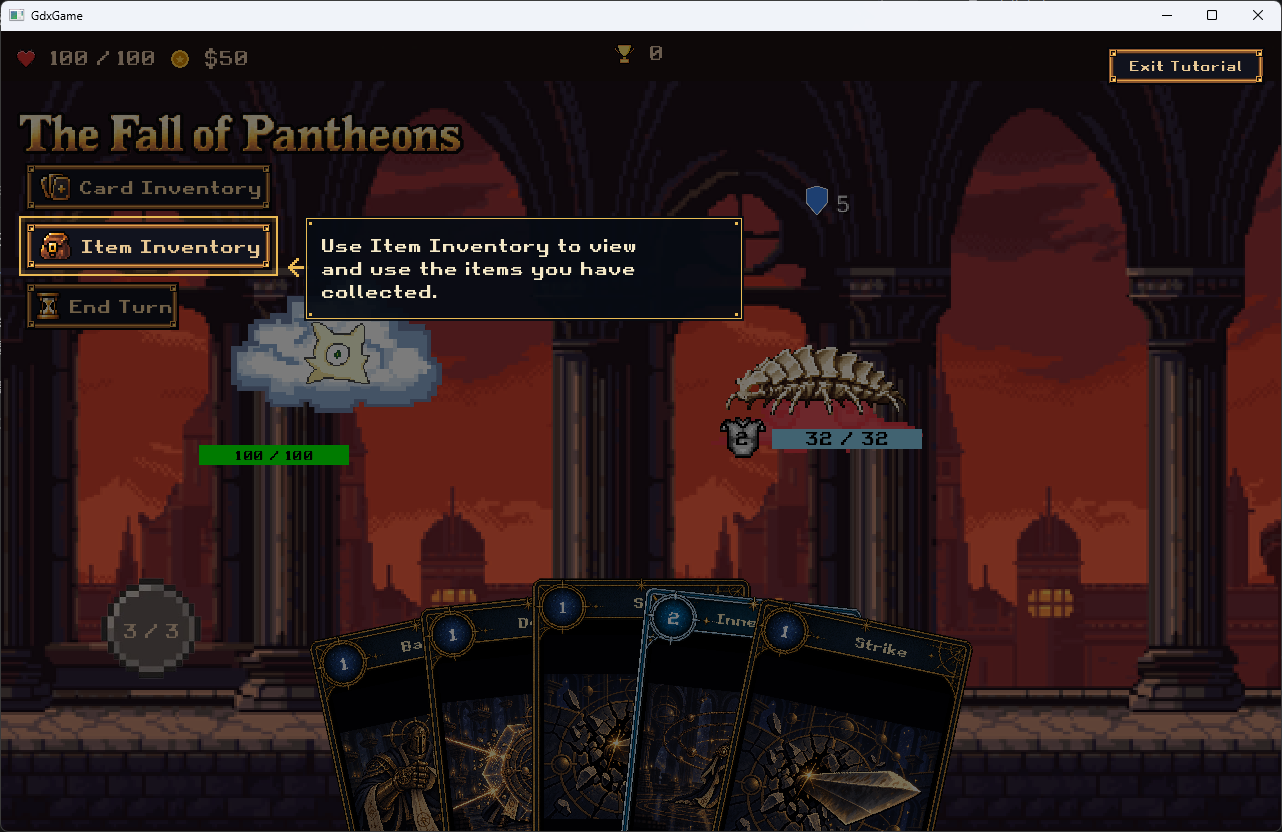
3. Item Inventory
Item Inventory has a separate lesson after Card Inventory. The highlighted button is the existing entry for viewing and using collected items; this explanation does not award items or change their effects.
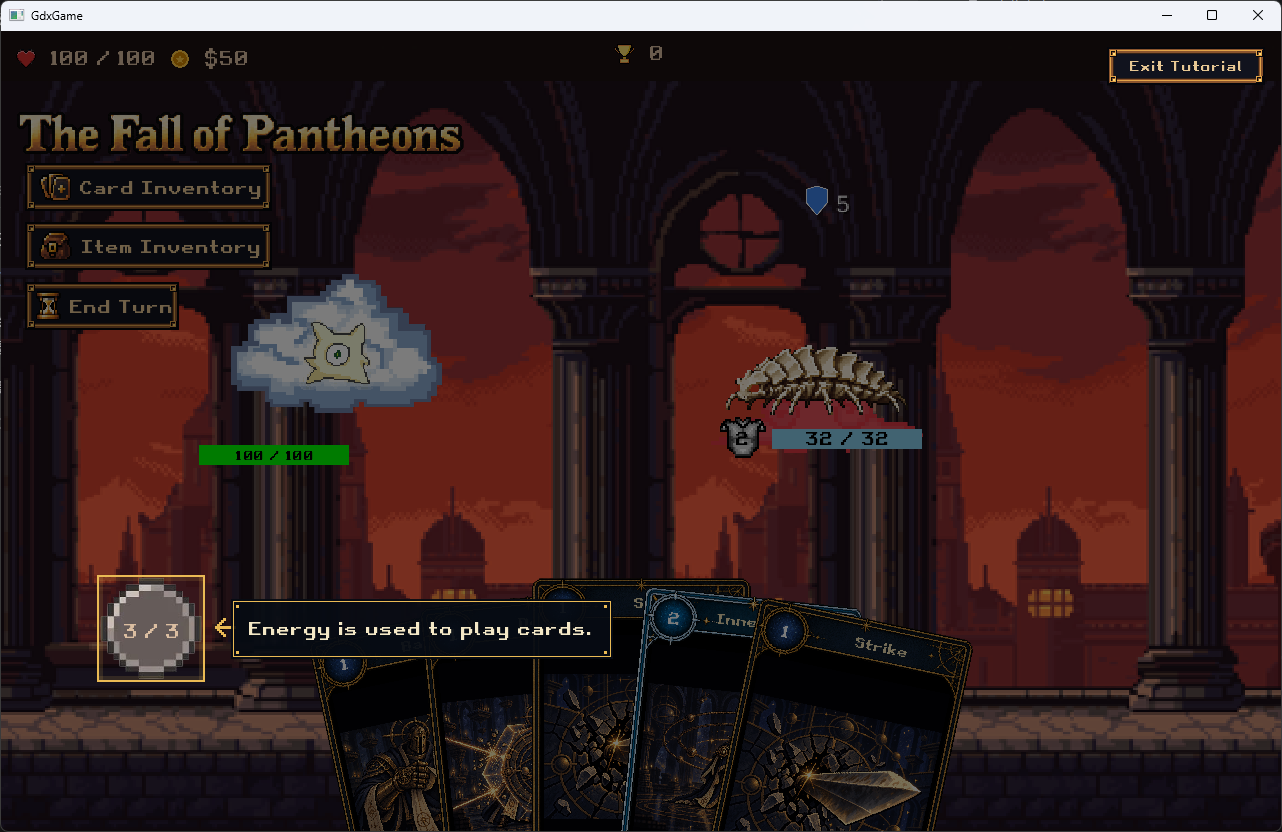
4. Energy
Energy appears in the circular icon at the lower left. The highlight fits its visible pixels, excluding transparent texture padding, and the prompt points directly to the icon. The displayed value is 3 / 3 in this capture. The target is an explicit UI reference, not the old Energy: text label.
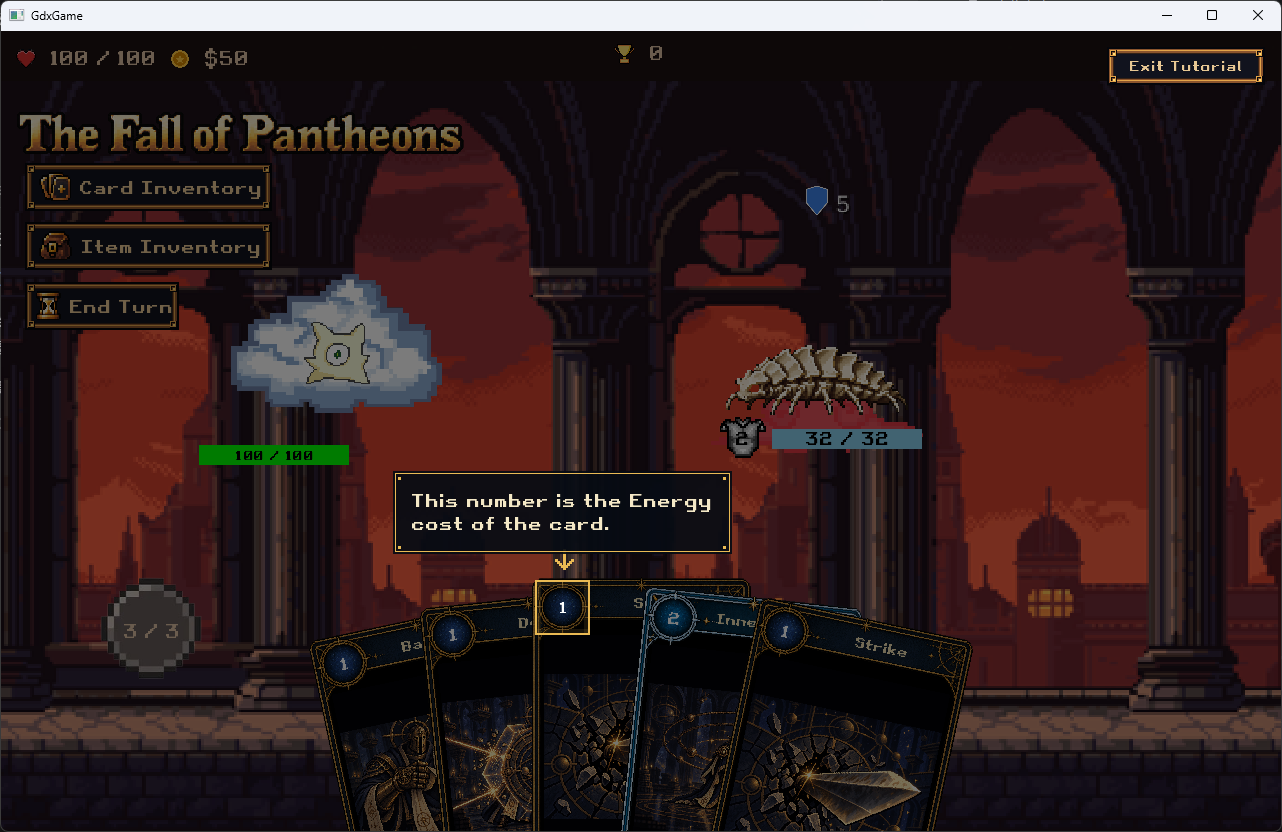
5. Card energy cost
The small outline surrounds the demonstration card's cost number, not the whole card. The arrow identifies the number representing the Energy required to play it.
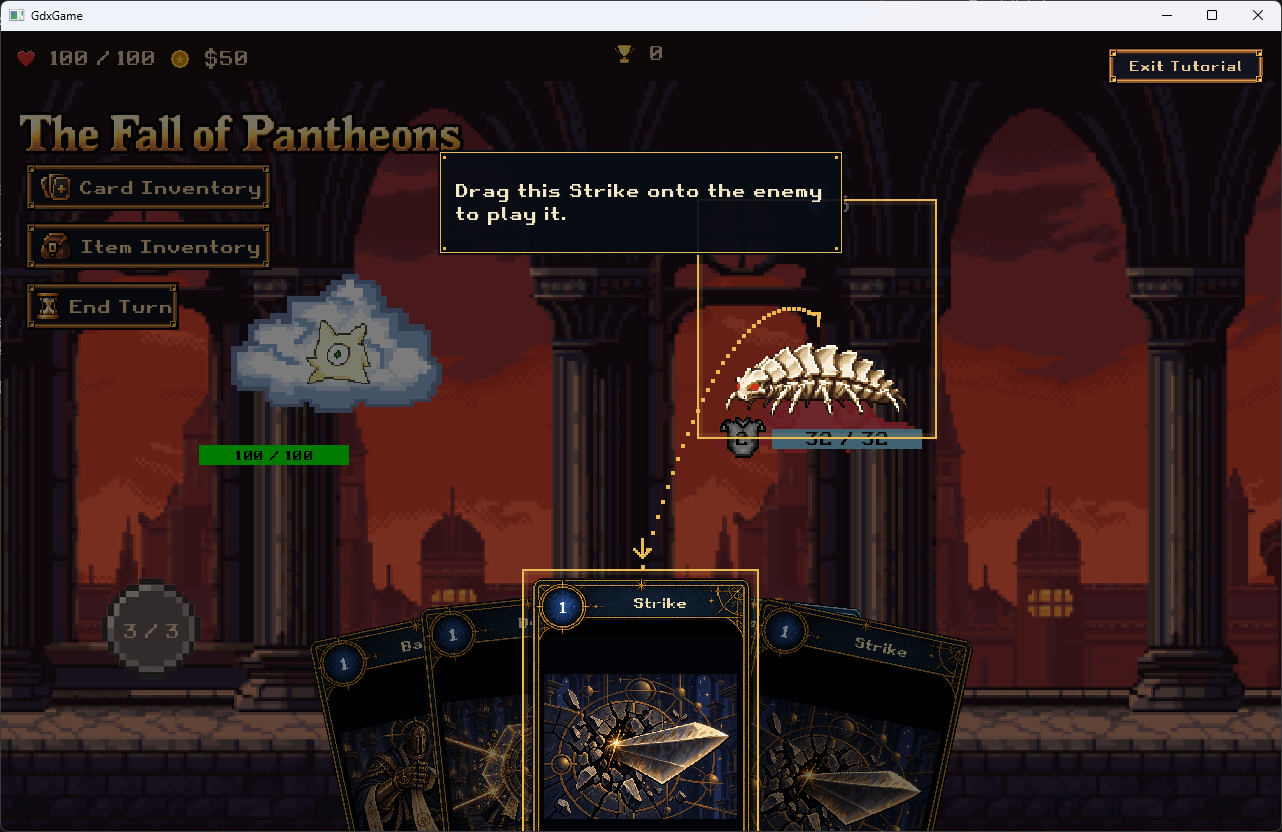
6. Play the highlighted Strike
The designated Strike is brought into the centre of the hand. The card and enemy are highlighted, and a dotted path shows the drag direction. Drag this Strike onto the enemy to play it. Progress requires successful play of that exact demonstration card and settled damage; dragging it back does not satisfy the lesson.
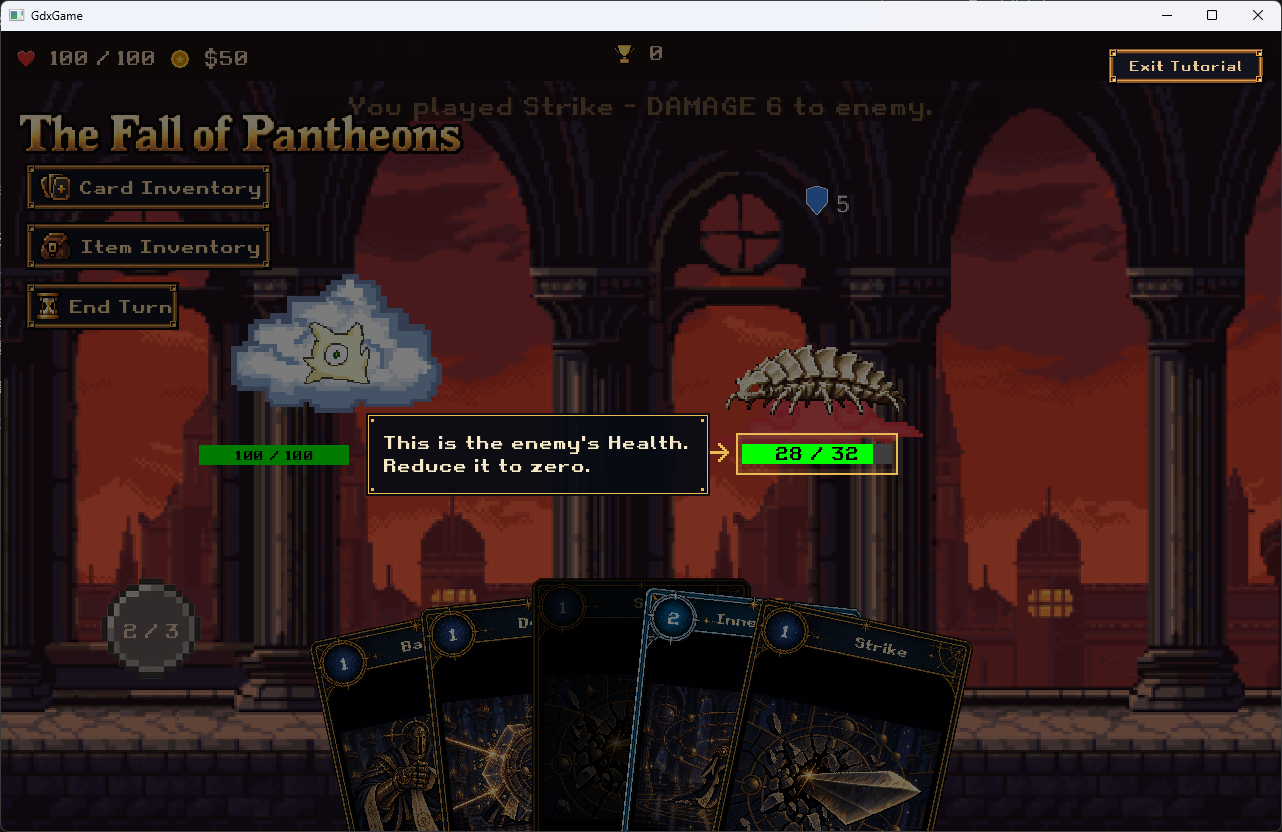
7. Enemy Health
After Strike resolves, the prompt highlights the enemy's actual Health bar. The capture shows Health reduced from 32 / 32 to 28 / 32. This is an observed battle result, not a fixed tutorial damage rule: damage and mitigation remain owned by the combat system.
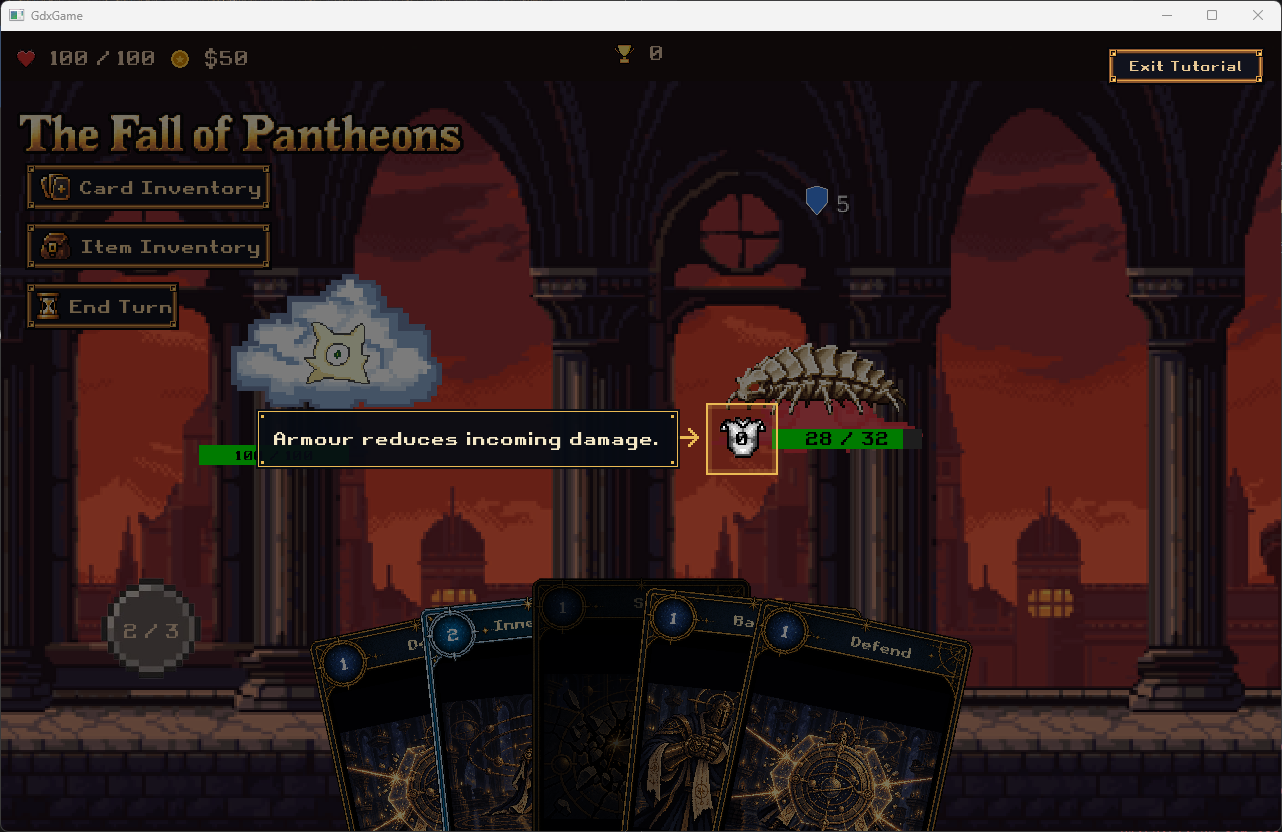
8. Enemy Armour
Armour is explained separately after enemy Health: “Armour reduces incoming damage.” The tutorial targets the enemy Armour display, rather than combining it with the Health outline. A zero-Armour display may be shown during this lesson without changing combat state.
The screenshot shows a separate gold outline around the enemy's Armour icon, with an arrow from the prompt. It is distinct from the Health bar and the blue shield symbol above the enemy. The current route does not introduce an Enemy Intent lesson.
9. Player Health
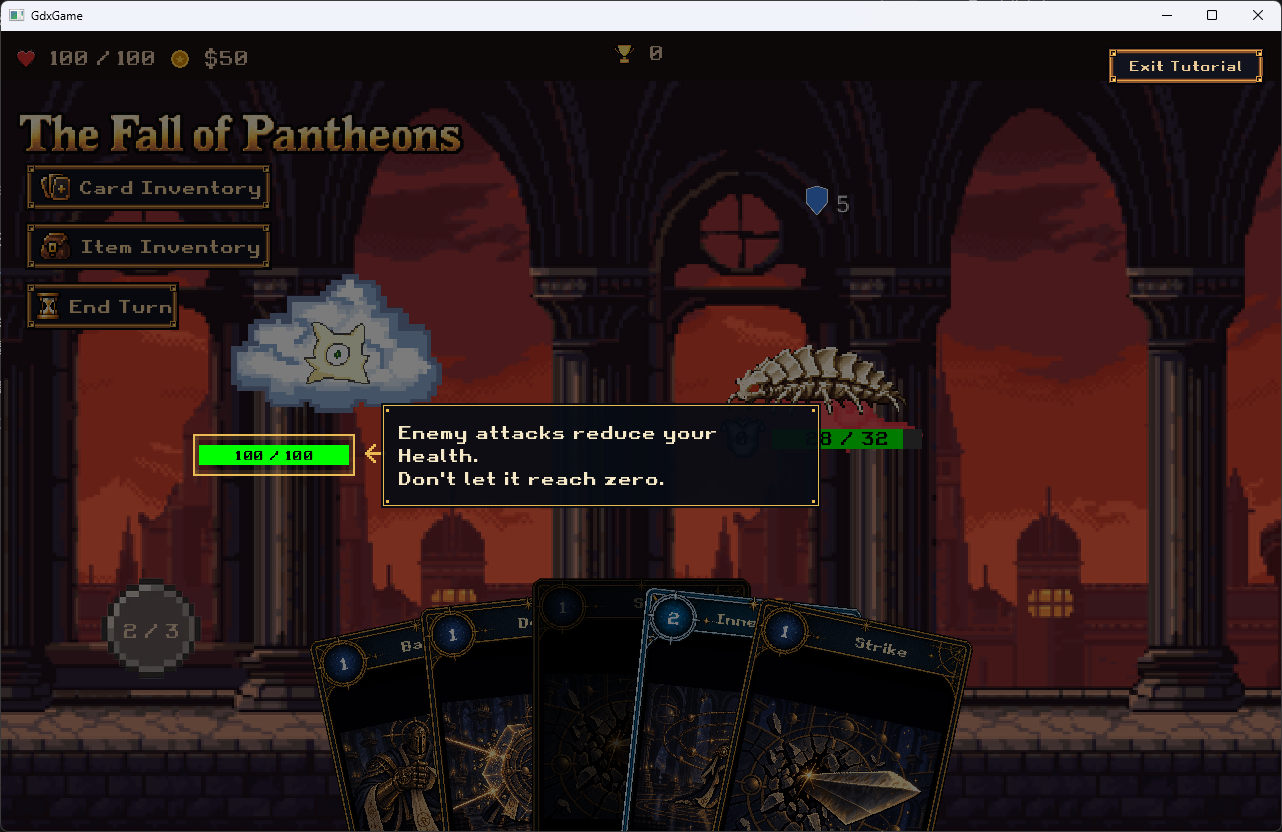
The player's current Health bar is highlighted before End Turn. The prompt explains that enemy attacks reduce Health and warns against letting it reach zero. This is a read-only explanation, not a scripted enemy attack.
10. End Turn and free play
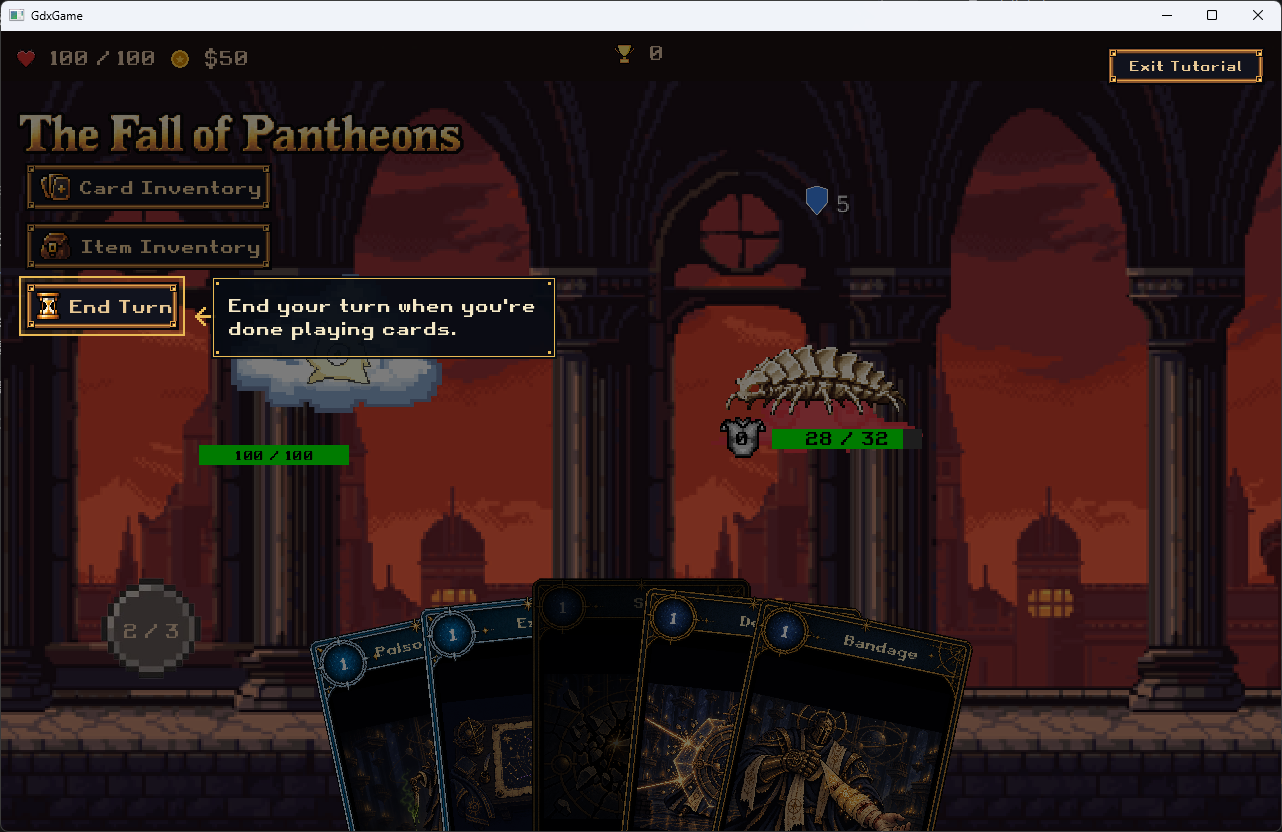
The End Turn button has its own outline and nearby instruction. End the turn when finished playing cards.
This explanation does not force a turn to end while Energy remains. Tapping elsewhere dismisses guidance and continues free play without spending Energy or ending the turn. Clicking the real End Turn button executes the existing turn logic; the tutorial waits for the response to settle before free play.
These screenshots were captured at different moments in a live battle. Hand contents and Energy values are illustrative, not guaranteed starting values for each lesson. Exit Tutorial remains accessible throughout.
Implementation
BattleTutorialController: teaching order and action gates.BattleTutorialPrompt: text, targets and continuation rules.BattleTutorialGuidanceView: prompt placement, outlines, arrows, dimming, input and Exit presentation.BattleTutorialComponentandBattleTutorialView: integration and shared presentation contract.BattleScreen: live target bindings and demonstration Strike identity.PlayerEnergyDisplay,PlayerStatsDisplayandEnemyStatsDisplay: visual target accessors, without changing combat calculations.
The active route is Welcome/Hand → Card Inventory → Item Inventory → Energy → Card Cost → Strike and resolved damage → Enemy Health → Enemy Armour → Player Health → End Turn → Free Play. The older used-card/cooldown explanation is not in this active route.
Targets resolve from live Stage actors. Energy bounds exclude transparent padding; Health and Armour use explicit component references instead of legacy text prefixes. The overlay and Exit are rendered above the hand. Clearing guidance removes tutorial overlays/listeners without disposing the shared Stage. Normal combat, inventories, card costs and encounter rules remain unchanged.
References: current repair notes, tutorial integration contract.
Verification and limits
The repair passed a fresh local run on 8 October 2026:
gradlew.bat :core:test :desktop:classes formatCheck --rerun-tasks --offline --console plain --max-workers=2
BUILD SUCCESSFUL: 2,051 core tests, zero failures, errors or skipped tests. Desktop compilation, formatting and Git whitespace checks passed. Regression coverage includes Item Inventory ordering, numeric stat targets, live target placement and End Turn input handling. The restored tree was identical to the original repaired version; reverting and reapplying did not add unrelated changes.
The captures document all ten teaching stages, including the separate Armour lesson. They are not exhaustive acceptance of every window size, Exit path or optional End Turn dismissal. These interactions still need manual checking. This guide does not claim a tutorial-only no-player-death guarantee or separate buff, draw and outcome lessons.
Compatibility update
The original PR #410 presentation used the old Energy/Health labels. The later battle UI in PR #394 changed those displays, requiring target-lookup adaptation; the tutorial source itself was not overwritten.
The targeted repair was recorded in PR #422, reverted through PR #423, then reintroduced and merged through PR #424. This page describes the repaired main version, not the historical PR #410 UI. Related task: #421.
Related pages
- Tutorial feature overview
- Tutorial steps and progression
- Tutorial battle setup
- Tutorial acceptance test plan
AI assisted the implementation and preparation of this documentation. The screenshots are supplied game captures, not newly generated artwork.