Radio Channels - TheThinkingHome/device_sentinel GitHub Wiki
Zigbee, Thread and 2.4 GHz Wi-Fi share the same airwaves. When a Wi-Fi network sits on top of your Zigbee channel, the first sign is usually a few devices with weak links or short drop-outs. Device Sentinel shows where your networks overlap and names a clearer channel. You'll find it in the dashboard's Advanced view.
What You'll See
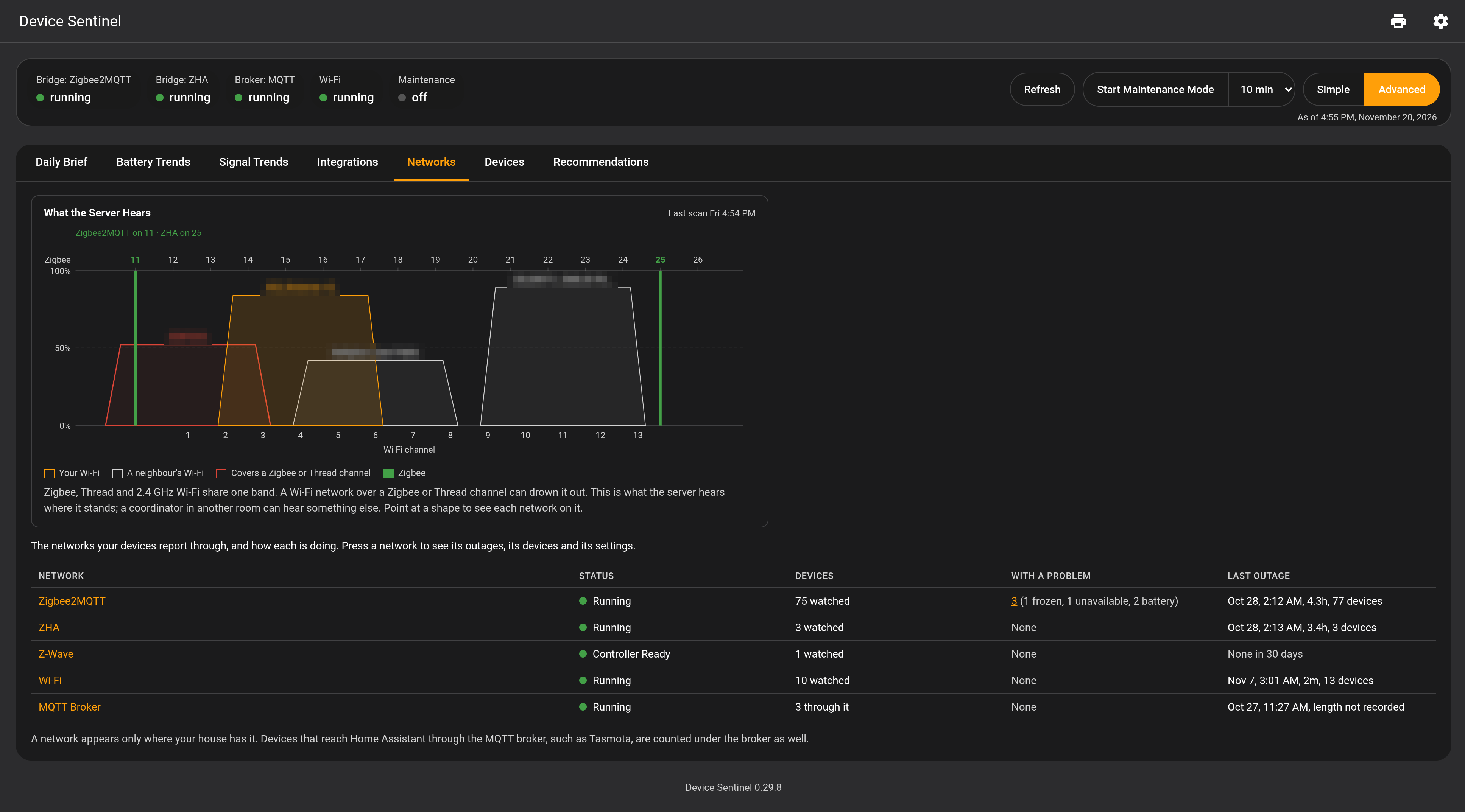
On the Networks tab. A chart, What the Server Hears, shows the Wi-Fi networks your Home Assistant server hears, each as wide as its channel and as tall as its signal. Yours are in colour and your neighbours' in grey. Zigbee channels 11 to 26 run along the top, with your Zigbee and Thread networks marked. A Wi-Fi network turns red where it covers one of your channels and is yours, or is a neighbour's heard strongly.
On a device's page. A Radio Channel row names its channel, such as "Zigbee channel 11, from Zigbee2MQTT". If a strong Wi-Fi network covers that channel and you can do something about it, the row says so.
Move to a Clearer Channel
When your Wi-Fi covers one of your Zigbee or Thread channels, a card on the Recommendations tab names a clearer Wi-Fi channel, such as:
"Your Wi-Fi on channel 4 overlaps a neighbour's network on channel 1, heard at 52%. If your router lets you choose, channel 6 is clearer."
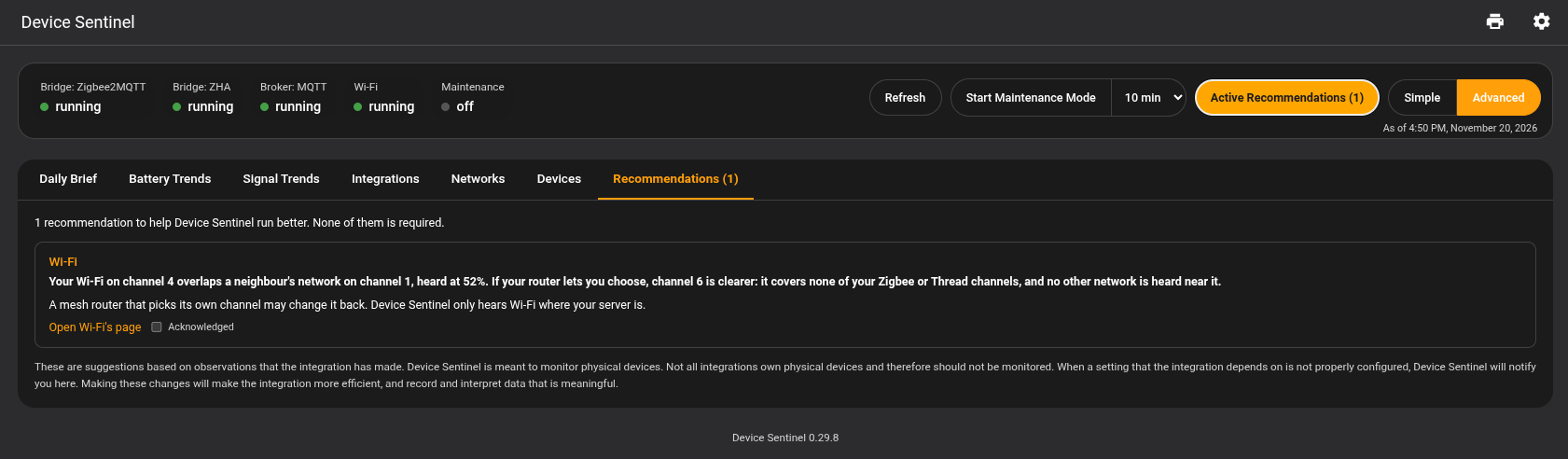
Change it in your router's settings. Only channels 1, 6 and 11 are offered, because they don't overlap each other. A mesh router that picks its own channel may change it back.
When a neighbour's strong Wi-Fi is in the way and your Zigbee devices already show weak links, a card names a clearer Zigbee channel instead. Changing a Zigbee channel can mean pairing some devices again, so read Zigbee2MQTT's notes on changing the channel or ZHA's network settings first.
Device Sentinel never changes a channel itself. A card goes away once the overlap is gone.
If your router won't let you choose, as with TP-Link Deco, tick the card's Acknowledged box. It stays quiet until the advice changes.
What You Need
Wi-Fi channels need a Wi-Fi adapter in your Home Assistant server, on Home Assistant OS or Supervised. Without one, the chart shows your Zigbee and Thread channels alone and says why. Zigbee and Thread channels come from Zigbee2MQTT, ZHA and your Matter devices, with nothing to set.
What It Can't Tell You
The chart shows the airwaves as your server hears them. A coordinator in another room can hear a different mix. It shows how loud each network is, not how busy, and it can't hear microwaves or other interference.